

Access control systems for business are electronic platforms that regulate who enters specific areas, when, and under what conditions, combining hardware, software, and credential management to protect assets and personnel. The industry standard term is “physical access control system,” or PACS. These systems go far beyond locking a door. They create a complete record of every entry event, enforce time-based restrictions, and connect with video surveillance and HR platforms to build a unified security operation. Business owners and facility managers who treat access control as foundational infrastructure rather than a security add-on get measurably better outcomes in both safety and operational efficiency.
How do access control systems work in office and commercial buildings?
A physical access control system works by verifying a credential, checking it against an authorization policy, and then triggering a lock or door release. Every system shares the same five core components: a credential (card, PIN, fingerprint, or phone), a reader that captures the credential, a controller that makes the access decision, an electronic lock that executes the decision, and management software that stores policies and logs.
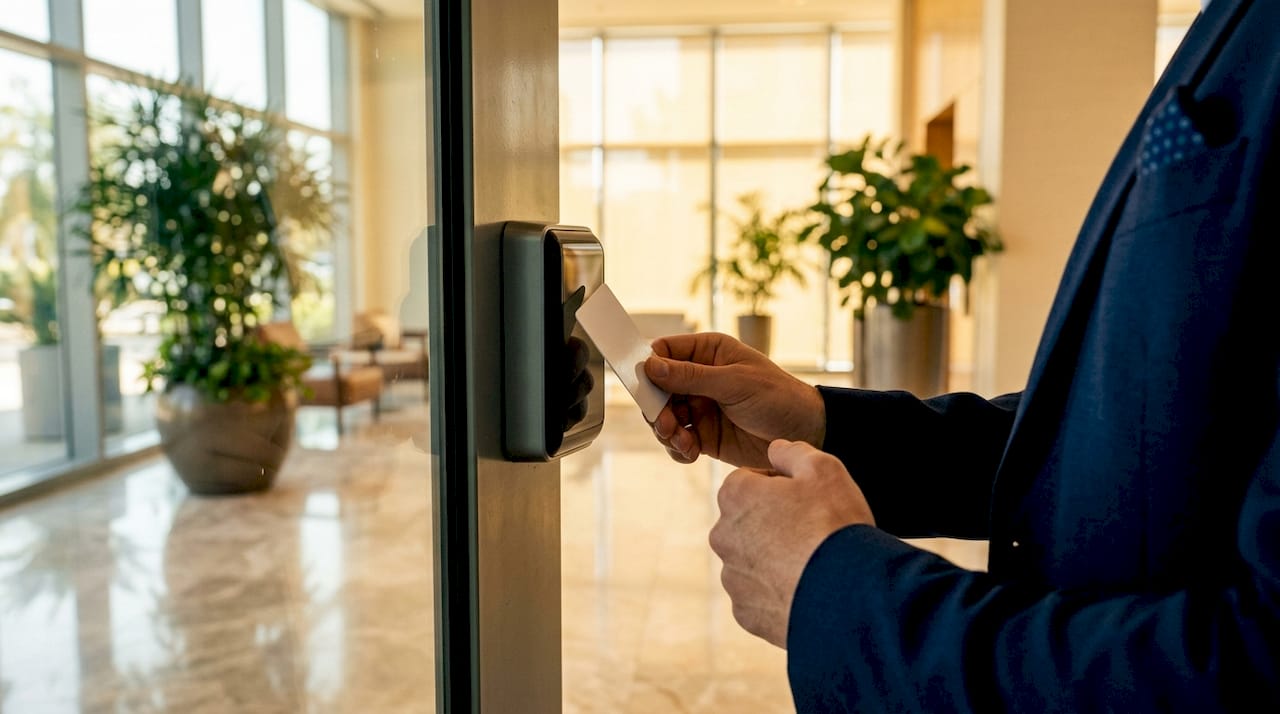
The distinction between authentication and authorization matters here. Authentication confirms who you are. Authorization determines what you are allowed to do. A card reader authenticates your identity. The controller checks whether your access group permits entry to that specific door at that specific time. Only then does the lock release.
Controllers come in two main forms. Standalone controllers manage a single door with no network connection. Networked controllers connect via TCP/IP to a central server or cloud platform, enabling centralized management across dozens or hundreds of doors. Standalone units are best for a single low-traffic entry point. Any multi-door or multi-site deployment requires networked or cloud-managed controllers.
- Credential reader: Captures card data, PIN, biometric scan, or mobile signal
- Controller: Processes the access decision in real time
- Electronic lock: Executes the open or deny command
- Management software: Stores user permissions, schedules, and audit logs
- Power supply and backup: Keeps the system running during outages
Pro Tip: Install the controller on the secure side of the door, not the public side. A controller mounted in an accessible hallway can be physically tampered with to force a door open.
What credential types work best for different security zones?
Credential choice affects cost, hygiene, shareability, and security level. No single credential type suits every door in a building. The right approach maps credential strength to the sensitivity of each zone.
Credential types compared
| Credential | Security strength | Convenience | Key tradeoff |
|---|---|---|---|
| RFID card or fob | Medium | High | Can be lost, shared, or cloned |
| PIN keypad | Low to medium | High | PINs are shared and forgotten |
| Mobile (BLE/NFC) | Medium to high | Very high | Requires smartphone and app |
| Fingerprint biometric | High | Medium | Hygiene concerns, enrollment time |
| Facial recognition | High | Very high | Higher hardware cost |
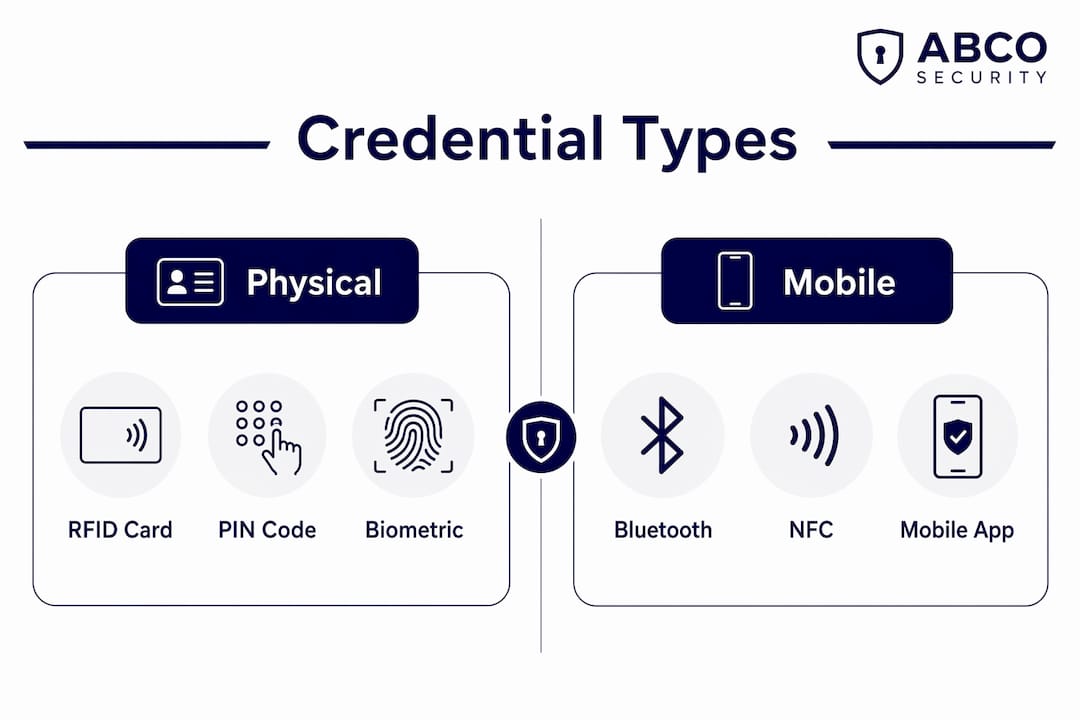
Office buildings commonly map 4–5 distinct security zones with tailored credential strength per zone. A public lobby requires no credential at all. A general work floor uses a single-factor RFID card. A finance department or data center requires multi-factor authentication, combining a card with a PIN or biometric scan.
This zoning approach does more than improve security. It controls cost. Placing biometric readers on every door in a 200-person office is unnecessary and expensive. Placing them only on server rooms and executive suites delivers high security where it counts without inflating the budget.
- Public lobby: No credential, open access
- General work floor: RFID card or mobile credential
- HR or finance area: Card plus PIN (two-factor)
- Server room or lab: Card plus biometric (multi-factor)
- Emergency exits: Fail-safe locks, no inbound credential required
Pro Tip: Mobile credentials (Bluetooth Low Energy) are the fastest-growing credential type in corporate deployments. They eliminate card issuance costs and let you revoke access instantly from the management platform if a phone is lost.
How do you scale access control for growing businesses and multi-site deployments?
Scalability is the most underestimated factor in access control planning. A system that works perfectly for 50 employees in one office can become a management burden when the business grows to 500 employees across three sites.
Enterprise-grade platforms scale to over 1,000 doors and 100,000 cardholders, with both cloud and on-premises deployment options. That range covers everything from a small professional services firm to a large corporate campus. The architecture you choose at installation largely determines how far you can grow without replacing the system.
Cloud vs. on-premises control
Cloud-managed systems store policies and logs on remote servers. They allow administrators to manage access from any browser, push permission changes instantly across all sites, and eliminate the need for on-site server hardware. On-premises systems keep all data local, which some regulated industries require for data sovereignty reasons.
Hybrid controller topologies combine centralized cloud management with local controllers that continue operating during internet outages. This model suits multi-floor or multi-branch environments where uptime is non-negotiable.
- Single site, under 10 doors: Standalone or small networked controller
- Single site, 10–100 doors: Networked TCP/IP controllers with on-premises server
- Multi-site, 100+ doors: Cloud-managed platform with local controllers per site
- Enterprise, 1,000+ doors: Enterprise platform with hybrid topology and dedicated IT support
Standardizing credentials and software platforms across all sites from day one prevents the most common scaling problem: incompatible systems that require separate logins and duplicate administration. Plan for your five-year headcount, not your current one.
Why does integration with HR, video, and attendance systems matter?
Integration via open APIs transforms access control from isolated security infrastructure into a coordinated, real-time operational system. Without integration, every new hire requires manual credential creation in the access control platform. Every termination requires a separate manual revocation. Both steps get missed, creating security gaps.
When access control connects to your HR platform, onboarding automatically triggers credential creation. Offboarding automatically revokes access. No manual step, no forgotten account. The same principle applies to attendance systems, where access events link to time-and-attendance records to reduce buddy-punching and payroll disputes.
Video integration delivers the biggest security return. When an access event triggers an alarm, the system automatically pulls the corresponding video surveillance footage from that door at that timestamp. Security teams see the full picture in seconds rather than manually scrubbing through hours of recording.
- HR integration: Automates credential provisioning and revocation
- Video management: Links entry events to camera footage for instant review
- Attendance systems: Validates presence records against door events
- Alarm systems: Triggers lockdown or alert protocols on unauthorized access
Pro Tip: Plan integrations before installation, not after. Ignoring integration early results in siloed systems with duplicated administration and missed opportunities for automated incident response.
What best practices keep access control secure, compliant, and fire-safe?
A well-executed access control strategy balances security with legal compliance, particularly fire safety and data privacy regulations. Getting this balance wrong creates liability, not just inconvenience.
Fire safety is the most critical compliance requirement. Fail-secure locks, which remain locked during a power failure, must never be installed on required egress routes. Fire alarm integration must automatically unlock designated exit doors the moment an alarm triggers. Emergency exit buttons on the inside of every controlled door are non-negotiable under most building codes.
Operational best practices for facility managers
- Audit log retention: Keep tamper-resistant entry event logs for a minimum of 90–180 days. Logs support incident investigations, internal audits, and regulatory reviews.
- Anti-passback rules: Prevent a credential from being used to enter a zone twice without first exiting. This stops tailgating and shared-card abuse.
- Visitor management: Use a dedicated visitor system that pre-registers guests, captures photo ID, and sends host notifications. Controlled visitor access with time-limited credentials eliminates the security gap at reception desks.
- Power backup: Install an uninterruptible power supply (UPS) on every controller. A power outage should not mean an open building.
- Access reviews: Audit user access groups quarterly. Over-provisioning, giving employees access to areas they no longer need, is the most common internal security failure.
Pro Tip: Set a calendar reminder for quarterly access reviews. Employees change roles, projects end, and contractors finish work. Stale permissions are a silent security risk that no alarm will ever flag.
Key Takeaways
Access control systems for business deliver the strongest security return when zoning, credential selection, integration, and compliance planning work together from day one.
| Point | Details |
|---|---|
| Zone before you buy | Map security zones by risk level before selecting credentials to avoid overspending on low-risk doors. |
| Match credential to zone | Use RFID cards for general floors, multi-factor authentication for restricted areas like server rooms. |
| Plan for scale early | Choose a cloud or hybrid platform that can grow to 1,000+ doors without replacing core infrastructure. |
| Integrate HR and video | Automate credential provisioning and link entry events to video footage to cut administrative overhead. |
| Comply with fire codes | Never install fail-secure locks on egress routes, and always integrate with fire alarm systems. |
Abcosecurity’s take on access control as long-term infrastructure
Most businesses treat access control as a one-time purchase. Install the readers, hand out the cards, and move on. That mindset is the single biggest reason systems fail to deliver their potential value within three years.
After more than 15 years working with corporate, healthcare, and construction clients, I have seen the same pattern repeatedly. Organizations that plan access control as permanent building infrastructure, the same way they plan electrical or HVAC systems, get compounding returns. Their audit logs actually get used. Their integrations actually work. Their security teams spend time on real threats instead of manual administration.
The clients who struggle are the ones who skip the zoning exercise, buy the cheapest standalone controllers, and then try to bolt on video integration two years later. The result is always the same: siloed systems, duplicated effort, and a security posture that looks good on paper but fails in practice.
The most undervalued feature in any access control platform is the audit log. Detailed, tamper-resistant entry event records do more than support investigations. They enforce operational discipline. When employees know every entry is logged, behavior changes. That is a security outcome no camera or guard can replicate on its own.
My honest recommendation: spend as much time on integration planning as you do on hardware selection. The hardware is a commodity. The integration is where the real operational value lives.
— Abco
Abcosecurity’s integrated access control solutions for businesses
Abcosecurity brings over 15 years of experience designing and installing access control systems for corporate offices, healthcare facilities, and construction sites across Australia. Every deployment starts with a site-specific risk assessment and zoning plan, so you invest in the right credential strength at the right doors.
Abcosecurity’s security management services cover the full lifecycle: system design, professional installation, HR and video integration, and ongoing maintenance contracts. The team holds ISO 9001 and ISO 30000 certifications, which means every installation meets internationally recognized quality and security standards. For businesses that need gatehouse and visitor management integrated with their access control platform, Abcosecurity delivers a single managed solution. Contact the team for a customized security assessment and system design proposal.
FAQ
What is an access control system for business?
An access control system for business is an electronic platform that manages entry permissions using credentials such as cards, PINs, or biometrics, combined with audit logging and centralized management software. It controls who can enter specific areas, when, and under what conditions.
How does an access control system work?
A reader captures a credential, a controller checks it against the authorization policy, and an electronic lock releases or denies entry based on the result. The entire process takes less than one second and generates a timestamped log entry.
What are common examples of access control systems?
Common examples include RFID card systems, PIN keypad systems, biometric fingerprint or facial recognition systems, and mobile credential platforms using Bluetooth Low Energy. Enterprise deployments often combine multiple credential types across different security zones.
How do I choose between cloud and on-premises access control?
Cloud systems offer remote management and faster multi-site deployment, while on-premises systems keep data local for regulated industries. A hybrid model, with cloud management and local controllers, suits most growing businesses.
What is the difference between fail-safe and fail-secure locks?
A fail-safe lock unlocks automatically during a power failure, making it safe for egress routes. A fail-secure lock stays locked during power loss and must never be installed on required emergency exits under fire safety codes.
Recommended
about
avada factory
Sempery ultricies nibh at dolor cras urna eleifend nec. Atiam efficitur tempor.



