Choose an NVR for any new install, multi-site business, or anywhere you want analytics and easy remote access. Stick with a DVR only if you’re reusing working coaxial cabling and want to keep costs down on a straightforward, single-site job. If your site has decent coax already in the walls, a hybrid recorder or video encoder often makes more financial sense than ripping everything out.
TL;DR:
- NVR systems support higher resolution cameras, often 4K or higher, and include advanced analytics such as license plate recognition and people counting.
- Using PoE, NVRs require only one Ethernet cable per camera, simplifying cabling and reducing installation costs on new builds.
- DVRs are suitable mainly for existing sites with working coaxial cabling and low budgets, but they lack scalability and modern analytics capabilities.
- Properly sizing storage for NVRs depends on aggregate bitrate and retention needs, not just the number of channels, which can significantly affect long-term costs.
- Effective deployment requires a thorough site survey of existing cabling, network capacity, and future expansion plans before choosing between DVR, NVR, or hybrid systems.
Table of Contents
- What is a DVR and when does it still make sense?
- What is an NVR and what capabilities does it unlock?
- NVR vs DVR comparison: which wins on the things that matter?
- How to choose: a decision checklist before you sign anything
- Deployment and migration: hybrids, network readiness, and storage sizing
- Abcosecurity’s site checklist and when to bring in a managed service
- Why this decision deserves strategic thinking, not a quick fix
- Sources
- FAQ
What is a DVR and when does it still make sense?
A Digital Video Recorder does the heavy lifting itself. Analogue cameras send raw video down coaxial cable to the recorder, and the DVR handles all the encoding, compression, and storage in one box. The cameras themselves have no intelligence. They’re just eyes; the brain sits in the recorder cabinet.
That architecture creates two practical realities. First, every camera needs its own coax run for video and a separate cable for power, unless you’re running a system with power over the coax itself. Second, resolution tends to sit in the standard HD range on most legacy kit, well below what current IP cameras can capture, according to Synology’s comparison of DVR and NVR platforms.
None of that makes DVR obsolete. It’s still the sensible pick in specific situations:
- Legacy sites with working coax. If the cabling is already in good condition, rewiring for the sake of it rarely pays for itself.
- Tight budgets on low-risk sites. A small retail shop or single-office fit-out often doesn’t need 4K resolution or AI analytics.
- Straightforward replacement jobs. Swapping a failed DVR for a newer model is far cheaper than a full system redesign.
- Sites where internet dependency is a concern. DVRs record locally by default and don’t rely on network infrastructure to function.
The trade-off is capability. You lose the resolution ceiling, the analytics, and the easy scalability that IP-based systems offer.
What is an NVR and what capabilities does it unlock?
A Network Video Recorder works the other way around. IP cameras encode and sometimes analyse their own footage before sending a compressed digital stream to the NVR over Ethernet. The recorder’s job shifts from “encode everything” to “store, index, and serve” video that’s already been processed at the edge.
The practical benefit shows up first in the cabling. Most NVR deployments run on Power over Ethernet, so a single Cat6 cable carries both data and power to each camera. That’s one cable run instead of two, and it’s a big part of why SafeWise’s DVR versus NVR breakdown rates PoE installs as noticeably simpler for new builds. There’s no separate power supply to plan, no extra conduit for a low-voltage cable, and one less thing for an electrician to coordinate.
Beyond wiring, NVR systems open doors DVRs simply can’t:
- Higher resolution as standard. 4K and 8-megapixel cameras are common, with clearer footage for identifying faces, plates, and fine detail.
- Onboard audio and two-way talk, useful for warning off intruders or verifying alarms.
- Smart analytics like people counting, line-crossing alerts, and licence plate recognition, often processed right at the camera.
- Centralised, remote management across multiple sites from a single interface, according to Synology.
If you’re building new, running multiple sites, or need analytics that actually do something useful, NVR is the direction the whole industry has moved.
NVR vs DVR comparison: which wins on the things that matter?
Line the two systems up against the criteria buyers actually care about, and the pattern is consistent: DVR wins on upfront simplicity for legacy sites, NVR wins on almost everything else.
| Dimension | DVR | NVR |
|---|---|---|
| Camera type | Analogue, recorder does the encoding | IP cameras, edge encoding at the camera |
| Cabling/power | Coax plus separate power run | Single Ethernet cable via PoE |
| Image quality | Typically standard HD range | Commonly 4K/8MP and beyond |
| Scalability | Limited by recorder channels and coax runs | Easier to expand across a network |
| Remote access | Basic, often app-dependent | Stronger, built for multi-site management |
| Analytics | Minimal to none | People counting, LPR, line-crossing, and more |
| Cost/installation | Lower upfront if coax exists | Higher hardware cost, lower cabling labour on new builds |
| Storage/retention | Sized to channel count | Sized to aggregate bitrate, more flexible |
A statistic worth sitting with: according to IP Security Depot’s platform guide, storage on any networked system should be sized by aggregate incoming bitrate plus roughly 25% headroom, not simply by counting channels. Two eight-camera systems can need wildly different drive capacity depending on resolution and codec choices alone.
The trade-offs aren’t abstract. A construction site with three years of coax already in the ground might spend more ripping it out for IP cameras than it would gain in resolution. A retail chain opening five new stores a year gets the opposite answer, because PoE and centralised management save real money at scale.
Where the choice isn’t clean, video encoders and hybrid recorders (sometimes marketed as XVRs) let you bridge the two. They accept analogue input while pushing footage onto the network, which keeps working cameras in service while you plan a phased move to IP.
How to choose: a decision checklist before you sign anything
Work through this before requesting quotes, not after.
- Survey the existing cabling. Test coax runs for signal quality and check whether Ethernet already reaches camera positions.
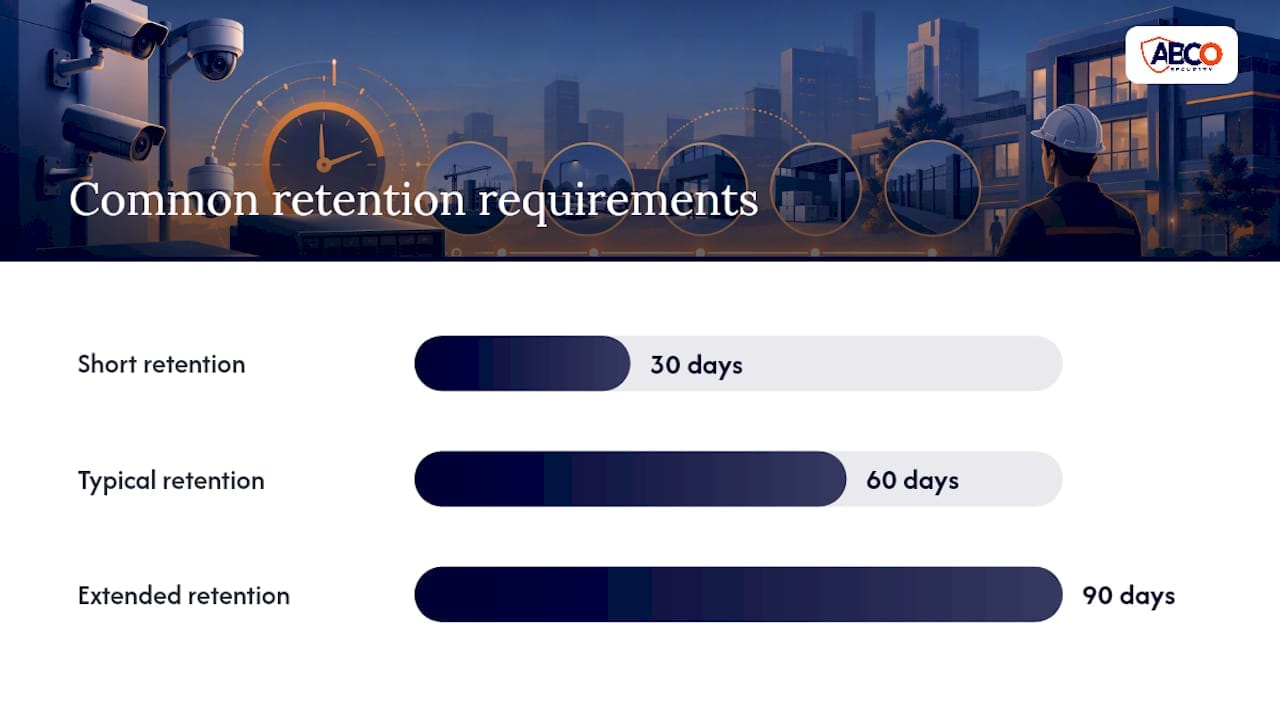
- Confirm your retention requirement. Insurance, compliance, or council conditions may dictate 30, 60, or 90 days of footage. This drives your storage sizing more than anything else.
- Check PoE budget and switch capacity. A switch rated for eight ports doesn’t necessarily have the wattage for eight high-resolution PoE cameras running IR illuminators overnight.
- Map your expansion plans. If you’re likely to add cameras or sites within three years, price the NVR path even if DVR looks cheaper today.
- Test remote access from outside the network before final sign-off, not after the installer has left.
Ask any installer these questions directly: What’s the actual PoE wattage budget on the switch you’re quoting? How is retention calculated, by channel count or by bitrate? What happens to footage during a firmware update or drive failure? A vague answer to any of these is a red flag.
Pro Tip: Don’t compare DVR and NVR quotes on hardware cost alone. Add cabling labour, retention drive costs, and the licensing fees some NVR platforms charge per camera. The cheaper quote on paper sometimes ends up the pricier system over three years.
Total cost of ownership almost always favours NVR once you factor in scalability, even though the sticker price on cameras and switches is higher. DVR wins purely on cash outlay for a system you don’t plan to grow.
Deployment and migration: hybrids, network readiness, and storage sizing
Migrating an existing site rarely means an all-or-nothing swap. Video encoders convert analogue camera feeds into network streams, letting you keep functioning coax cameras in service while new areas get IP cameras from day one. Hybrid recorders take this further, accepting both analogue and IP inputs on the same box, which suits a phased rollout over one or two budget cycles.
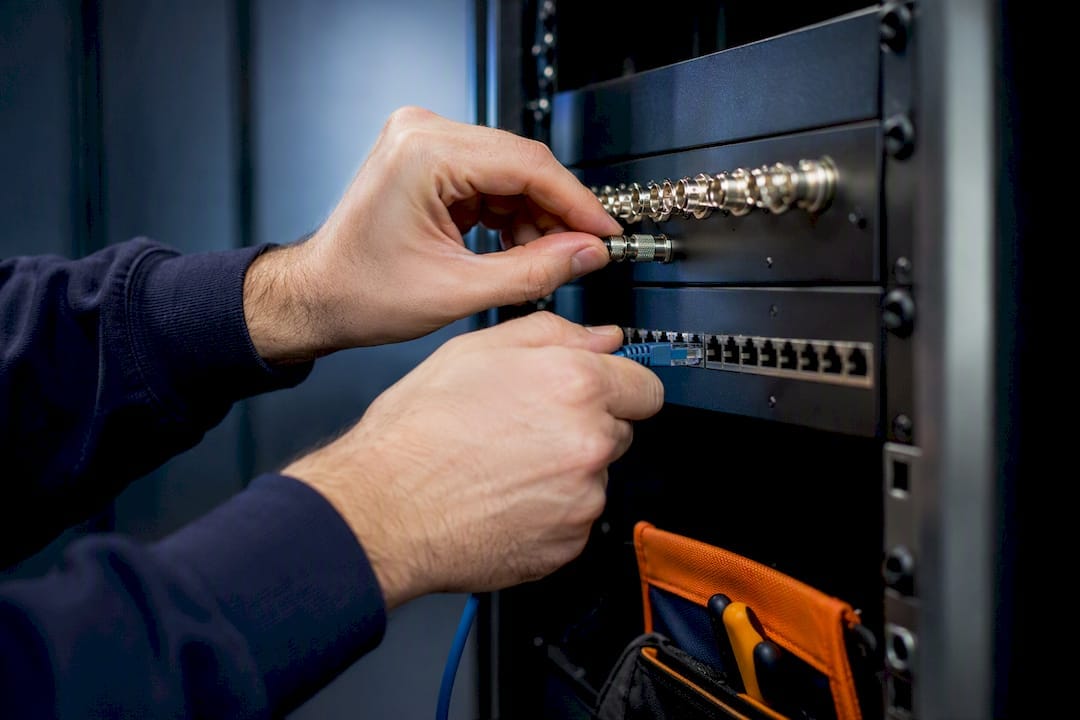
That flexibility comes with a management cost. Running two camera types on one platform means two sets of firmware, two sets of failure modes, and more complexity for whoever’s maintaining the system, a trade-off IP Security Depot’s guide flags as a genuine long-term consideration, not just a transitional inconvenience.
Network readiness matters just as much as camera choice. Before deploying any NVR system, check:
- PoE budget per switch, factoring in cameras with heaters, IR illuminators, or pan-tilt-zoom motors that draw more than a standard PoE camera.
- VLANs and QoS settings, so camera traffic doesn’t compete with office data for bandwidth.
- WAN sizing, if remote viewing from multiple staff or sites is expected.
- Surveillance-rated hard drives, built for continuous read/write cycles rather than standard desktop drives.
Storage sizing works best when calculated from bitrate, camera count, and retention target together, not from channel count alone, echoing the same bitrate-based approach IP Security Depot recommends for new deployments. Build in firmware patching schedules from day one. An unpatched NVR sitting on a business network is a bigger liability than most facility managers realise.
Abcosecurity’s site checklist and when to bring in a managed service
After extensive experience installing and monitoring security systems across construction, healthcare, and corporate sites, a professional security company applies thorough site survey discipline to every DVR or NVR decision, built around recognized quality standards.
Before recommending a system, check:
- Existing cable condition and camera placement, tested for signal quality, not just visual inspection.
- Integration points, including alarm monitoring, access control, and whether the site needs 24/7 monitoring layered on top of recording.
- Retention obligations tied to insurance, site risk profile, or contractual SLAs with the client operating the property.
- Network capacity, confirming switches and cabling can genuinely support the cameras being proposed, not just the ones already installed.
If your business doesn’t have in-house IT resourcing to manage firmware updates, storage failures, and remote access security, a managed and monitored service can remove that burden rather than leaving it to whoever happens to notice a red light on the recorder.
Why this decision deserves strategic thinking, not a quick fix
Most sites treat this as a like-for-like hardware swap. That’s the wrong frame. An NVR or DVR choice sets the ceiling on what your security system can do for the next five to seven years, including whether analytics, multi-site management, or evidentiary retention are even possible later without another rebuild.
Document your retention policy and camera naming conventions from the first day of deployment, not after an incident forces you to search footage under pressure. A system named “Camera 1, Camera 2” across three sites becomes unmanageable fast. Treat this as a platform decision with governance attached, and the tactical question of coax versus Ethernet becomes much easier to answer.
— Abco
Sources
For deeper technical detail on platform architecture, Synology’s DVR versus NVR breakdown and the IP Security Depot platform guide are solid starting points. If you’re ready to plan an installation, Abcosecurity’s construction site security technology guide covers real-world deployment on active sites.
- DVR vs. NVR: Which is better? You need Surveillance Station | Synology Inc.
- DVR vs. NVR: What’s the Difference and Which is Better? | Verkada (AU)
FAQ
Which is better, DVR or NVR?
NVR is better for most buyers because it supports higher resolution, remote access, and analytics that DVR systems can’t match. DVR remains the sensible choice only when you’re reusing existing coax cabling on a low-risk, single-site job.
Does NVR work without internet?
Yes. An NVR records and plays back footage locally over your network without needing internet access, according to Verkada’s comparison of the two systems. Internet access only adds optional features like remote viewing and cloud backup.
How do I know if I have NVR or DVR?
Check the cabling at your cameras: coaxial cable running to a separate power supply usually means DVR, while a single Ethernet cable to each camera means NVR. You can also check the recorder itself, since NVR interfaces typically list IP camera settings and PoE port status.
Which is better, an NVR or DVR system from a brand like Swann?
The same rules apply regardless of brand: an NVR-based kit will offer higher resolution and better remote access, while a DVR kit suits sites that already have coax cabling installed. Compare the specific camera resolution, storage capacity, and cabling requirements of any kit rather than relying on brand name alone.
Recommended
about
avada factory
Sempery ultricies nibh at dolor cras urna eleifend nec. Atiam efficitur tempor.