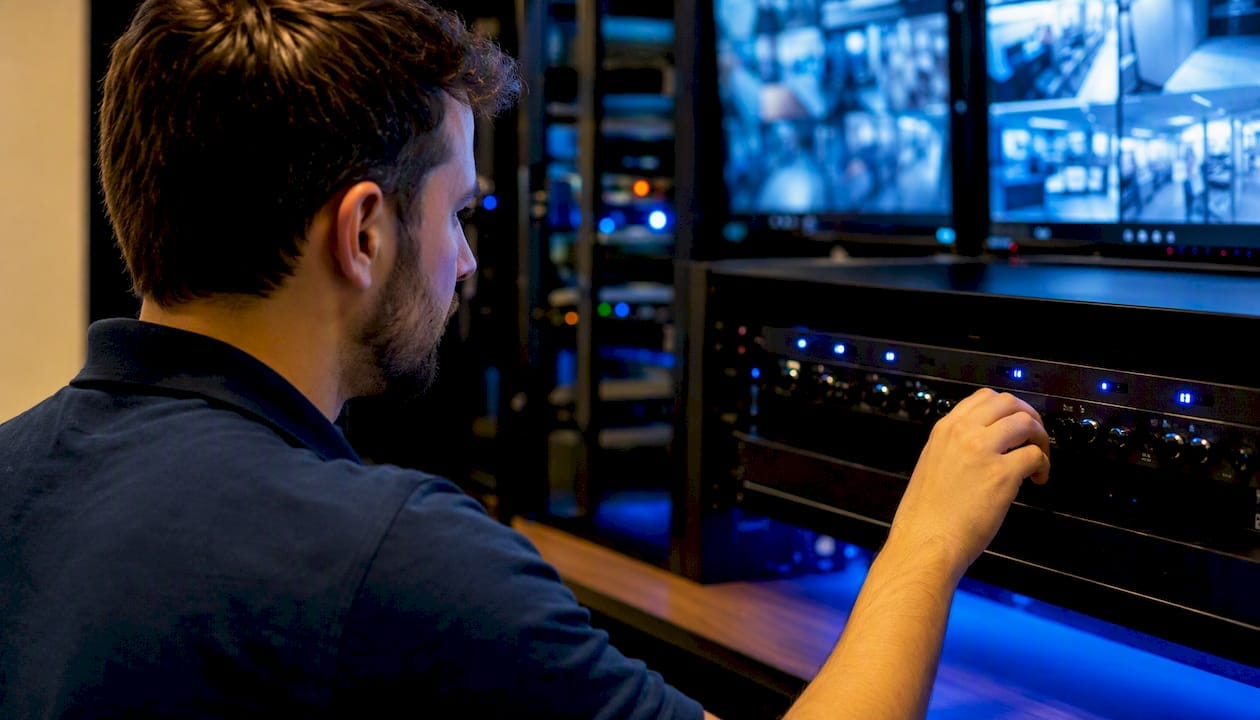
Privacy masking is a camera or VMS function that permanently obscures a defined part of a video feed, usually with a black box, pixelation, or blur, so surveillance coverage never captures a space you have no right to record. It lets a business camera watch a loading dock without also filming the neighbour’s kitchen window, or lets a reception camera cover a foyer without capturing what’s on a colleague’s monitor screen.
Three uses come up constantly on real jobs:
- Neighbouring windows and yards — a boundary camera aimed at a driveway often clips a neighbour’s window in the frame; a static mask removes that strip permanently.
- Sensitive screens and documents — cameras in offices or pharmacies frequently need to blank out a till screen, a patient file, or a keypad without losing the rest of the room.
- Masking that survives export — when configured correctly at the edge, the mask stays baked into the footage you hand over for a police request or insurance claim, not just the live view.
The Office of the Australian Information Commissioner (OAIC) treats masking as a practical privacy-by-design control, and state surveillance acts back that up with hard boundaries around what a camera is legally allowed to see. Get the configuration right and you satisfy both the letter of the law and the person next door who’s sick of feeling watched.
Key Takeaways
Privacy masking protects against legal and reputational risk only when it’s applied at the right layer, tested at every stage of the signal chain, and backed by documented, logged configuration changes.
| Point | Details |
|---|---|
| Reposition before masking | Adjust camera angle first; a mask should cover unavoidable overlap, not fix a poorly aimed lens. |
| Confirm masks are baked in | Test that masks survive export to a standard file, not just live view. |
| Match mask type to the problem | Use static masks for fixed zones and dynamic masking for moving subjects like faces or plates. |
| Log every mask change | Restrict mask edits to logged admin accounts and retain audit records for compliance. |
| Disable audio by default | Enable microphones only with explicit consent from every recorded party, per state listening-device laws. |
| Get masking audited professionally | Abcosecurity specifies, commissions, and audits privacy masking as part of integrated CCTV contracts. |
This article is general information, not a substitute for advice from a qualified lawyer. Consult a qualified legal professional about your own circumstances before acting on anything here.
Table of Contents
- What does CCTV privacy masking actually do to the video signal?
- Static masking or dynamic masking: which do you need?
- Where does masking run, and what should you check for compatibility?
- How do you configure privacy masks step by step?
- How do you test and verify that a privacy mask actually works?
- What does masking cost you in image quality and analytics?
- Does privacy masking satisfy your legal obligations on its own?
- What else should you combine with digital masking?
- What do installers get wrong most often?
- How Abco Security handles masking as part of a full install
- Sources
- FAQ
What does CCTV privacy masking actually do to the video signal?
Privacy masking works by intercepting the video stream before or during encoding and overwriting a defined region with something other than the real image. There are three common methods, and they are not interchangeable.
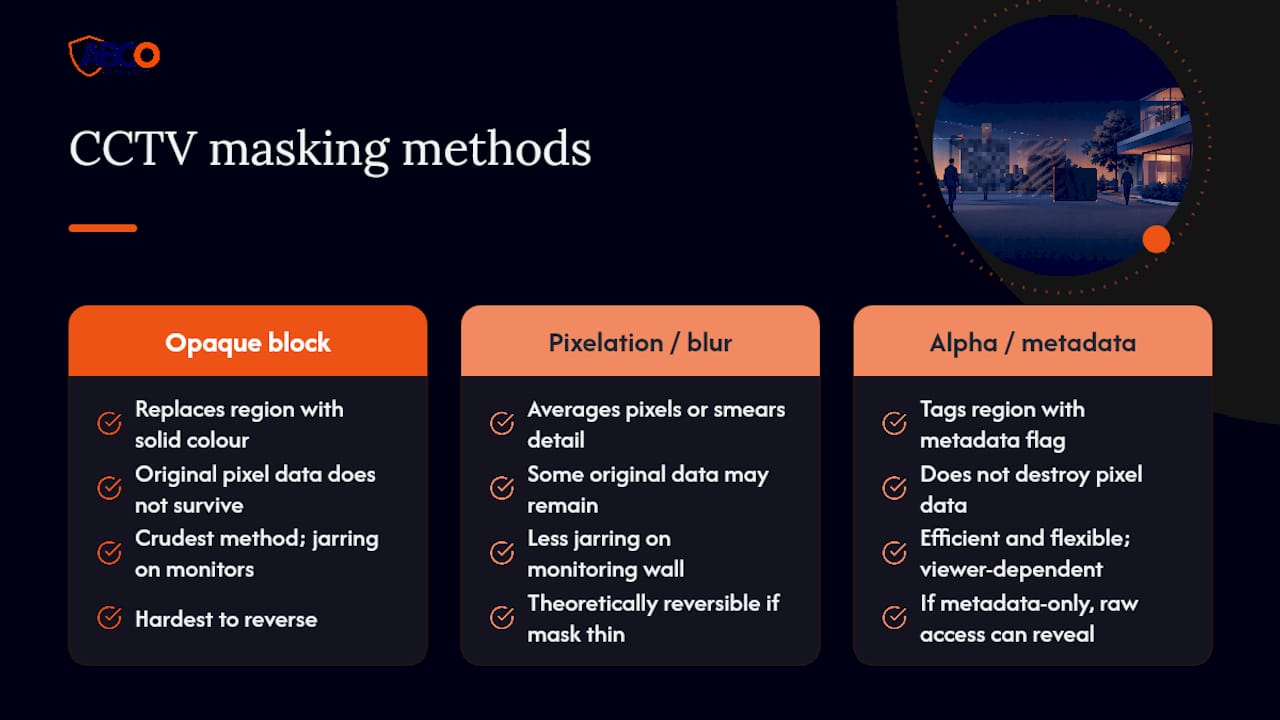
Opaque blocks replace the region with a solid colour, usually black or grey. It’s the crudest method, but it’s also the hardest to reverse. Nothing of the original pixel data survives in the encoded frame.
Pixelation and blur apply a mathematical filter that averages pixel blocks or smears detail across the region. It looks less jarring on a monitoring wall, which matters for operator fatigue during long shifts, but some older blur implementations are theoretically reversible if the mask is thin or the blur radius too small. For anything with a legal masking obligation, an opaque block is the safer default.
Alpha masks and metadata flags are the more modern approach. Rather than destroying pixel data, the camera or VMS tags a region with metadata that instructs any compliant viewer to render it as blocked. This is efficient and flexible but has one serious weakness: if the mask lives only as a metadata flag interpreted at the viewer, and not baked into the actual recorded stream, someone with raw access to the file can strip the flag and see the original footage.
That distinction, whether the mask is drawn into the pixels or applied as an instruction to the viewer, determines whether your masking will hold up under subpoena, insurance dispute, or FOI request.
Where masking runs in the signal chain
- Edge (camera firmware) — the mask is applied inside the camera before the stream leaves the device. This is the most tamper-resistant option because the mask travels with every copy of the footage, live or recorded.
- NVR/VMS — the recorder or software applies the mask after the stream arrives. This is common in mixed-vendor installs but depends entirely on whether the platform bakes the mask into the saved file or just overlays it in the viewer.
- Cloud — masking applied during cloud ingestion or playback. Convenient for multi-site management, but check whether the cloud provider stores an unmasked master copy upstream, because that copy is still discoverable in a legal proceeding.
Processing location affects performance too. Edge-based pixel masking adds a modest, constant load to the camera’s onboard chip, which is usually trivial on modern silicon. Dynamic AI masking, covered next, is a heavier lift and can affect frame rate on lower-spec cameras, particularly when running H.265 encoding at high resolution with multiple moving mask regions per frame.
Pro Tip: For any site with a genuine compliance obligation, insist on edge masking baked into the recorded stream, not a server-side overlay. If an installer can’t confirm the mask survives export to a raw MP4 played in a third-party viewer, assume it doesn’t.
Static masking or dynamic masking: which do you need?
Static masks are fixed zones drawn once during commissioning and left untouched unless the camera moves or the site layout changes. They’re the right answer for permanent privacy problems: a neighbour’s window, a fixed till screen, a doorway to a residential unit. Because the region never moves, static masks are simple to verify and hard to argue with in an audit, and they’re generally the most tamper-resistant option because they’re baked in once and rarely touched again.
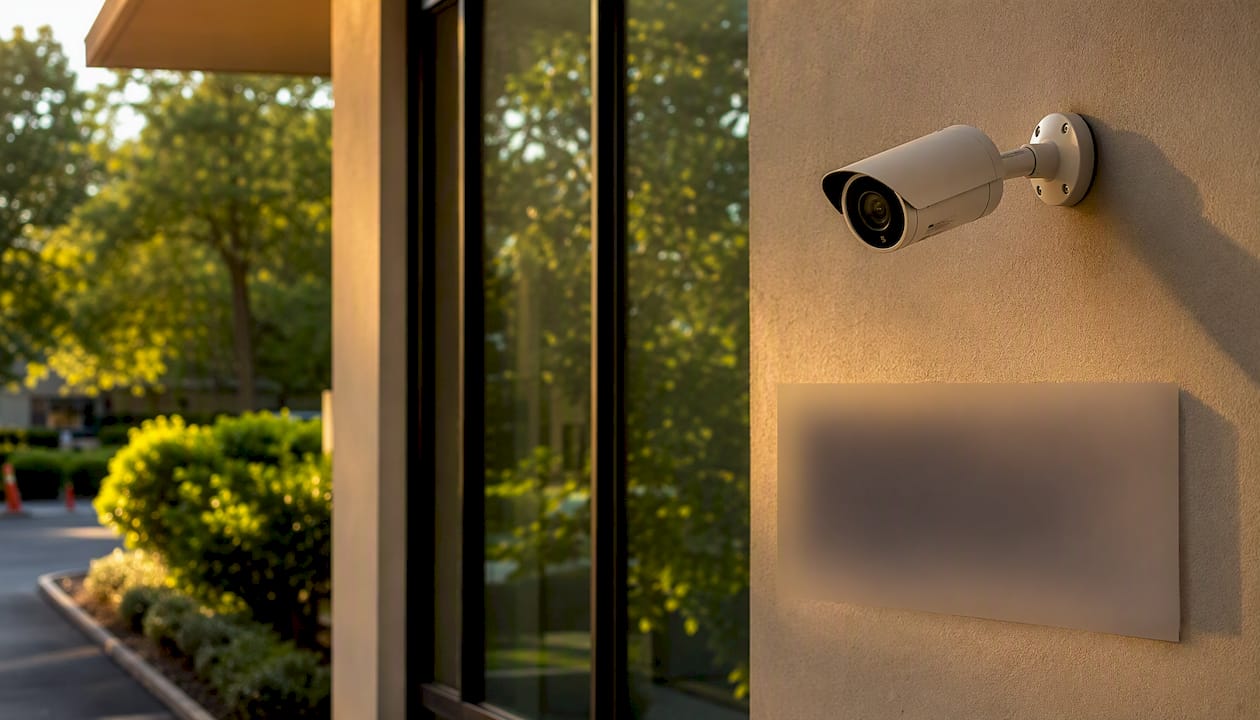
Dynamic masking, sometimes marketed as AI privacy blurring, tracks moving subjects, faces, or number plates and blurs them in real time as they move through frame. Axis Communications’ Live Privacy Shield is one commercial example of edge-based dynamic masking that can run on compatible camera hardware without extra servers. This is the right tool when the privacy concern is a person, not a fixed location, such as public-facing retail footage where faces need blurring for routine monitoring but full detail must be recoverable for an actual incident.
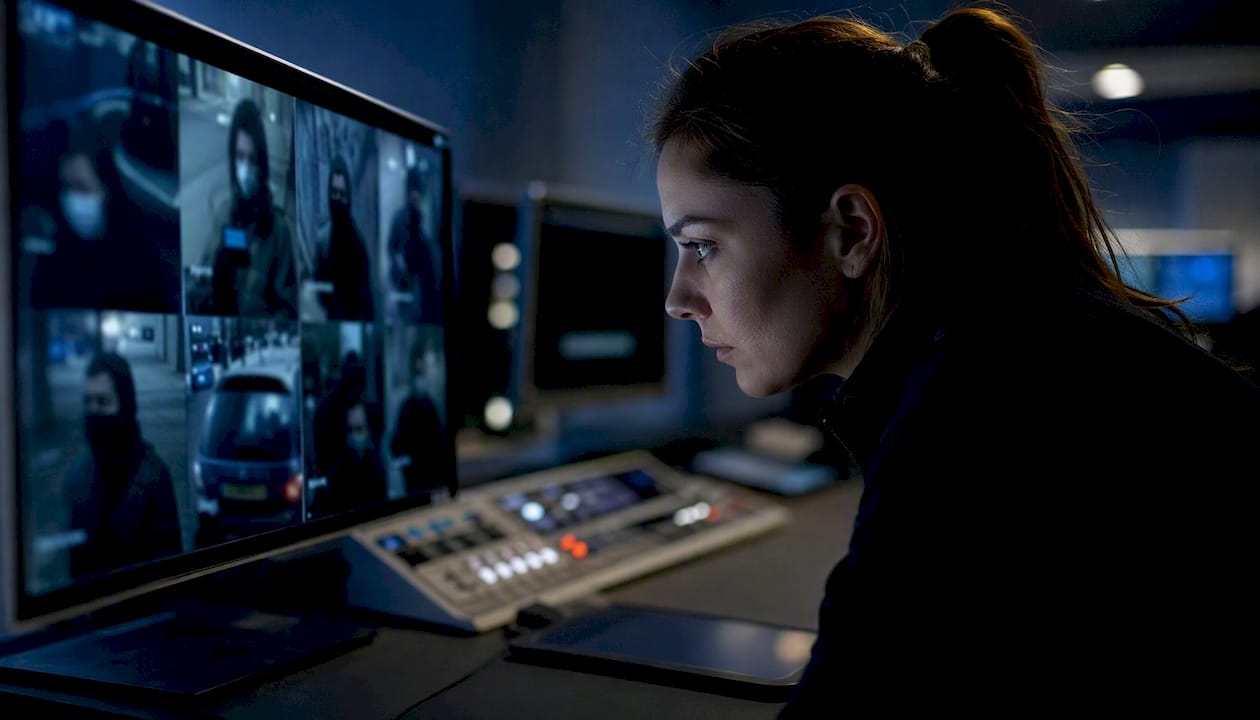
Redaction on export is a different function again, and it’s the one most often confused with live masking. Redaction is a post-processing step applied to a recorded file before it’s handed over, permanently removing or anonymising the flagged regions in that specific export. Unlike a live mask, which can technically be toggled off by an administrator, redaction on export is meant to be irreversible. Get this step wrong and you can inadvertently hand over unredacted footage that a live mask would have hidden on a monitor, because the mask was a viewer instruction rather than a permanent edit.
A few matching examples from real deployments:
- Retail sales floor — dynamic face blurring for day-to-day monitoring, with an unmasked master retained separately for theft investigations where lawful.
- Hospital corridor — static masking over any window into a treatment room or reception screen showing patient names.
- Public street frontage — static masking of the footpath boundary where the property line ends, combined with export-time redaction if footage is ever shared with police or media.
Where does masking run, and what should you check for compatibility?
Before specifying or auditing a system, confirm where masking actually lives and whether it’s going to hold up once footage leaves the camera. The three options each carry a different risk profile.
Edge masking (in the camera itself) offers the strongest tamper resistance because the mask is fixed before the stream is even transmitted. VMS/NVR-level masking is common in retrofit installs where cameras predate the masking requirement, but it only holds up if the platform genuinely re-encodes the mask into the saved file rather than applying it as a viewer overlay. Cloud-level masking is the most flexible for multi-site management but needs a documented answer to one question: does an unmasked copy exist anywhere upstream, and who can access it?
| Check item | What to look for | Why it matters |
|---|---|---|
| Firmware version | Current release supporting masking, not a legacy build | Older firmware often lacks multi-zone masking or has known bypass bugs |
| ONVIF support | Confirmed ONVIF profile compliance for masking commands | Ensures masks configured in one VMS survive a platform migration |
| Simultaneous mask zones | Typical spec sheets list 4 zones per camera | Sites with irregular boundaries or multiple sensitive areas need headroom |
| Mask baked into recording | Confirmed in writing, not assumed | Determines whether the mask survives export to a raw file |
| Admin/API permission model | Role-based access to mask configuration, with logging | Prevents unauthorised or undocumented mask changes |
Spec sheets for commercial IP cameras commonly advertise eight-zone privacy masking as a standard feature, alongside a note on whether masks are baked into the recorded stream or applied only at the viewer. That single line in the datasheet, baked-in versus viewer-only, is the detail most installers skip past and the one that matters most for a compliance audit.
How do you configure privacy masks step by step?
Follow this order during installation and commissioning, and don’t skip steps to save time. A mask configured before the camera angle is locked in will need redoing the moment someone bumps the bracket.
- Map private areas first. Walk the site, or review the floor plan, and mark every zone that must not appear in the frame: neighbouring windows, screens, keypads, adjoining residential boundaries.
- Adjust camera angle and position before masking. Repositioning the lens to naturally exclude a sensitive area is recommended practice from Victoria Police’s CCTV installation guidance, and it beats masking every time because it preserves full analytics coverage on the rest of the frame.
- Create static masks for fixed zones. Draw the mask boundary with enough margin to cover camera vibration or minor drift, then confirm the mask edge doesn’t clip an area you actually need to monitor.
- Configure dynamic masks where genuinely needed. Enable AI blurring only for zones where a moving subject, not a fixed location, is the privacy concern.
- Set VMS/NVR export and redaction permissions. Confirm who can export footage, whether the mask survives that export, and whether redaction is applied automatically or manually.
- Document and sign off. Record mask coordinates, mask IDs, and the admin account that created them, then have a supervisor countersign the commissioning sheet.
A basic configuration record should capture, at minimum: camera ID, mask zone ID, coordinate boundaries (as percentage of frame, not pixels, so it survives resolution changes), mask type (static or dynamic), the admin account that applied it, and the date of last review. If you’re running an integrated system across multiple sites, this record belongs in the same file as your broader security gap analysis documentation.
Pro Tip: Lock mask configuration changes behind a logged admin role, and tie firmware updates to a change-control process. A surprisingly common failure mode is a firmware update silently resetting mask zones to default, and nobody noticing until an incident review turns up unmasked footage that should have been blocked.
How do you test and verify that a privacy mask actually works?
A mask that looks correct on the live monitoring wall isn’t proven until it’s been checked in three separate places: live view, the recorded file, and any exported copy. Each is a different code path, and a mask can pass one test while failing another.
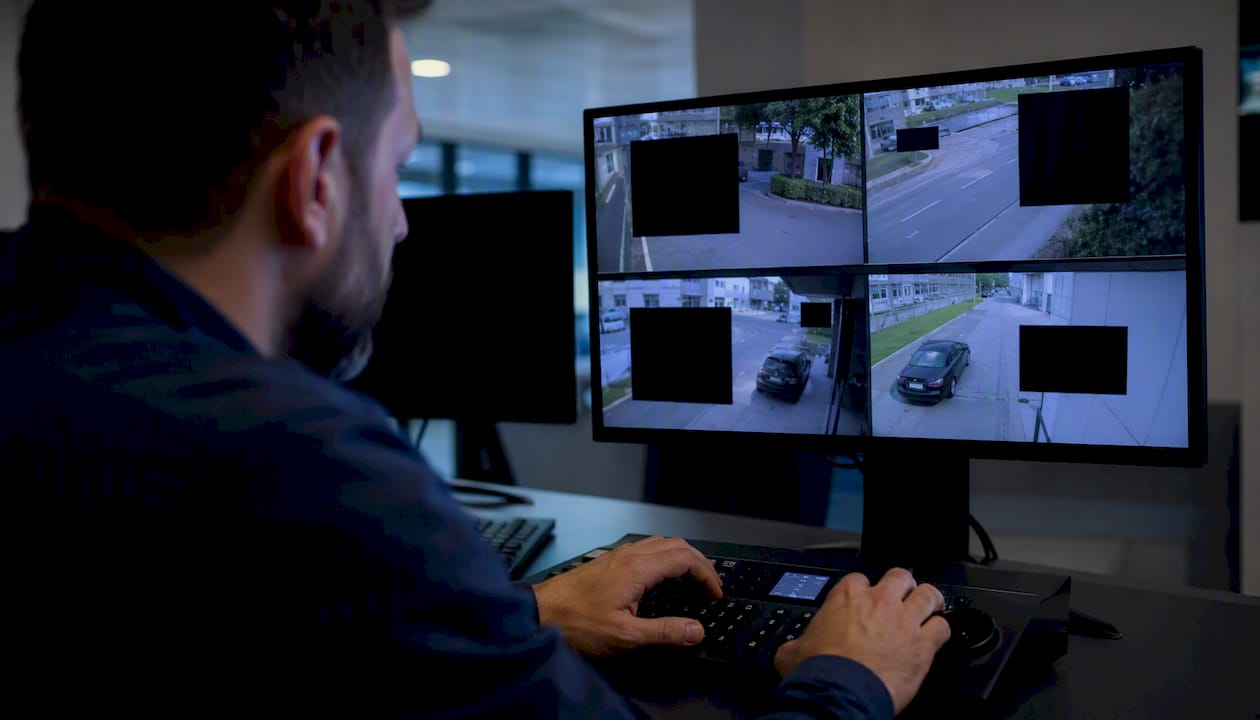
The verification goal is simple to state and easy to skip in practice: the mask must persist in live view, persist in the stored recording, persist after export to a third-party format, and resist casual removal by anyone without admin credentials.
| Test case | Method | Expected outcome |
|---|---|---|
| Live view masking | View feed on operator monitor and a second client viewer | Mask visible and correctly positioned on both |
| Recorded file masking | Play back stored footage from the NVR/VMS directly | Mask still present in the stored recording |
| Export masking | Export a clip to standard MP4 and open in an unrelated media player | Mask remains baked into the exported file |
| Tamper resistance | Attempt to disable mask without admin credentials | Access denied and attempt logged |
| Change logging | Modify a mask zone as an admin | Change recorded with timestamp, user ID, and before/after values |
Build an audit checklist around this table. Define who is authorised to change a mask, require every change to generate a log entry, and set a retention rule for both masked and unmasked footage that matches your obligations under state privacy guidance. The Queensland Information Privacy Principles treat identifiable footage as personal information, which means retention limits and access controls apply to it the same way they’d apply to a paper file.
For evidence, keep it boring and thorough: dated screenshots of the mask in live view and in an exported clip, a signed commissioning checklist, and a change log export covering the review period. If your monitoring is handled through a professional camera monitoring service, confirm that service maintains this audit trail on your behalf rather than assuming it happens automatically.
What does masking cost you in image quality and analytics?
Masking a region removes that area from every analytic function running on the frame, not just from human view. That’s an obvious point that gets forgotten constantly during commissioning.
- Motion detection gaps — if a mask zone overlaps a motion detection region of interest, movement inside it simply won’t trigger an alert, which can create a blind spot exactly where an intruder might walk.
- Reduced forensic detail — a masked area is masked for everyone, including the operator reviewing footage after an incident, unless a separate unmasked stream exists.
- False negatives in people counting or line-crossing — analytics that rely on tracking a subject across the frame lose that subject the moment they enter a masked zone, which can undercount foot traffic or miss a line-crossing event entirely.
Dynamic masking adds a processing cost on top of these detection gaps. Real-time face or plate tracking requires the camera or server to run object detection continuously, and on lower-spec hardware this can reduce achievable frame rate, particularly at higher resolutions with H.265 encoding. The trade-off is real: better privacy protection for moving subjects, at the cost of either more capable hardware or a slightly choppier stream.
Pro Tip: Where policy and law permit, keep an unmasked, high-resolution recording for lawful forensic use, and present a masked stream for routine day-to-day monitoring. This partitioned approach preserves investigative capability without exposing sensitive detail to every operator on shift, but it only works if access to the unmasked stream is tightly restricted and logged, otherwise you’ve just built an easy way to defeat your own privacy controls.
Does privacy masking satisfy your legal obligations on its own?
No. Masking is a strong technical control, but it doesn’t replace the other obligations that come with running a camera system. The OAIC frames masking as one part of a broader privacy-by-design approach that also covers signage, purpose limitation, retention, and access control.
A camera that never should have been pointed at a neighbour’s window in the first place is not fixed by a good mask. The mask is a backstop for unavoidable overlap, not a licence to point cameras wherever is convenient and mask the problem away afterwards.
Build your operational policy around these checkpoints:
- Signage. Visible notice that recording is occurring is standard practice and expected under most state guidance, even where it isn’t a strict statutory requirement in every jurisdiction.
- Documented purpose. Write down why each camera exists and what it’s meant to capture, then check the field of view actually matches that purpose.
- Retention limits. Set a retention period and delete footage on schedule rather than accumulating it indefinitely.
- Access controls. Restrict who can view raw, unmasked footage and log every access.
- PIA for facial recognition. If any camera runs facial recognition technology, the OAIC’s guidance recommends a privacy impact assessment before deployment, treating FRT as a materially higher-risk activity than standard recording.
- Microphone policy. Audio recording sits under separate listening-device laws in most states and territories, and Queensland’s Office of the Information Commissioner recommends disabling microphones by default unless every recorded party has given explicit consent.
State surveillance acts don’t all read the same way. Victoria’s Surveillance Devices Act restricts observing a private activity without consent, and the boundary of what counts as a “private place” shifts depending on context, a detail worth checking against your own state’s surveillance legislation rather than assuming national uniformity. Workplace cameras carry their own layer of consideration, since covert monitoring of staff areas, change rooms, or bathrooms is treated far more strictly than monitoring a public-facing shopfront, and strata or tenancy rules can add another layer again for cameras covering shared driveways or common property. Where any of this is ambiguous, get advice from a privacy lawyer rather than guessing, because the cost of a wrongly configured camera is rarely just a fine, it’s the loss of trust with a neighbour, a tenant, or a regulator.
What else should you combine with digital masking?
Masking is one control among several, and the best-run sites treat it as the last line of defence rather than the first.
- Camera repositioning — the cheapest and most durable fix; a camera that physically can’t see a sensitive area needs no mask at all.
- Physical lens hoods or shields — useful for temporary worksites or discreet installations where digital masking isn’t configurable or the camera is a basic model without the feature.
- Signage — reinforces the documented purpose and satisfies community expectations even where it exceeds the strict legal minimum.
- Restricted access to footage — role-based permissions and short retention windows reduce the blast radius if footage is ever mishandled.
- Encryption and secure export redaction — protects footage in transit and at rest, and ensures redaction applied at export time can’t be quietly reversed downstream.
- Audit logging — a permanent record of who accessed or changed what, which is often the first thing a regulator or insurer asks for after an incident.
None of these replace masking. They sit around it, closing the gaps that a purely digital control can’t reach on its own.
What do installers get wrong most often?
The most common mistake is masking a bad camera position instead of fixing it. An installer under time pressure will draw a mask over a neighbour’s window rather than repositioning the bracket ten centimetres to the left, and that shortcut usually comes back to bite the client when the camera drifts slightly and the mask no longer lines up with what it’s meant to hide.
The second mistake is trusting a viewer-level mask as if it were baked into the recording. I’ve seen commissioning sheets signed off on the strength of a masked live view, with nobody checking whether the exported file actually retained that mask. It’s a five-minute test and it gets skipped constantly.
The third is firmware complacency. A mask configured correctly on day one can silently reset after a firmware update if mask zones aren’t backed up or the update process isn’t tied to a change-control checklist. Client education matters here too: most site managers assume masking is a “set and forget” feature, when it actually needs periodic review every time the camera is serviced, repositioned, or the site layout changes.
Good commissioning practice treats masking the same way it treats any other configurable security control: documented, tested at every stage of the signal chain, and reviewed on a schedule rather than assumed to be permanent. That discipline is what separates a mask that survives a subpoena from one that quietly falls apart the first time someone actually goes looking.
How Abco Security handles masking as part of a full install
Getting privacy masking right is one part camera hardware, one part VMS configuration, and one part disciplined documentation, and most sites need help pulling those three together correctly the first time. Abcosecurity specifies, configures, and audits privacy masking as a standard part of every integrated CCTV contract, so masks are baked into the recorded stream from day one rather than bolted on as an afterthought during a compliance scare.
The service list that supports this includes camera specification and positioning to minimise masking requirements before a single mask is drawn, full commissioning with signed test records, support for privacy impact assessments where facial recognition is in scope, and ongoing camera monitoring with audit trails so mask changes stay logged and reviewable. If your current system was installed without any of this documentation, or you’re not confident your masks would survive an export test, get a specification and audit review from Abcosecurity and find out exactly where the gaps are before a regulator or a neighbour finds them for you.
Sources
- Surveillance and monitoring: security cameras | OAIC
- Installing CCTV | Victoria Police
- Queensland OIC: Camera surveillance and audio recording
- Facial recognition technology: a guide to assessing the privacy risks | OAIC
- Security camera laws in Australia: where you can and can’t record | Home Upkeep
FAQ
What is privacy masking in CCTV cameras?
Privacy masking is a digital function that permanently obscures a defined area of a camera’s field of view, usually with a black block, blur, or pixelation, so that recorded footage never shows a private space the camera would otherwise capture.
How do I stop a security camera from seeing into my space?
Talk to the owner first and ask them to reposition the camera or apply a privacy mask over the area, since camera repositioning is the recommended first step before masking under Victoria Police’s guidance. If that doesn’t resolve it, a physical barrier such as a fence, hedge, or blind on your side of the boundary is a lawful fallback.
How can I discreetly cover a camera pointed at my property?
A physical lens hood, shield, or repositioning your own window coverings are the practical discreet options, since interfering with someone else’s camera can carry legal risk depending on the circumstances. Raising the issue directly with the camera’s owner and referencing the masking obligations under state surveillance laws is usually the faster and safer path.
Are there legal restrictions on CCTV audio recording?
Yes. Audio recording is governed by separate state and territory listening-device laws, and the Queensland Office of the Information Commissioner recommends disabling microphones by default unless every party being recorded has given explicit consent.
Does masking replace the need for signage or a privacy policy?
No. Masking is one technical control within a broader privacy-by-design approach that should also include visible signage, a documented purpose for each camera, retention limits, and restricted access to footage.
Recommended
about
avada factory
Sempery ultricies nibh at dolor cras urna eleifend nec. Atiam efficitur tempor.