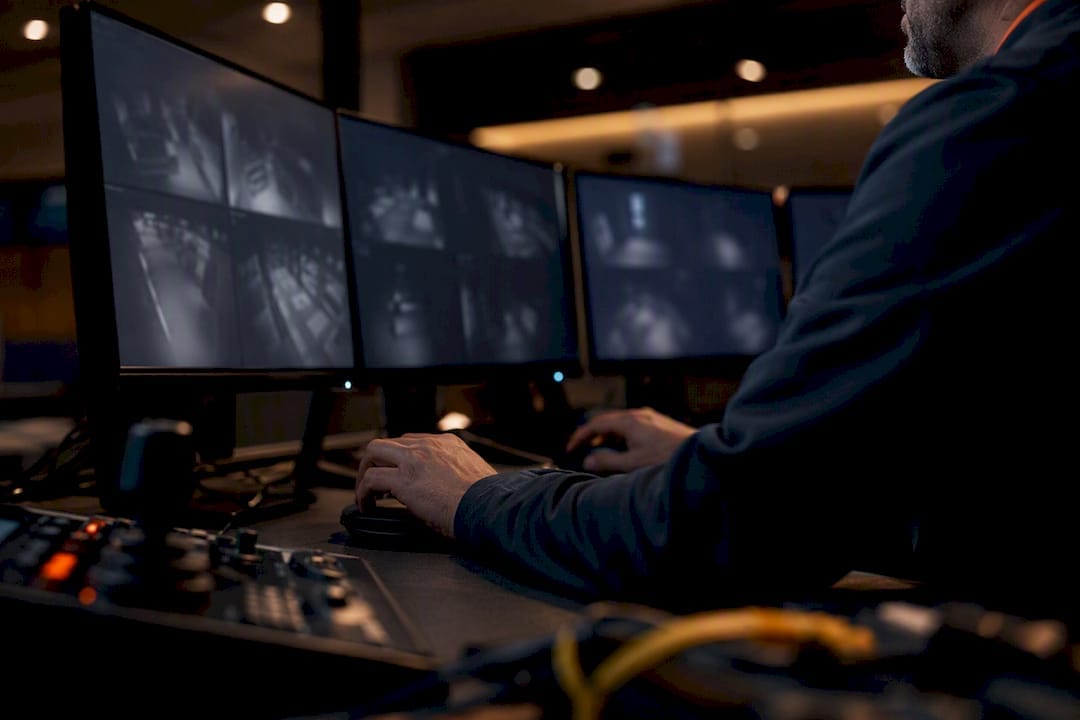
Managed remote video monitoring is the right call for most medium and high-risk business sites — it delivers verified alarms, faster response, and lower running costs than paying for a guard to sit in front of a screen all night. The trade-off is real, so weigh it before you sign anything.
Remote video monitoring pairs AI detection with a human operator watching your cameras from an off-site centre, so someone qualified confirms a threat before anyone gets dispatched — that’s the difference between a system that cries wolf and one you can trust.
- Pro: Verified alarms cut false dispatches and give police and guards something concrete to act on.
- Pro: Typically cheaper per hour of coverage than a static guard, especially across multiple sites.
- Con: You’re trusting a third party’s operators and network uptime, not your own team, for the moment that matters most.
Key Takeaways
Managed remote video monitoring works because it pairs AI detection with human verification, turning raw camera footage into a verified alarm that justifies fast, confident action.
| Point | Details |
|---|---|
| AI plus human verification | AI flags activity, but a trained operator confirms it before dispatch, cutting false alarms and wasted call-outs. |
| Match service type to risk | 24/7 monitoring, business-hours coverage, remote patrols, and escort services suit different site profiles and budgets. |
| Check standards compliance | Ask providers for AS/NZS 62676 series and AS 2201 family compliance plus ISO 9001 accreditation. |
| Privacy obligations are dual-layered | Federal Privacy Act rules and state workplace surveillance laws both apply and must be checked separately. |
| Abcosecurity meets the checklist | Abcosecurity runs an accredited monitoring centre with extensive experience and camera-agnostic integration options |
Table of Contents
- What is remote video monitoring and how does it work?
- What features actually deliver value?
- Which service type suits your site?
- How do you choose a remote video monitoring provider?
- What does remote video monitoring cost?
- What Australian standards and privacy rules apply?
- Meeting the checklist: what Abcosecurity’s RVM service delivers
- Sources
- FAQ
What is remote video monitoring and how does it work?
Remote video monitoring (RVM) is a managed security service where cameras on your site feed live footage to an off-site monitoring centre, where trained operators watch for activity, verify anything suspicious, and trigger a response. It’s the practical answer to “how does video monitoring work” for anyone comparing it against a static guard or a DIY camera app.
The operational flow breaks into three stages:
- Detection. Video analytics scan the feed continuously, flagging movement, loitering, or perimeter breaches based on rules or AI models trained to ignore things like blowing rubbish or passing traffic.
- Verification. A licensed operator at the monitoring centre reviews the flagged clip in real time, deciding within seconds whether it’s a genuine threat or a false trigger.
- Response. If it’s real, the operator can issue a live audio warning through on-site speakers, dispatch a mobile patrol or police, or alert your on-call manager, depending on the protocol you’ve set.
Behind that flow sits a stack of fairly ordinary hardware: IP cameras, a network video recorder or video management system (VMS), an analytics layer that does the initial sorting, and the operator console at the monitoring centre. Most providers integrate this with your existing alarm panel and access control system, so a door forced after hours or an alarm zone trip can automatically pull up the relevant camera feed for the operator. SLA triggers usually specify response time windows (say, verification within 30 seconds and dispatch decision within two minutes) and the alert channels used, whether that’s SMS, app push, or a direct phone call to a site contact.
What features actually deliver value?
Not every feature on a spec sheet earns its place. Here’s what tends to move the needle on outcomes rather than just marketing copy:
- AI-assisted detection — filters out nuisance triggers (wind, animals, headlights) so operators aren’t drowning in false positives.
- Human verification — a real person confirms the AI’s flag before anything gets dispatched, which is what turns an alert into a verified alarm worth acting on.
- Live audio/talk-down — an operator can speak directly through on-site speakers to warn off an intruder before police even arrive, often ending the incident on the spot.
- Camera-agnostic VMS — the platform works with your existing cameras rather than forcing a full hardware swap.
- Remote patrols and escorts — scheduled virtual walkthroughs that substitute for a guard doing rounds, at a fraction of the cost.
- Reporting and analytics — incident logs, response-time data, and trend reports that show whether the service is actually working.
- Integration and APIs — the ability to tie into alarm panels, access control, and business systems rather than running as an island.
Industry practitioners increasingly favour the AI-plus-human combination specifically because it balances a low false-alarm rate with the situational judgement that stops unnecessary dispatches and unwarranted police call-outs. AI alone tends to over-trigger; human review alone doesn’t scale to hundreds of cameras overnight.
Pro Tip: Ask your provider how they tune AI sensitivity per camera zone. A loading dock and a reception area need very different thresholds — one setting for the whole site almost always means either missed events or an inbox full of nuisance alerts.
Which service type suits your site?
RVM isn’t one product. Providers typically offer several models, and the right one depends on your risk profile and hours of operation.
24/7 monitored RVM suits sites with round-the-clock exposure: warehouses, construction sites, and unattended industrial yards where an incident at 3am needs the same response as one at 3pm.
Business-hours monitoring works for retail and corporate offices where the real risk window is opening, closing, and busy trading hours, with alarms handling the overnight gap.
Remote video patrols substitute scheduled virtual walkthroughs for a guard doing physical rounds, a model well suited to large sites where a human patrol would take too long to cover meaningfully.
Remote escort and supervised opening/closing cover the vulnerable moments when a lone employee arrives first or leaves last, letting an operator watch the door and car park until they’re safely inside or away. This is especially relevant for lone-worker supervision in healthcare and corporate settings.
Event monitoring and verification-only services fit short-term or lower-risk needs, like a construction site between phases or a pop-up retail event.
Many sites end up on a hybrid model, RVM handling the bulk of coverage with guards or patrols added for high-risk periods or physical response. Construction sites, in particular, tend to blend RVM with periodic patrols rather than going all-in on one or the other.
How do you choose a remote video monitoring provider?
Run through this before you get deep into vendor conversations:
- Check camera and VMS compatibility. Confirm the provider works with your existing hardware or clearly scopes what needs replacing.
- Test scalability. Ask how the platform handles adding ten more cameras or a second site without a system rebuild.
- Verify uptime and redundancy. Get specifics on backup connectivity and what happens if the network drops.
- Confirm operator accreditation. Ask whether monitoring centre staff hold relevant licences and what training they complete.
- Request certification evidence. Look for compliance with the AS/NZS 62676 series and AS 2201 family, plus ISO 9001 for quality management.
- Ask for real metrics. False alarm reduction rates, average verification time, and dispatch turnaround should be quantified, not vague.
- Read the SLA line by line. Get a sample contract before you commit, not just a sales deck summary.
Red flags worth walking away from: providers that verify with AI only and no human review, SLAs with no measurable response-time commitment, and vague answers about where footage is stored or how long it’s retained. Trust signals run the other way: an accredited monitoring centre, published standards compliance, and a provider willing to hand over case studies with actual before-and-after numbers on false alarms and response times.
What does remote video monitoring cost?
Pricing usually follows one of a few structures, and most proposals blend more than one:
- Per-camera monitoring fees — a flat monthly rate per camera under active monitoring, common for smaller sites.
- Per-site tiered pricing — a bundled rate based on site size and risk level rather than camera count.
- Setup and commissioning fees — a one-off cost covering installation, network configuration, and integration testing.
- Per-event or tiered SLA pricing — higher tiers cost more but buy faster verification and broader response options.
- Software licence and integration costs — separate charges for analytics platforms or API connections to your alarm and access control systems.
Cost drivers worth flagging early: camera count and resolution (higher resolution eats more bandwidth and storage), how much footage you need retained, analytics licensing, and how many response options you want built in (talk-down alone costs less than talk-down plus guaranteed guard dispatch).
Before signing, check the contract covers: minimum term length, clear SLA metrics for uptime and verification time, a workable termination clause, how often you get audit and reporting data, and who carries liability if something goes wrong. Implementation from signed contract to full operational status typically runs a few weeks for a straightforward single-site job, longer if you’re integrating with legacy hardware or multiple locations.
What Australian standards and privacy rules apply?
The AS/NZS 62676 series and AS 2201 family are the primary Australian standards covering video surveillance systems and monitoring-centre practices, and any provider worth hiring should be able to point to compliance against them. Specifically, AS/NZS 62676.4:2020 sets out application guidelines for planning, installing, and maintaining a system, while AS/NZS 62676.1.1:2020 defines minimum system and performance requirements for the cameras and infrastructure themselves.
If your organisation is covered by the Privacy Act, you’re required to tell people they may be recorded, keep that footage secure, and delete or de-identify it once you no longer need it — and if your turnover exceeds a certain threshold, expanded Australian Privacy Principle obligations apply on top of that.
Practical steps that follow from this:
- Put up clear signage wherever cameras are recording public or shared spaces.
- Set a documented retention period and actually delete footage once it lapses.
- Brief staff on where cameras point and why, particularly in break rooms or other semi-private areas.
- Check your state or territory’s own workplace surveillance laws, because the federal Privacy Act doesn’t override them — you need to satisfy both.
Larger organisations, or any site capturing audio or biometric data alongside video, should loop in legal or privacy counsel before rollout rather than after a complaint lands.
Why we back a managed RVM approach
Abcosecurity has extensive experience running an accredited monitoring centre, and the pattern holds across nearly every client site: AI-only setups generate noise, while AI-plus-human verification is what actually gets response times down and false alarms out of the picture. We’ve watched hybrid models, RVM as the backbone with guards layered on for high-risk hours, consistently outperform either extreme on its own. The sites that get this balance right are the ones that treat RVM as an operational tool, not a set-and-forget gadget.
Meeting the checklist: what Abcosecurity’s RVM service delivers
Abcosecurity’s remote video monitoring service is built around the exact criteria covered above: accredited monitoring centre operators, compliance with the AS/NZS 62676 series and AS 2201 family, ISO 9001 quality management, and integration capability with the cameras, alarms, and access control you’ve likely already got installed. Rather than locking you into proprietary hardware, the platform is built to work alongside your existing system wherever that’s practical.
If you’re weighing this against continuous on-site guards or a patchwork DIY setup, the practical difference is verified response without the payroll cost of round-the-clock staffing. Three concrete next steps if you’re ready to move past the research phase: request a site risk review to identify where cameras and coverage gaps sit, ask for an integration test against your current VMS or alarm panel, and request a sample SLA so you can see exactly what response-time commitments look like in writing. Start with Abcosecurity’s security camera monitoring services page for a direct look at how the service is structured, or check the commercial alarm monitoring guide if you’re weighing RVM alongside existing alarm infrastructure. Sites managing electrical upgrades alongside a new camera rollout may also want to look at commercial electrical compliance services to make sure power provisioning doesn’t hold up the install.
Sources
FAQ
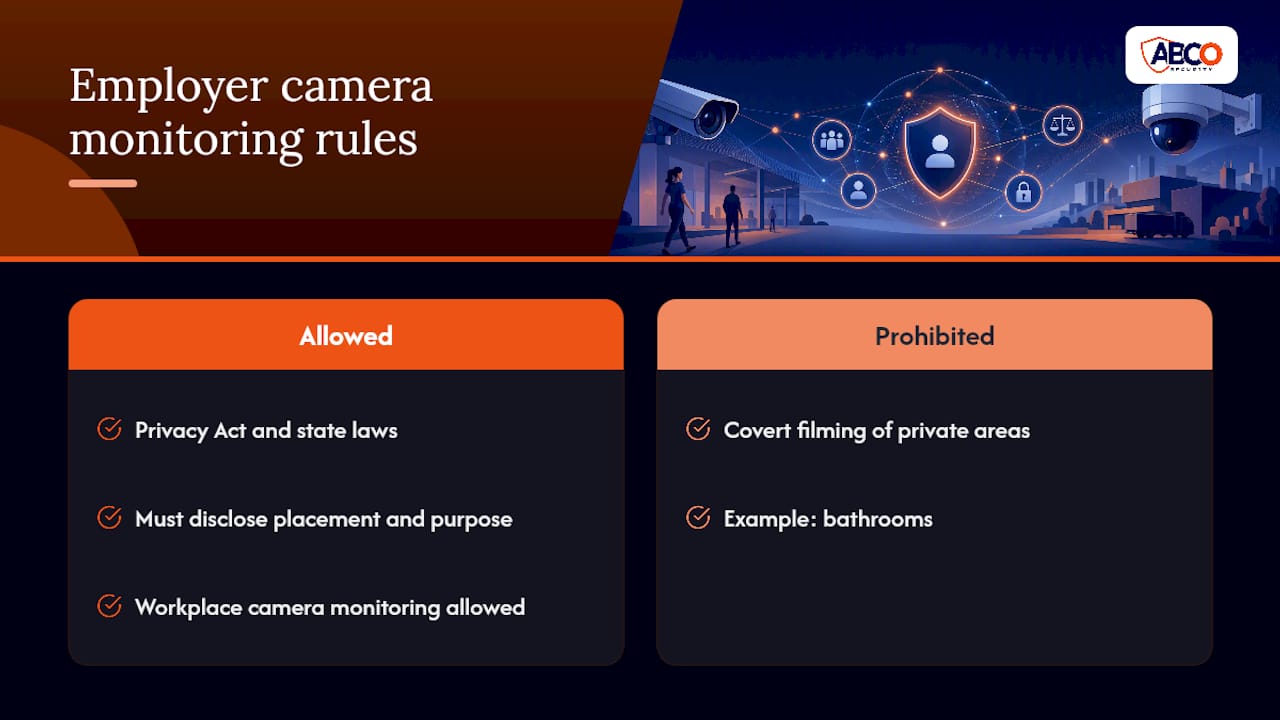
Can my boss watch me on camera all day?
Employers can monitor workplaces with cameras, but they must be transparent about placement and purpose under the Privacy Act and their state’s workplace surveillance laws, and covert filming of private areas like bathrooms is generally prohibited.
Can CCTV be monitored remotely?
Yes. Modern CCTV systems stream footage to an off-site monitoring centre where operators watch feeds live, verify alerts, and trigger a response, which is the core function of a managed remote video monitoring service.
How can I monitor my security cameras remotely?
Most systems offer a mobile app or web portal for viewing live and recorded footage yourself, but for genuine 24/7 coverage you need a managed service where trained operators watch continuously and act on what they see.
How do I remotely monitor my home?
Home setups typically use Wi-Fi cameras connected to an app for self-monitoring, though some providers extend business-grade managed monitoring to residential clients who want verified alerts rather than just push notifications.
What’s the difference between AI-only detection and AI-plus-human verification?
AI-only detection flags activity based on rules or models but can’t judge context, leading to more false alarms; adding human verification means an operator confirms the threat is real before anyone gets dispatched.
Recommended
about
avada factory
Sempery ultricies nibh at dolor cras urna eleifend nec. Atiam efficitur tempor.