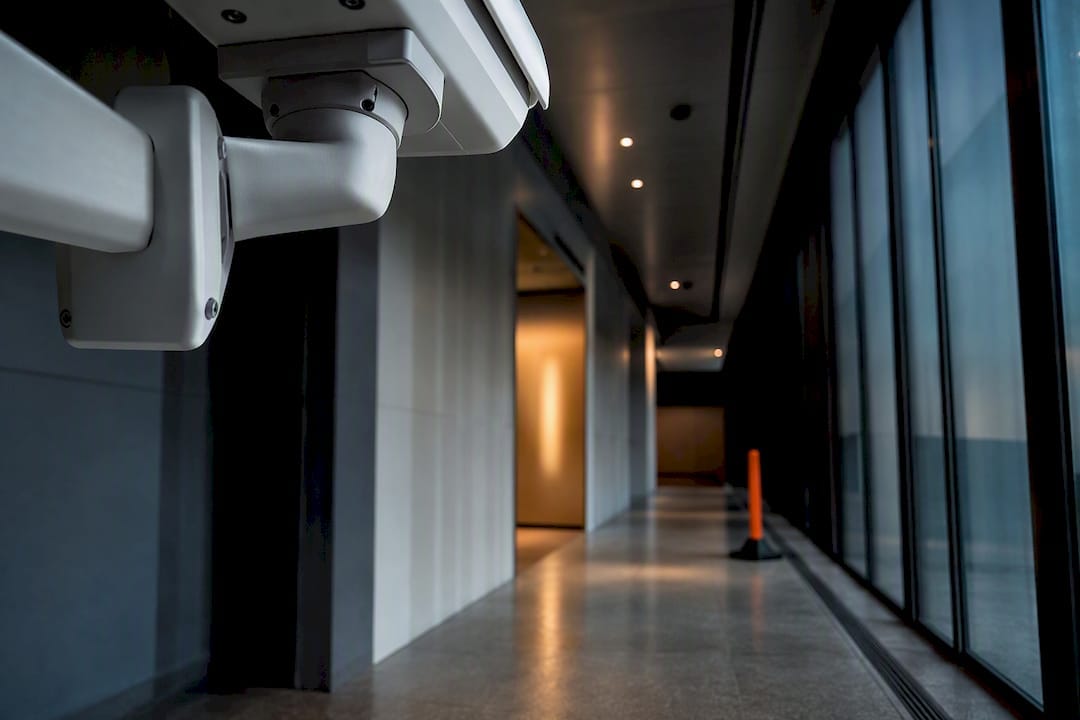
Effective placement starts with priority, not coverage: point evidence-grade cameras at choke points and high-value assets first, match camera type to the task, avoid privacy-sensitive zones, and document every decision against AS 4806 and relevant workplace surveillance rules. This applies whether you’re securing a hospital corridor, a construction compound, or a corporate loading dock. The rest of this guide breaks down how to get there.
TL;DR:
- Camera placement should focus on choke points and high-value assets, with camera types matched to specific tasks, not just budget considerations.
- Regular site re-surveys are necessary every one to two months to prevent blind spots caused by structural changes or foliage growth.
- Privacy-sensitive areas like clinical treatment spaces must be avoided, and comprehensive signage, staff notification, and retention policies are essential for compliance.
- Evidential footage requires tamper-evident storage, accurate timestamping, and restricted access, with retention periods typically ranging from 14 to 30 days.
- Proper documentation, including a camera register and change log, is critical for audits and legal defense, especially when physical layouts change frequently.
Table of Contents
- Key coverage zones and camera roles
- Which camera type suits which surveillance job?
- What mounting height and angle work best for identification?
- How do you plan coverage to avoid blind spots?
- Privacy, compliance and signage requirements
- Integrating monitoring, VMS and evidential-quality recording
- How do you document and audit CCTV placement?
- What we’ve learned placing cameras across hundreds of sites
- Get a professional CCTV placement plan for your site
- Sources
- FAQ
Key coverage zones and camera roles
A camera earns its place on your layout by answering a specific question after an incident: who came through, when, and how. That’s a better design filter than trying to blanket a site in overview footage, as construction-sector guidance on coverage zones points out.
Prioritise these zones before anything else:
- Main entrances and visitor access — identification-grade footage for anyone entering the building.
- Loading docks and vehicle gates — deterrence and vehicle/plate capture.
- Tool and material storage, switchrooms — theft prevention and safety monitoring.
- Staff-only access points — audit trail for who accessed restricted areas and when.
- High-risk perimeters — early warning for intrusion attempts.
Each zone plays a different role. Entrances need identification quality. Perimeters need deterrence and detection. Storage areas need proof for insurance and prosecution. In healthcare, this splits sharply between public corridors and waiting rooms, where cameras are appropriate, and clinical or treatment spaces, where they generally aren’t. On construction sites, priority zones shift constantly as hoarding lines move and site offices relocate, so the “first zones” list gets revisited at every major staging change.
Which camera type suits which surveillance job?
Camera selection follows the job, not the budget line. A fixed box camera nailed to a wall covering a single doorway does one thing well; a PTZ covering a wide yard does something else entirely, and neither should be asked to do the same work.
- Fixed/varifocal box cameras — best for entrances and fixed choke points needing consistent identification detail.
- Varifocal dome cameras — discreet, adjustable, good for reception areas and corridors.
- PTZ (pan-tilt-zoom) — useful where an operator needs to track movement across a large yard or car park, but they rely on someone (or an alarm trigger) to point them at the right moment.
- Thermal/low-light models — for unlit perimeters, dense foliage lines, or sites where visible IR would tip off intruders.
- Mobile/trailer units — solar-powered, deployable within hours, and the standard answer for construction staging where fixed infrastructure isn’t yet in place.
The trade-off is always the same: tighter identification detail costs more cameras, more cabling, and more processing. Mobile trailers solve the construction problem particularly well because they preserve evidential continuity as site geometry changes, without the expense of rewiring fixed cameras every few weeks.
What mounting height and angle work best for identification?
Height and detail pull in opposite directions. Mount a camera high enough to avoid tampering and you lose facial resolution; mount it low enough to identify faces and you risk someone reaching the lens with a broom handle. AS 4806 frames this as a deliberate trade rather than a fixed number, and the right answer depends on what the camera is actually for.
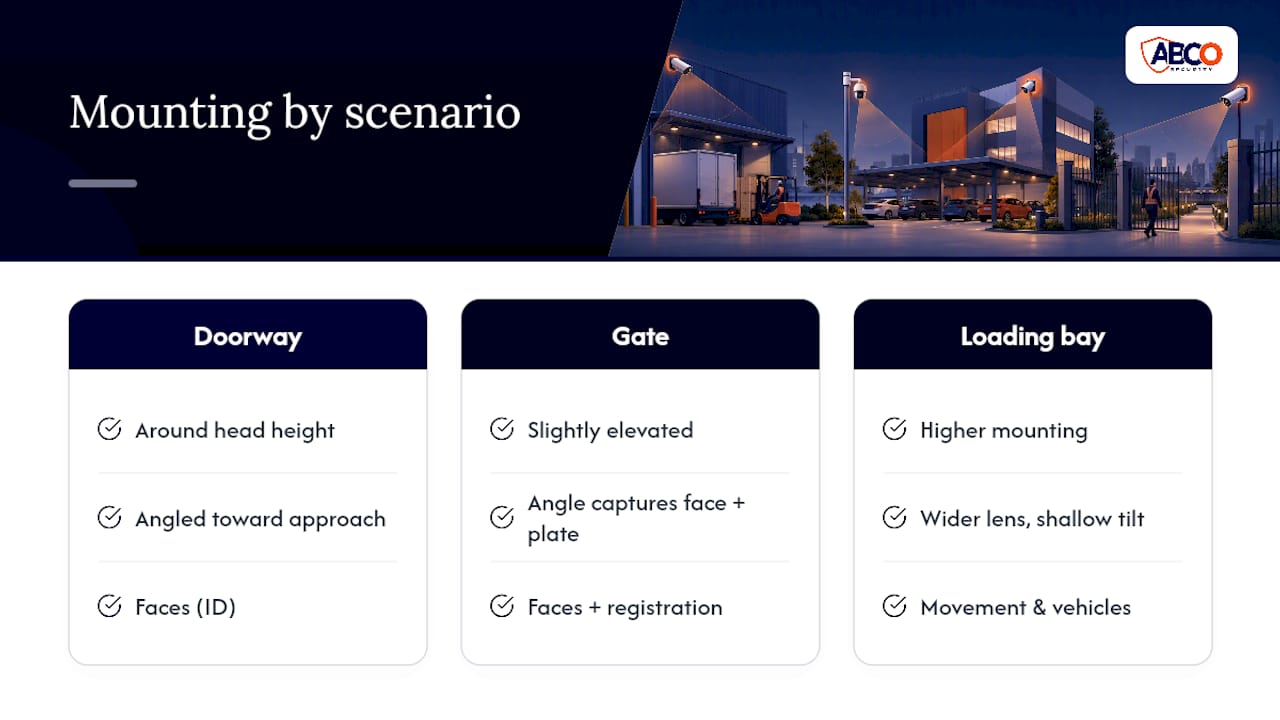
For doorway identification, mount cameras around head height on the approach side, angled to capture faces before people look down or turn away. For gate approaches, a slightly elevated position captures both face and vehicle registration in one frame. For loading-bay overview, height wins over detail. Go higher and widen the lens; you’re counting movements and vehicles, not reading name badges.
Keep tilt angles shallow to avoid keystone distortion (the effect where verticals lean inward and faces get skewed at the frame edges). Overlap adjacent camera fields by a few degrees rather than leaving a hard seam between them, and remember that mounting height changes how infrared illuminators behave at night. A camera mounted too high often washes out faces in its own IR glare.
How do you plan coverage to avoid blind spots?
Blind spots rarely come from bad cameras. They come from sites that changed shape after the cameras went up. A yard that had clear sightlines in week one can develop dangerous gaps by week six once a site shed, a stack of pallets, or new hoarding lines block the original angle.
Design around likely incident scenes rather than trying to see everything. Gates, site offices, compounds, and tool storage compounds get first priority; general overview comes second. Construction sites need a formal cadence for this. Site layout changes create blind spots that fixed cameras can’t follow, so plan scheduled relocations into the project timeline, not as an afterthought when someone notices a gap.
Common causes of blind spots and quick fixes:
- Foliage growth — trim on a schedule, not just when it becomes obvious.
- New structures or stacked materials — re-survey sightlines whenever hoarding or plant moves.
- Camera drift or knocks — check alignment during routine walkthroughs.
- Seasonal glare — reassess angles at solstice points if a camera faces east or west.
A site that skips this re-survey step can develop critical blind spots within four to eight weeks of the original layout going stale, particularly during active construction phases where the physical site changes fast.
Privacy, compliance and signage requirements
Some placements are simply off-limits, regardless of how convenient the sightline is. Treatment rooms, consultation spaces, and other private clinical areas sit outside what cameras should ever cover; installing them there risks breaching privacy law and human-rights protections, and health-sector guidance is explicit on this point. Cameras support human supervision in clinical settings; they don’t replace it.
Beyond the hard no-go zones, every deployment needs:
- Documented signage at all monitored entry points.
- Staff and worker notification before cameras go live, not after.
- A written retention policy, commonly 14 to 30 days for general commercial use unless an investigation requires longer.
- Restricted access lists for who can pull footage.
- A completed risk assessment, and for healthcare or mental health sites, a privacy or human-rights impact assessment.
NSW Health’s guidance requires a documented risk assessment and staff consultation before finalising any healthcare CCTV plan, along with ongoing audits once the system is live. State-level workplace surveillance acts add another layer on top, and requirements differ enough between jurisdictions that a plan built for one state won’t automatically satisfy another.
Pro Tip: Run the privacy assessment before you finalise camera positions, not after installation. Moving a camera that’s already wired in is far more expensive than adjusting a drawing.
Integrating monitoring, VMS and evidential-quality recording
A camera that records but nobody watches is only half a system. Decide early whether zones need managed 24/7 monitoring, where a trained operator can trigger a real-time response, or whether local recording for after-the-fact review is sufficient. High-risk zones (staff-only access, high-value storage) usually justify the former; general perimeter footage often doesn’t.
Evidential quality is non-negotiable if footage ever needs to hold up in an investigation or a court process. That means tamper-evident storage, accurate timestamping, and retention periods that meet or exceed the recommendations in AS 4806. Cloud-backed, immutable logging beats a local DVR that quietly overwrites itself every fortnight, particularly for construction sites where evidential continuity is regularly tested. Build in network redundancy and a UPS or solar backup for remote sites, and lock down footage retrieval to an authorised access list rather than a shared login everyone on site knows.
How do you document and audit CCTV placement?
A layout is only as defensible as its paperwork. Auditors and insurers want to see a camera register, not just a working system.
- Log every camera with a field-of-view photo taken at commissioning.
- Record recording parameters, resolution, and retention settings against each entry.
- Attach the signage plan and the staff notification record.
- Run an acceptance test at commissioning, a check at three months, and a full audit annually.
- Re-test after any site change, relocation, or incident.
- Keep a change log so relocations and access-list edits are traceable.
AS 4806 ties successful operation to documented procedures and trained staff, not just hardware, and a defensible camera register with a change log is what auditors actually check when something goes wrong.
What we’ve learned placing cameras across hundreds of sites
Anonymised patterns repeat across sectors. On construction jobs, the most common fix request isn’t a broken camera, it’s a camera that used to see the gate before the site office moved thirty metres. Building relocation checkpoints into the project schedule, rather than waiting for a gap to be noticed, avoids most of that churn.
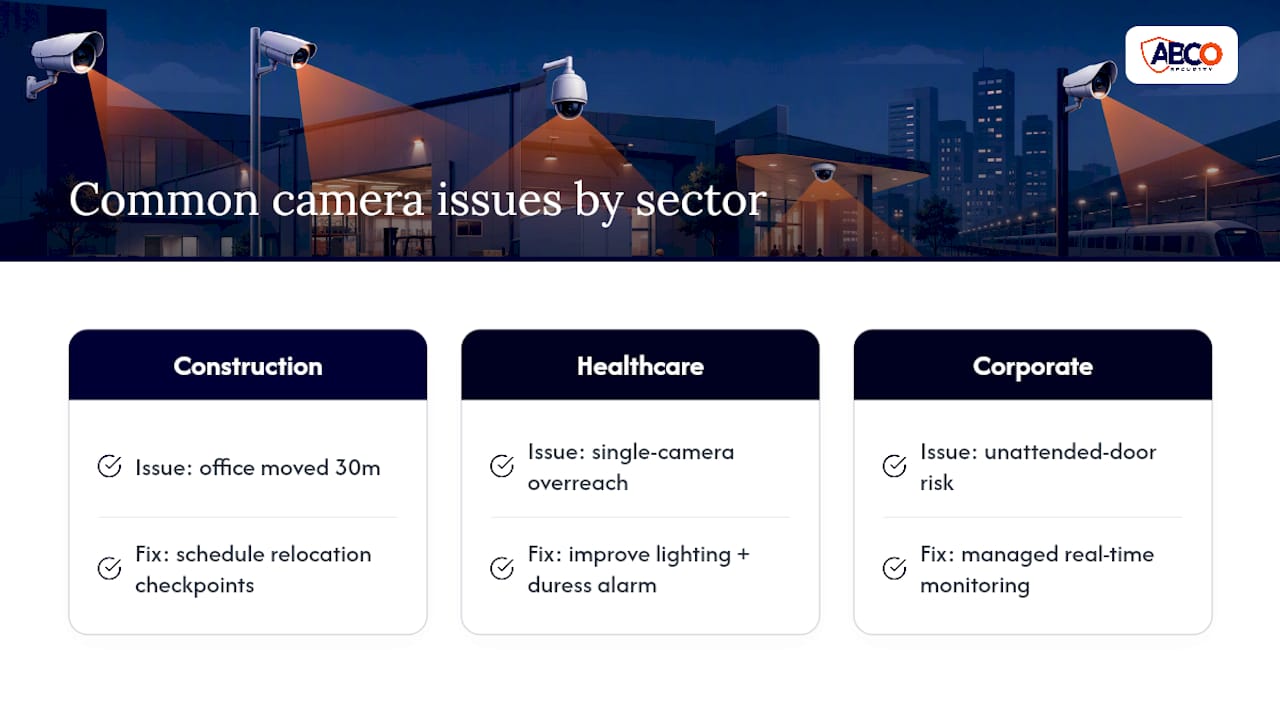
In healthcare, the mistake we see most often is well-intentioned overreach: a manager wants “just one camera” in a treatment corridor for staff safety, when the actual fix is better lighting and a duress alarm, not a lens pointed at a clinical space. And in corporate settings, managed monitoring earns its cost the first time a real-time alert gets a guard to a door before an intruder finds the next one.
ABCO Security has spent over 15 years working through exactly these placement decisions, operating to ISO 9001 and ISO 30000 standards with licensed staff running 24/7 monitoring. Use the commissioning checklist above as a starting point, but when a site is genuinely ambiguous, a proper site survey beats guesswork every time.
— Abco
Get a professional CCTV placement plan for your site
Getting placement wrong is expensive twice over: once in the install, and again when footage from a badly angled camera turns out to be useless in an investigation. Abcosecurity runs professional site surveys that map coverage zones, camera types, and mounting angles against AS 4806 and the compliance requirements specific to your sector, whether that’s a hospital corridor or a construction compound mid-build.

Our teams handle the full loop: placement design and installation, evidence-grade recording configured for tamper-evident storage, and 24/7 monitoring staffed by licensed operators who can trigger a response when it matters. For sites with shifting layouts, our construction site security technology options include mobile trailer deployments that move with your hoarding lines instead of leaving gaps behind them. If your current layout hasn’t been reviewed since it went in, request a site assessment and we’ll build you a documented camera register and commissioning checklist you can hand straight to an auditor.
This article is general information, not a substitute for advice from a qualified lawyer. Consult a qualified legal professional about your own circumstances before acting on anything here.
Sources
- Surveillance (CCTV) and privacy in designated mental health services
- AS 4806: CCTV standard (preview)
- Protecting people and property: NSW Health manual
- Construction site CCTV coverage zones and camera placement
- CCTV trailer compliance and evidential recording for NSW construction sites
FAQ
What is the first step in a CCTV placement guide for a commercial site?
Start with a risk assessment identifying choke points, high-value assets, and privacy-sensitive areas, then match camera type to each zone’s role before finalising mounting positions.
Where should cameras never be placed in a healthcare facility?
Treatment rooms, consultation spaces, and other private clinical areas are off-limits; health-sector guidance warns this can breach privacy law and human-rights protections.
How often should CCTV placement be reviewed on a construction site?
Re-survey sightlines whenever hoarding, plant, or site offices move, since layout changes can create blind spots within about a month or two of the original design going stale.
What standard governs CCTV placement and design in Australia?
AS 4806 is the primary national reference covering selection, planning, installation, and operational management of CCTV systems.
How long should CCTV footage be retained?
General commercial retention commonly runs 14 to 30 days, though healthcare and evidential-recording use cases often require longer periods aligned with AS 4806 recommendations and any active investigation needs.
Recommended
about
avada factory
Sempery ultricies nibh at dolor cras urna eleifend nec. Atiam efficitur tempor.