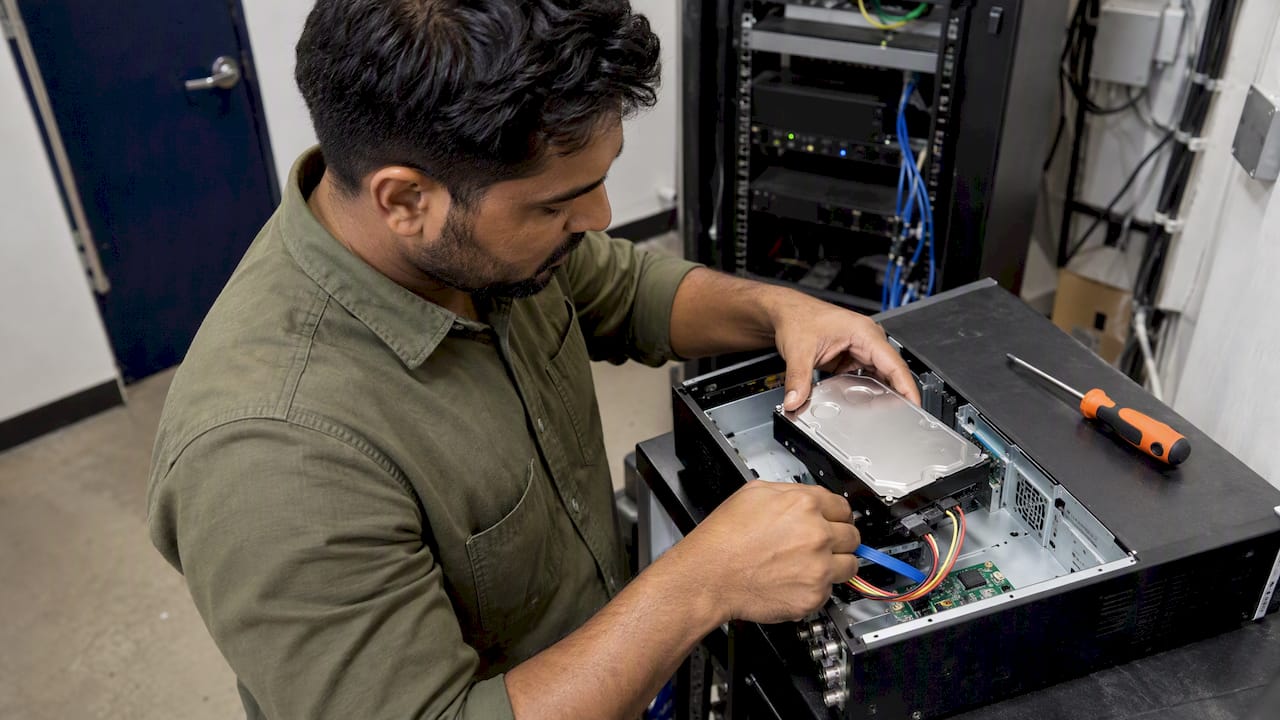
There is no single number. Your CCTV storage requirements depend on how many cameras you run, the bitrate each one records at, whether they record continuously or on motion, and how many days of footage your organisation actually needs. In Australia, no fixed law says how many days you must keep footage, but privacy rules say you must not keep it longer than you need it. So the job is to decide your retention period first, then size the drives to match, with a safety margin.
This guide walks through the calculation with real figures, shows worked examples for typical sites, and explains how Australian privacy obligations shape the retention period you choose.
TL;DR
- Storage is driven by bitrate, not resolution alone. One camera recording continuously at 1 Mbps uses about 10.8 GB a day.
- Formula: bitrate (Mbps) × 10.8 GB × cameras × days, then add a 15 to 20% buffer.
- Australian law sets no fixed retention period. Privacy rules expect you to destroy or de-identify footage once it is no longer needed, and to write down your policy.
- Never trust a “4 TB equals X days” rule of thumb. Measure the actual bitrate of the cameras you have installed.
- Protect the recorder too: lockable cabinets, tested backups and off-site copies matter as much as capacity.
Table of Contents
- What actually drives storage
- The formula, step by step
- Worked examples for Australian sites
- Continuous, motion or hybrid recording
- How long should you keep footage in Australia?
- Protecting the recording, not just sizing it
- Perspective: what we see when storage goes wrong
- Common sizing mistakes
- Getting it designed properly
- FAQ
- Sources
What actually drives storage
Most people start with resolution. A 4K camera must need far more space than a 2MP one, surely? Often yes, but resolution is only part of it. Independent technical guidance from an Australian IT firm says capacity is primarily driven by the camera’s bitrate, measured in megabits per second, rather than resolution on its own.
Five settings move the bitrate:
- Resolution. More pixels mean more data per frame.
- Frame rate. 25 frames per second records roughly twice as much as 12.5, all else equal.
- Codec. H.265 is generally more efficient than H.264, so the same picture takes less space.
- Variable or constant bitrate. Variable bitrate lets the camera use less data on a quiet scene. Constant bitrate does not.
- Scene complexity. A camera watching a busy loading dock produces more data than one pointed at a blank corridor wall at 2 am.
That is why two 4MP cameras can use very different amounts of storage. The reliable approach is to read the real bitrate from each installed camera’s settings or the recorder’s status page, rather than using a pre-set average.
The formula, step by step
In decimal units, 1 Mbps recorded continuously for 24 hours consumes roughly 10.8 GB. From there:
- Find each camera’s bitrate in Mbps.
- Multiply by 10.8 to get GB per day for that camera.
- Multiply by the number of days you need to keep footage.
- Add up all the cameras.
- Add a buffer of 15 to 20%.
The buffer is not padding. Industry guidance recommends 15 to 20% headroom to cover formatting overhead, busier-than-expected scenes and overlapping motion triggers. Without it, the recorder can start overwriting footage before your retention period has run out.
Quick reference: one camera, continuous recording
These figures come straight from the 10.8 GB per Mbps per day rule.
| Bitrate | Typical use | GB per day | 14 days | 30 days |
|---|---|---|---|---|
| 2 Mbps | Basic 2MP, efficient codec | 21.6 GB | 0.30 TB | 0.65 TB |
| 4 Mbps | 4MP camera | 43.2 GB | 0.60 TB | 1.30 TB |
| 8 Mbps | 8MP / 4K, efficient codec | 86.4 GB | 1.21 TB | 2.59 TB |
| 16 Mbps | 4K at high frame rate | 172.8 GB | 2.42 TB | 5.18 TB |
The 4 Mbps row matches the published example: about 43.2 GB a day, or roughly 1.3 TB over 30 days. The same source notes that 4K cameras often need 8 to 16 Mbps depending on codec and frame rate, so a single one can use more than 3.5 TB a month if it records continuously at the top of that range.
Worked examples for Australian sites
A small retail store
Six 4MP cameras at 4 Mbps, kept for 30 days.
- Per camera: 43.2 GB × 30 = 1,296 GB
- Six cameras: 7,776 GB, or about 7.8 TB
- With a 20% buffer: about 9.3 TB
In practice that means a recorder with two 6 TB drives, or one 10 TB drive if the recorder supports it, plus a plan for what happens when a drive fails.
A construction site
Ten cameras at 8 Mbps on a hoarding perimeter, recorded continuously for 14 days.
- Per camera: 86.4 GB × 14 = 1,209.6 GB
- Ten cameras: about 12.1 TB
- With a 20% buffer: about 14.5 TB
Sites change as the build progresses, and cameras get moved. Recheck the maths whenever you add cameras or change settings. If you are planning site coverage, our guide to building a construction site security plan shows where recording fits in the wider picture.
A corporate office or hospital wing
Twenty-four cameras at 4 Mbps, kept for 30 days.
- Per camera: 1,296 GB
- Twenty-four cameras: about 31.1 TB
- With a 20% buffer: about 37.3 TB
At this scale, most organisations move to a rack-mounted recorder or a network storage array with redundancy, so a single drive failure does not wipe out a month of footage.
Continuous, motion or hybrid recording
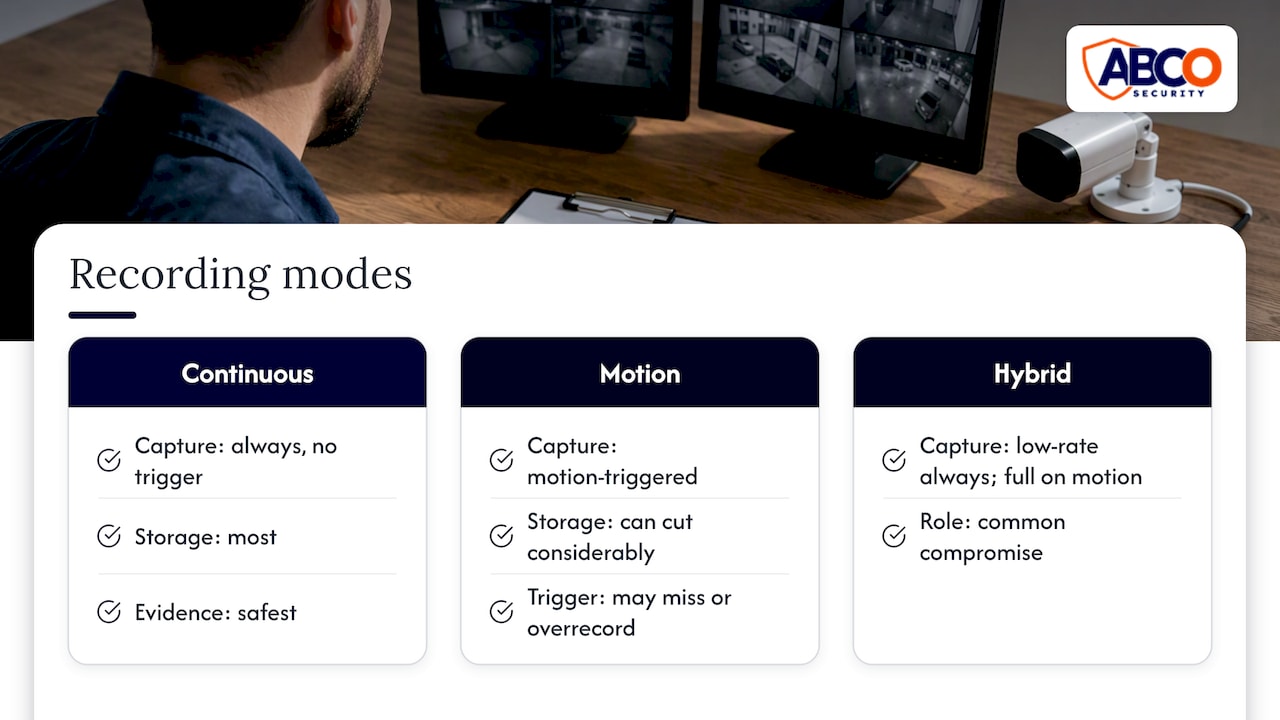
Continuous recording is the safest for evidence, because nothing depends on a trigger firing. It is also the most storage-hungry, and the figures above assume it.
Motion-triggered recording can cut the total considerably on cameras that watch quiet areas, but the saving is not guaranteed. A motion setting that is too sensitive records wind, rain and insects. One that is too dull misses the event you needed. Hybrid setups, which record low-rate footage all the time and switch to full quality on motion, are a common compromise.
Whichever you pick, use the measured average rather than the theoretical one. The same technical guidance warns that businesses assuming a standard drive size gives a set number of days often experience system failure, and that sizing should rest on the actual measured bitrate of installed cameras.
How long should you keep footage in Australia?
This is where storage meets the law. The Office of the Australian Information Commissioner (OAIC) says there is no fixed legal requirement for how many days security footage must be kept, but organisations covered by the Privacy Act must keep personal information secure and destroy or de-identify it once it is no longer needed. State and territory laws may add their own requirements.
That has three practical consequences:
- Keeping everything “just in case” is not a safe default. Holding footage indefinitely increases your exposure if there is ever a data breach.
- Your retention period needs a reason. Tie it to the purpose you collected the footage for, such as security, safety or incident investigation.
- Write it down. Larger organisations covered by the Privacy Act are expected to have clear policies explaining why they record and how long they keep the data, and staff and the public should be told through signage at entrances.
Choosing a number
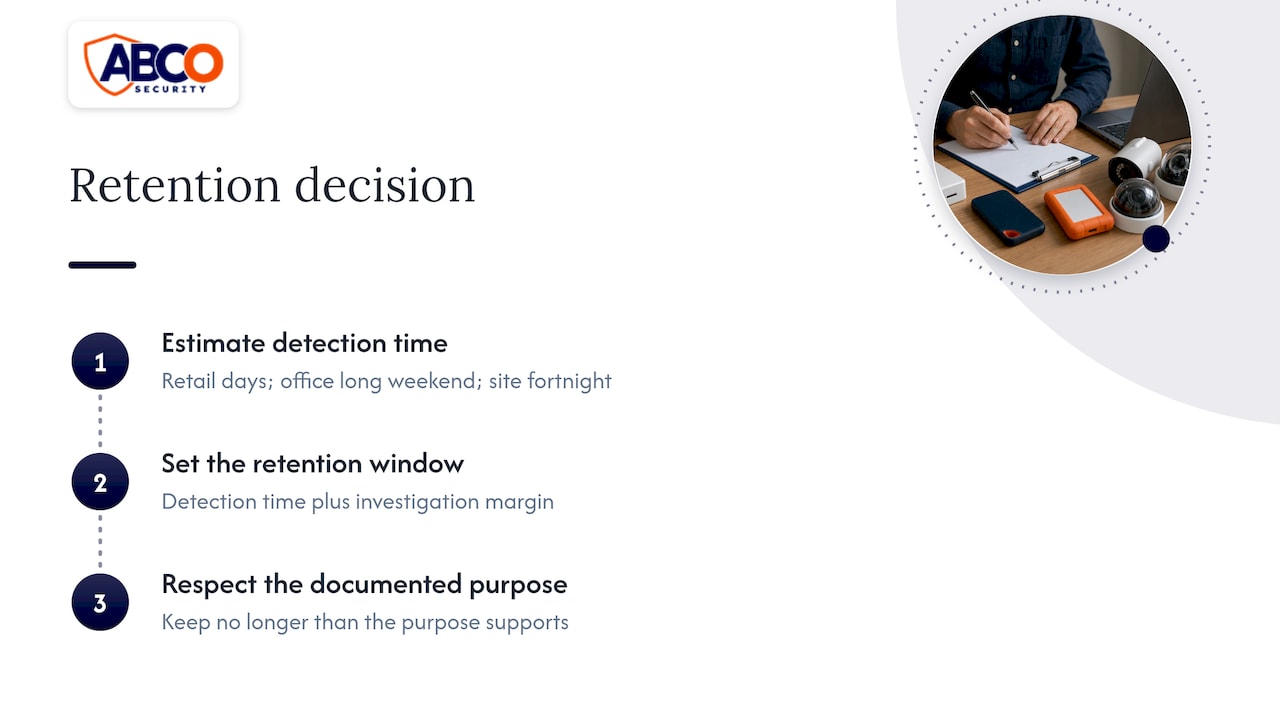
A reasonable method is to ask how long it takes your organisation to notice an incident. A retail store may spot stock loss within days. A corporate office might only find out about a break-in after a long weekend. A site that is shut for a fortnight over Christmas needs a window long enough to cover that. Set the period to that detection time plus a margin for investigation, and keep it no longer than your documented purpose supports.
Footage connected to an actual incident is a separate case. Export it, store it securely under the incident record, and keep it for as long as the matter needs it. Seek advice from your legal adviser if police, insurers or a dispute are involved.
The threshold for the Privacy Act is a business turnover test, and rules differ between states, especially for staff monitoring. Our article on CCTV laws in Australia for businesses and homes covers the turnover threshold, and the employer-specific pages cover NSW workplace surveillance notice rules and the Victorian position. The OAIC also notes that the Privacy Act does not specifically cover workplace surveillance, so employers must follow the relevant state and territory laws.
Healthcare is a special case
Healthcare administrators handle some of the most sensitive footage there is. In designated mental health services in Victoria, the Chief Psychiatrist’s guidance says surveillance must be proportionate and necessary and must not replace active clinical observation. A shorter retention period, tight access controls and a documented rationale suit this environment. Our healthcare security risk assessment guide is a good starting point for the wider review.
Protecting the recording, not just sizing it
A recorder with plenty of space is still a liability if anyone can walk up and take the drive. Under Australian Privacy Principle 11, entities must take reasonable steps to protect personal information from misuse, interference, loss and unauthorised access. The OAIC’s guidance on APP 11 security of personal information points to technical measures such as backups, and physical security for storage equipment, for example lockable cabinets or segregated secure rooms.
A practical checklist:
- Put the recorder in a locked cabinet or a room with restricted access, not under the front counter.
- Limit who can view and export footage, and keep a log of exports.
- Keep a backup or off-site copy of footage you need to retain, so a fire, flood or theft does not destroy it.
- Test restores. A backup you have never restored is an assumption.
- Check the recorder’s clock and drive health on a schedule. Drives do fail, and many recorders will keep “recording” long after a drive has stopped working unless alerts are enabled.
The same guidance says best practice includes storing backup copies remotely and regularly testing that they can be recovered.
Perspective: what we see when storage goes wrong
At ABCO Security we install and monitor electronic security for construction sites, healthcare facilities, corporate offices, retail and more. The storage problems we hear about are rarely about drive size alone. They are about decisions nobody made.
We think of storage as one part of a security system, not a box in a cupboard. A recorder that holds 30 days of footage is only useful if someone is watching live feeds, responding to alarms and checking that the system still works. That is why our approach combines licensed people, technology and 24/7 monitoring, and why we work to ISO 9001 and ISO 30000 standards.
Our advice is simple. Decide the retention period with your facility, legal and operations teams. Write it into your security management plan. Size the system from measured bitrates, add the buffer, and then test it. If your cameras are monitored, a problem such as a drive fault or a camera going offline can be caught before it costs you evidence.
— Abco
Common sizing mistakes
- Using a drive-size rule of thumb. It ignores your codec, frame rate and scene.
- Sizing for the day you install, not the day you expand. Add cameras and the retention period silently shrinks.
- Skipping the buffer. Formatting overhead and busy days eat into the margin.
- Forgetting upload bandwidth. If you send footage to the cloud or a monitoring centre, bitrate also determines the network capacity you need.
- Choosing a period by habit. “Thirty days” is common, but it should be a decision you can explain.
- Placing cameras badly. Good coverage often saves storage, because fewer, well-placed cameras beat many poorly aimed ones. See our CCTV placement guide.
Getting it designed properly
If you manage a site and would rather not run the numbers yourself, we can help. Our CCTV and alarm monitoring team can look at your cameras, recording and retention needs, and our electronic security solutions cover system installation and support. For after-hours cover at smaller sites, the Night Owl Service starts from $5.45 per day. For broader background, read our guide to CCTV for security in Australia or the notes on CCTV installation for your property.
You can also read the government’s business-facing summary on installing video surveillance, which includes best practice tips such as telling staff about surveillance devices in writing.
FAQ
How long is security footage stored?
There is no fixed legal period in Australia. Organisations covered by the Privacy Act should keep footage only as long as they need it for the purpose it was collected, then destroy or de-identify it. Many businesses choose a period based on how long it takes to notice an incident, and document that choice in a policy.
How big a hard drive do I need for security cameras?
Multiply each camera’s bitrate in Mbps by 10.8 to get GB per day, multiply by your retention days, add the cameras together, then add 15 to 20%. A single 4 Mbps camera kept for 30 days needs about 1.3 TB before the buffer. Use the measured bitrate, not the manufacturer’s maximum.
How many days can a 4 TB drive record?
It depends entirely on bitrate. At 4 Mbps continuous recording (43.2 GB a day), a 4 TB drive holds about 92 days for one camera, but only about 23 days for four cameras and about 11 days for eight. After allowing a 20% buffer, those numbers fall further.
Does motion recording reduce storage needs?
It can, especially on cameras watching quiet areas, but the saving varies with scene activity and sensitivity settings. Overlapping triggers and busy scenes can push usage higher than expected, which is why a buffer still applies. For critical areas, many sites keep continuous or hybrid recording.
Should I keep a backup of CCTV footage?
For footage you need to retain, yes. The OAIC’s APP 11 guidance describes remote backup copies and regular recovery testing as best practice. Keep backups under the same access controls as the original recorder.
Sources
- OAIC: Security cameras
- OAIC: Workplace monitoring and surveillance
- OAIC: Chapter 11, APP 11 Security of personal information
- Need to Know IT: NVR / CCTV Storage Calculator
- Victorian Department of Health: Surveillance (CCTV) and privacy in designated mental health services
- business.gov.au: Install video surveillance
Recommended
about
avada factory
Sempery ultricies nibh at dolor cras urna eleifend nec. Atiam efficitur tempor.