
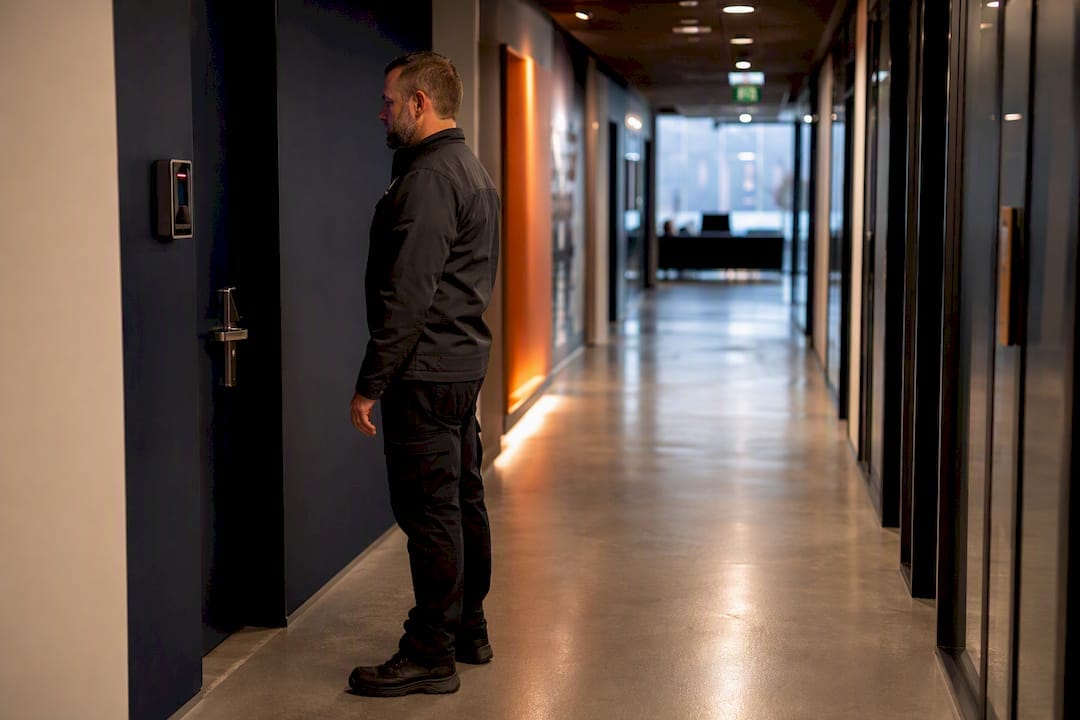
A corporate office security plan is a documented, risk-based system of controls, procedures and governance that protects people, information and assets across an office environment, and it only works if it’s treated as a living process rather than a folder you write once. Before anything else, four things need to happen:
- Run a risk assessment to identify what could go wrong and how badly, using the likelihood and consequence approach set out in AS ISO 31000:2018.
- Map your zones — public, staff and sensitive areas — so controls match the level of risk in each.
- Apply layered controls (perimeter, access, surveillance, response) rather than relying on a single measure.
- Assign governance so someone owns the plan, reviews it annually, and is accountable when it fails.
ASIO’s Protective Security Top 10 and the Information Security Manual both reinforce the same point: security isn’t a purchase, it’s a system with an owner.
Key Takeaways
A corporate office security plan works when a documented risk assessment drives layered physical and cyber controls under named governance, reviewed at least annually.
| Point | Details |
|---|---|
| Start with risk, not equipment | Map assets and score risks by likelihood and consequence before choosing any technology. |
| Layer your controls | Combine perimeter, CPTED design, access control and CCTV so no single failure exposes the building. |
| Treat networked devices as IT assets | Patch, segment and log cameras and access panels the same way you would a server. |
| Assign a named owner | Governance needs one accountable person and a cross-functional committee, reviewed annually or after major change. |
| Bring it together with one provider | Abcosecurity delivers risk assessment, design, installation and 24/7 monitoring as a single accountable engagement. |
Table of Contents
- How do you run an ISO-aligned office security risk assessment?
- How do layered physical controls and CPTED reduce office risk?
- What access control, CCTV and alarm setup does an office actually need?
- Why do networked security systems create cyber risk too?
- What policies and incident procedures does a security plan require?
- How should staff training and security exercises be structured?
- Who should own security governance and how often should it be reviewed?
- What does ABCO’s practical experience add to a security plan?
- What should an office’s evacuation and emergency plan include?
- How does an office plan integrate with police and emergency services?
- How do you handle data privacy in security monitoring?
- How do you manage security risk from vendors and contractors?
- How much should an office budget for security measures?
- Why design-stage security beats retrofitting every time
- How Abcosecurity can help you build and run this plan
- Sources
- FAQ
How do you run an ISO-aligned office security risk assessment?
Start by defining scope. What are you actually protecting? People on-site, client data, server rooms, executive offices, cash handling points, loading docks. Most offices skip this step and jump straight to buying cameras, which is backwards — you can’t prioritise controls you haven’t mapped against actual assets.
A proper assessment follows a repeatable sequence:
- Define scope and critical assets — list people, data systems, physical spaces and high-value equipment, ranked by business impact if compromised.
- Walk the site with facilities, IT and a security practitioner, and interview reception, night cleaners and after-hours staff — they notice things management never sees.
- Identify threats and vulnerabilities specific to your building: shared tenancy, loading dock exposure, tailgating at lift lobbies, unmonitored fire exits.
- Score each risk using a likelihood by consequence matrix, then rank the results.
- Produce a risk register with named owners, treatment actions and timeframes for each entry.
- Set review triggers — annually at minimum, and after any fitout, tenancy change or security incident.
This mirrors the structure recommended for workplace security risk management, where the output isn’t a report that sits in a drawer but a prioritised treatment plan with accountability built in.
Pro Tip: Score risks with your facilities manager and someone from IT in the same room. Physical and cyber risks intersect more than most registers admit, and a joint session catches gaps neither team would flag alone.
AS ISO 31000:2018 specifies that a risk management process should be reviewed at least annually or after any significant operational change. Treat this as a floor, not a ceiling. A tenancy expansion, a new client contract requiring higher confidentiality, or even a change in building management can shift your threat profile enough to warrant an earlier look.
How do layered physical controls and CPTED reduce office risk?
Defence-in-depth means no single control carries the whole burden. If someone bypasses the front door, access control should stop them at the lift lobby. If they get past that, internal zoning should stop them at the server room. Layering buys you time and multiple chances to detect and respond.
Crime Prevention Through Environmental Design, or CPTED, sits underneath most of this without most people realising it. Four principles drive it:
- Natural surveillance — sightlines that let staff and passersby see entry points, so lobbies aren’t hidden behind pillars or blind corners.
- Natural access control — pathways, signage and landscaping that funnel visitors toward reception rather than leaving multiple ambiguous entry routes.
- Territorial reinforcement — clear signage and boundary treatment that signal “this is a managed space,” which deters casual intrusion.
- Space management and maintenance — a well-kept building reads as monitored; a neglected one reads as an easy target.
None of these require large capital spend. Trimming a hedge that blocks a camera’s line of sight, adding motion-sensor lighting to a loading dock, or repainting faded signage at a staff-only door are all CPTED interventions that cost little and pay off immediately. Full CPTED principles for office design go into more depth on applying this to existing fitouts.
Zoning ties it together. Public areas (lobby, meeting rooms near reception) get the lightest controls. Staff areas get card access. Sensitive areas — server rooms, records storage, executive floors — get multi-factor checks and audit logging. Reception becomes the hinge point: it should screen every visitor before they reach a staff-only zone, not after.
Pro Tip: Walk your own office as a stranger would. Note every point where you could wander unchallenged for more than 30 seconds — those gaps are usually where the CPTED review needs to start.
What access control, CCTV and alarm setup does an office actually need?
Access control decisions should start with a building map and role definitions, not a product catalogue. Decide who needs access to what, then choose hardware that enforces those rules.
Practical specification points:
- Use role-based access so permissions match job function, not a blanket “all staff, all doors” default.
- Add multi-factor authentication for comms rooms, server rooms and any space holding financial or client data.
- Choose mobile credentials where staff turnover is high — revoking a phone-based credential is faster than collecting a physical card.
- Specify fail-safe versus fail-secure per door individually; a stairwell fire exit and a server room have opposite requirements during a fire event.
CCTV needs the same discipline. Camera placement should cover entry points, lift lobbies, loading docks and cash-handling areas, with image quality sufficient for identification, not just movement detection. Retention periods should match your risk register and any insurer requirements, and someone specific needs to own monitoring responsibility, whether that’s an in-house team or a 24/7 monitoring service. A full CCTV installation guide covers placement and retention specifics for commercial sites.
For commissioning, follow this sequence:
- Confirm door hardware fail-safe/fail-secure settings against the fire engineer’s requirements.
- Test release-on-fire and lockdown functions separately — they are not the same event.
- Integrate alarm and duress systems with fire panels and lift controls before go-live.
- Require acceptance testing signed off by the installer, fire engineer and building certifier jointly.
Vendor selection should weigh warranty terms, local support response times and whether the system can integrate with whatever access control or monitoring platform you already run. A detailed access control guide for Australian offices breaks down model options in more depth.
Why do networked security systems create cyber risk too?
Every networked camera, card reader and alarm panel is an endpoint on your network, and endpoints get attacked. The Australian Signals Directorate recorded more than 76,000 cybercrime reports in 2022–23, and a growing share of those touch operational technology, not just office IT.
Minimum device hygiene isn’t optional anymore:
- Change default credentials on every camera and access control panel before commissioning.
- Patch firmware on a defined schedule, not “whenever someone remembers.”
- Segment security devices onto their own network zone, separate from staff workstations and guest Wi-Fi.
- Log access to security systems and review those logs, not just store them.
The Information Security Manual sets out a risk lifecycle for connected systems: define, select controls, implement, assess, authorise, monitor. Applying that same discipline to CCTV and access control, not just servers, closes a gap most offices haven’t considered. Contracts with security vendors should include patch windows, vulnerability disclosure processes and background-check evidence for any technician accessing sensitive spaces. A network security explainer covers how physical protection and IT protection reinforce each other in practice.
What policies and incident procedures does a security plan require?
A defensible plan is written down, version-controlled and approved by someone with authority to enforce it. At minimum, you need:
- A master security policy stating scope, objectives and governance.
- An access control policy defining who gets what credential and how it’s revoked.
- A CCTV policy covering placement rationale, retention and access to footage.
- A key management policy tracking physical keys, master keys and their custodians.
- A visitor management procedure for signing in, escorting and badge issuance.
Incident response needs a clear flow: detection, assessment, escalation to the right internal owner, liaison with police or emergency services where warranted, then recovery and a post-incident review. Store policies in a version-controlled system with dated approvals, so you can prove to an insurer or auditor exactly what was in force on any given day. Cross-reference these documents against your business continuity plan; a security incident that shuts down a floor is also a continuity event. ABCO’s key management policy guide is a useful starting template for facility managers building this out.
How should staff training and security exercises be structured?
Training only works when it’s specific to the role, not a generic slideshow everyone clicks through once a year. Reception needs visitor-screening drills. Facilities staff need lockdown procedure familiarity. IT needs to know how a physical breach might intersect with network access. Managers need to know their escalation responsibilities cold, not looked up mid-incident.
Build a simple annual cycle:
- Induction training for all new starters covering evacuation routes, reporting lines and access rules.
- Tabletop exercises twice yearly, walking through scenarios like an unauthorised person in a sensitive area.
- Lockdown drills at least annually, timed and debriefed.
- Cyber-physical rehearsals simulating a compromised access control panel, since this risk is rarely tested.
Keep attendance and outcome records for every session — insurers and auditors will ask. Communication protocols matter as much as the drills themselves: staff need one clear channel to report a concern, and management needs a pre-agreed response tree so nobody is improvising during a real event.
Pro Tip: After every drill, ask one question in the debrief: “What did someone hesitate on?” Hesitation points are where your next training session should focus, not the parts that went smoothly.
Who should own security governance and how often should it be reviewed?
Someone specific needs to own the plan. Not “the facilities team” in the abstract, a named person with authority to approve spending and enforce policy. ASIO’s Protective Security Top 10 recommends establishing a governance body responsible for oversight, and for offices above a certain size that means a small cross-functional committee: security, facilities, IT and HR at minimum.
Review cadence should be non-negotiable:
- Annual review of the entire plan against AS ISO 31000:2018 principles.
- Post-incident review after any breach, near-miss or false alarm pattern.
- Post-change review after fitouts, tenancy changes or new high-risk contracts.
Track KPIs that mean something to a board: incident rate over time, average time to close corrective actions, drill participation and outcomes, and patch or maintenance status on security devices. Present these as a short annual summary to executives and, where relevant, to your insurer. A clean audit trail of reviews and actions closed is often what determines whether a claim gets paid without argument.
What does ABCO’s practical experience add to a security plan?
A security plan is only as strong as the governance behind it. Standards give you the structure. Fifteen years of deployments across construction, healthcare and corporate sites is what tells you where that structure actually breaks in practice, usually at handover, not at design.
Abcosecurity has built security programs against ISO 9001 and ISO 30000 quality commitments for more than 15 years, and that experience shows up in the gaps most self-written plans miss: onboarding checklists that don’t match actual access needs, key registers nobody updates after month one, crowd control plans written for the wrong venue capacity.
Templates for onboarding, key management and crowd control are worth requesting from any integrator before you sign, not after. Whether you deliver in-house or bring in a specialist depends on scale: a single-tenancy office with under 100 staff can often manage in-house with the right templates; multi-tenant buildings or higher-risk sectors usually benefit from an integrator who’s commissioned the same systems repeatedly.
What should an office’s evacuation and emergency plan include?
Evacuation planning is where security and safety overlap most directly, and it’s the section auditors check first. A workable plan names floor wardens and their backups, marks primary and secondary evacuation routes on printed and digital maps, and defines an assembly point far enough from the building to be safe from falling debris or vehicle access issues.
Test it at least annually with an unannounced element, because a fully scheduled drill tells you nothing about real response time. Include scenarios beyond fire: lockdown for an external threat, shelter-in-place for a chemical or gas incident nearby, and a plan for staff with mobility or sensory impairments who can’t use stairwells unassisted. Every warden needs a defined role and a backup, because the person rostered to lead an evacuation is sometimes the person on leave the day it happens.

Keep evacuation diagrams current. A floor plan that still shows a reception desk moved eighteen months ago undermines confidence in the whole document the moment someone notices. Pair the evacuation plan with your incident response procedure so the security team and the fire warden network aren’t operating from separate playbooks during the same event, and store both alongside your business continuity documentation, not as a standalone poster on a noticeboard.
How does an office plan integrate with police and emergency services?
A security plan that only addresses internal response is incomplete. Establish contact with your local police liaison officer before an incident, not during one. Many police commands run business liaison programs specifically for this, and a pre-existing relationship shortens response time considerably when something actually happens.
Share building access information in advance where appropriate. Fire services benefit from knowing floor layouts, fire panel locations and any hazardous materials stored on-site, and this information should sit in your incident response documentation, ready to hand over rather than assembled under pressure. If your building uses monitored alarms, confirm the exact protocol your monitoring provider follows when escalating to police versus emergency services versus internal security, because ambiguity here costs minutes.
Include emergency service contact details and escalation triggers directly in the incident response flow covered earlier, not as a separate document staff have to hunt for. After any incident involving police or fire attendance, debrief with them if they’re willing. External responders often notice building weaknesses staff have become blind to, and that feedback belongs in your next risk register update.
How do you handle data privacy in security monitoring?
CCTV footage, access logs and visitor records are personal information, and collecting them carries obligations under Australian privacy law regardless of company size. A security plan needs to state clearly what’s collected, why, how long it’s retained, and who can access it.
Practical rules that keep this defensible:
- Set retention periods that match actual investigative need, not “keep everything indefinitely because storage is cheap.”
- Restrict footage access to named individuals with a logged reason for each viewing.
- Post clear signage at any monitored entrance, so collection isn’t covert.
- Exclude genuinely private spaces, like bathrooms and prayer rooms, from any camera coverage.
Visitor management systems collect names, contact details and sometimes photo ID, and that data needs the same handling discipline as CCTV footage. A visitor management guide covers the workflow side of this, but the privacy policy itself should be reviewed alongside your broader security policy set, not treated as an IT afterthought. Where an insurer or regulator asks how footage is protected, “we’ve never actually checked” is not an answer you want to give twice.
How do you manage security risk from vendors and contractors?
Every contractor with a swipe card, every cleaner working after hours, every technician servicing your CCTV system is a potential point of failure if their access isn’t managed the same way staff access is. Vendor security management starts before the contract is signed, not after the first incident.
Require proof of background checks for any personnel accessing sensitive areas, and put this in the contract, not a verbal assurance. Define patch windows and vulnerability disclosure obligations for any vendor installing or maintaining networked security equipment, matching the device hygiene standards covered earlier. Log every third-party access event, ideally through the same access control system staff use, so a contractor’s movements are auditable the same way an employee’s are.
Set clear offboarding triggers: when a contract ends, access should be revoked the same day, not “whenever someone gets around to it.” A recurring vendor relationship, like a cleaning contractor or a managed IT provider, deserves an annual review of their access scope alongside your own plan’s review cycle. Treat contractor security clauses as seriously as your own staff policies, because from a risk register’s perspective, an unmanaged contractor credential is functionally identical to an unmanaged staff one.
How much should an office budget for security measures?
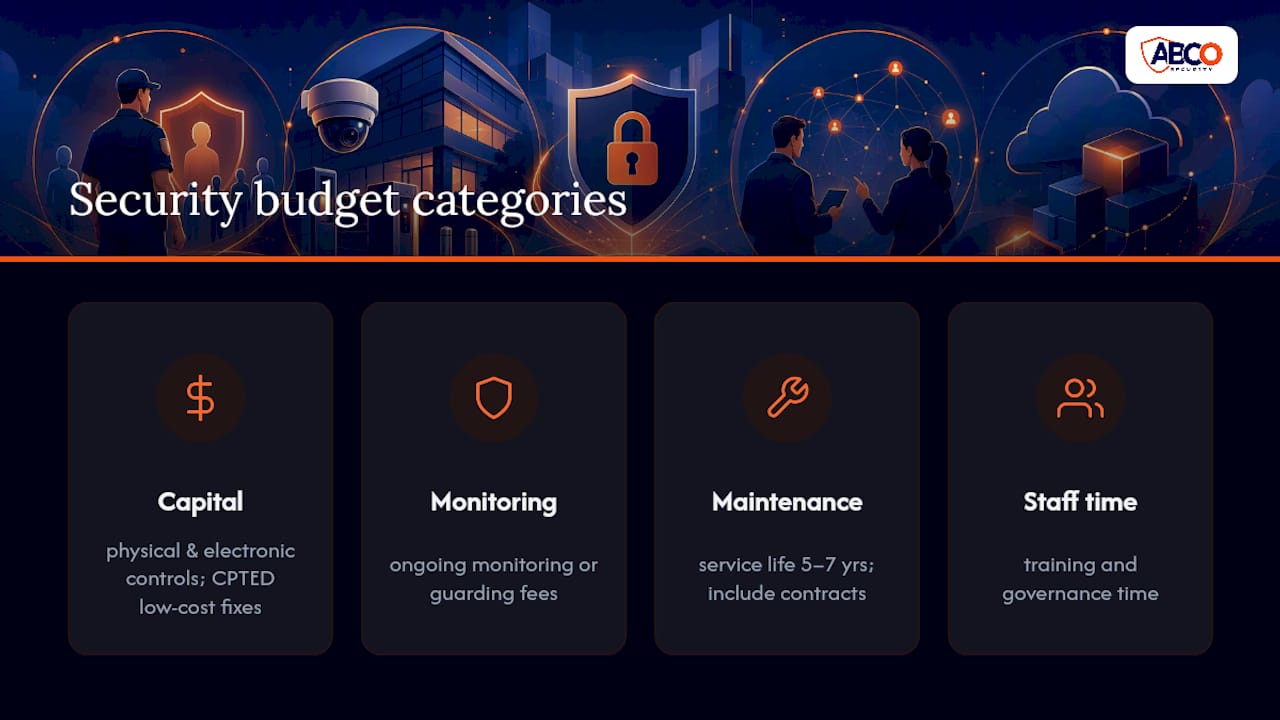
Security budgets fail most often because they’re built around equipment cost alone, ignoring monitoring, maintenance and staff time. A realistic budget covers four categories: capital cost of physical and electronic controls, ongoing monitoring or guarding fees, maintenance and lifecycle replacement, and staff time for training and governance.
Prioritise spending using the risk register built earlier, not vendor sales pressure. A high-consequence, high-likelihood risk, like an unsecured loading dock in a building with a known break-in history, should be funded before a low-risk cosmetic upgrade, even if the cosmetic option is cheaper and easier to approve. This is where CPTED earns its keep: several of the highest-impact fixes (lighting, signage, sightline clearance) cost a fraction of a new access control rollout.
Budget for lifecycle replacement from day one. Cameras, card readers and alarm panels have a service life, typically five to seven years for most commercial-grade equipment, and a plan that only budgets for initial installation will face an unplanned capital hit later. Build maintenance contracts into the same budget line as installation, and revisit the whole allocation at each annual review alongside your KPIs, so spending tracks actual risk rather than last year’s line item carried forward unchanged.
Why design-stage security beats retrofitting every time
Retrofitting security into a finished fitout almost always costs more and delivers less than designing it in from the start. I’ve seen enough office refurbishments to know the pattern: security gets bolted on after the architects and interior designers finish, and the result is cameras with blocked sightlines and access points nobody accounted for.
Winning executive support isn’t about fear, it’s about proportionality. Show the risk register, show the cost of the gap, and let the numbers argue the case. The most common failure isn’t under-spending, it’s over-specifying technology while skipping governance, buying a sophisticated access control platform nobody has assigned an owner to maintain.
— Abco
How Abcosecurity can help you build and run this plan
Writing the plan is one job. Delivering it, day after day, is another. Abcosecurity works with corporate facility managers who need the risk assessment, the physical design advice, the installed technology and the ongoing monitoring handled by one team instead of stitched together from four separate suppliers.
That’s the practical difference for a business owner weighing this up: rather than commissioning a risk assessment from one firm, an access control installer from another, and a monitoring contract from a third, Abcosecurity runs risk assessment, CPTED-informed design, installation and 24/7 monitoring as one accountable engagement. Fifteen years of deployments across construction, healthcare and corporate sites means the commissioning mistakes covered earlier, like fail-safe doors wired the wrong way or CCTV retention that doesn’t match policy, get caught before handover, not after an incident.
Getting started is straightforward: a site assessment identifies your actual risk profile, a proposal maps controls against your budget and building layout, and a pilot on the highest-risk zone (usually reception or a server room) proves the approach before a full rollout. Review the security industry best practices guide for a fuller picture of what a properly resourced plan looks like, then request a site assessment to see where your own office stands against it.
Sources
FAQ
What should be included in a security plan?
A complete plan includes a risk assessment, layered physical and electronic controls, written policies (access, CCTV, key management, visitors), an incident response procedure, training schedules and a governance structure with a named owner reviewing it annually.
What are the 7 P’s in security?
Definitions vary across the industry, but a common version covers Planning, Policy, Personnel, Premises, Procedures, Protection and Preparedness, all elements this article addresses under risk assessment, governance and physical controls.
What are the 5 C’s of security guards?
There’s no single universally agreed definition of the “5 C’s” for security guards, and reliable frameworks vary by provider, so it’s worth asking any prospective security company to define exactly which standard they train against.
What are examples of corporate security?
Examples include access-controlled entry points, monitored CCTV, visitor management systems, security guards and mobile patrols, cyber-hardened access control networks, and governance structures like a security committee, all of which Abcosecurity delivers as integrated services for corporate offices.
How often should a corporate office security plan be reviewed?
At minimum once a year, aligned with AS ISO 31000:2018, plus additional reviews after any security incident, tenancy change or significant fitout.
Recommended
about
avada factory
Sempery ultricies nibh at dolor cras urna eleifend nec. Atiam efficitur tempor.



