Data centre physical security works when several independent layers stand between a stranger and your equipment: a controlled perimeter, zoned and logged access, monitored cameras and alarms, and people who respond quickly. No single lock, camera or guard does the job alone. If you run a hospital, an office, a retail group or a construction project with an on-site server room, the same layered logic applies at a smaller scale, and it is much easier to build it in with a licensed security team that can guard, monitor and install the electronics together, which is how we approach it at ABCO Security.
TL;DR
- Think in layers: site boundary, building, server room, rack. Each layer should slow an intruder down and trigger an alert.
- Access should be minimal, approved, logged and audited. Tailgating (following an authorised person through a door) is the most common weak point.
- Contractors, cleaners and visitors need the same discipline as staff: escorts, time-limited access and sign-in records.
- Cameras and alarms only help if someone watches them and a response arrives fast. Monitoring and response are part of the design, not an add-on.
- In Australia, government guidance and critical infrastructure law set a clear model of security zones that private operators can borrow.
Table of Contents
- What physical security protects against
- The layered model Australian guidance uses
- Perimeter and the approach to the building
- Server room access control: who, when, and how it is recorded
- Visitors and contractors
- Keys, doors and rooms left open
- Monitoring and response
- Fire, water and heat
- Which rules apply in Australia
- Security as part of continuity
- Our perspective
- Getting layered protection in place
- FAQ
- Sources
What physical security protects against
Physical security keeps people, fire, water and force away from the machines that hold your data. It covers three broad groups of threat, as one Australian data centre operator’s guide sets out: unauthorised access (tailgating, social engineering, exploiting weak security systems), insider threats (contractors and vendors who steal or carelessly expose information) and environmental events such as fire and flood.
For most of our clients the realistic risks are close to home:
- A hospital comms room propped open during a night shift.
- A retail head office where a delivery driver walks past reception to the IT cupboard.
- A construction site office where the site network, laptops and plans sit in a demountable that is empty after hours.
- A corporate floor where a contractor’s card still works months after the job ended.
None of these needs a sophisticated attacker. They need an unlocked door, an unwatched camera and nobody asking questions.
The threat is also rising at the national level. A professional analysis of the Security of Critical Infrastructure Act reports that Australia’s Director-General of Security warned in early 2025 that physical sabotage is expected to become a growing threat over the following five years, including small acts that disrupt networked infrastructure.
The layered model Australian guidance uses
The Australian Signals Directorate’s cyber arm describes defence in depth through successive layers in its Guidelines for physical security: a security zone for the facility, an additional zone for server or communications rooms, and security containers (locked cabinets or racks) for servers, network devices and cryptographic equipment.
South Australia’s PHYSEC1 physical security policy gives the same idea a number system. It sets five security zones, from 1 to 5, with increasing restrictions. It says ICT facilities such as server rooms and patch rooms should sit in zones separate from ordinary office functions, so that several layers act together to delay an intruder.
You do not need to be a government agency to use this. A simple version for a private site looks like this:
| Layer | What it controls | Typical measures |
|---|---|---|
| Perimeter | Who reaches the site | Fencing, gates, lighting, vehicle control, patrols |
| Building | Who enters the premises | Reception, access cards, visitor sign-in, alarmed external doors |
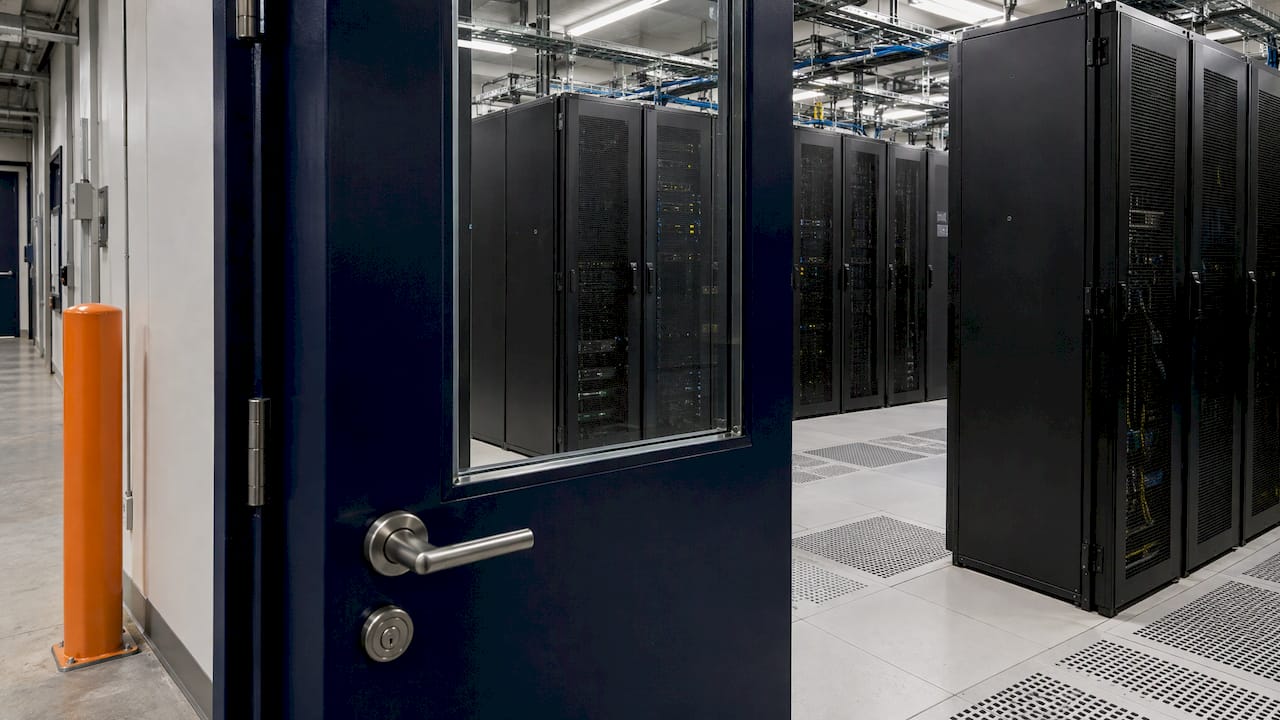
| Server room | Who reaches the equipment | Door with credential reader, camera at the door, log of every entry |
| Rack or cabinet | Who touches the hardware | Locked cabinets, key control, tamper checks |
The value of layers is time. Each barrier buys minutes, and those minutes let a monitored alarm turn into a person arriving. The Australian Government’s protective security framework describes this as five outcomes: deter, detect, delay, respond and recover, according to the PSPF physical security guidance. Use it as a checklist: for every layer, ask what deters, what detects, what delays, who responds and how you recover.
Perimeter and the approach to the building
Most people think of the perimeter first, and it matters, but for an office or hospital it is often shared with other tenants or the public. Three points repay the effort.
Reduce what a stranger can learn. Hong Kong’s government practice guide on data centre security recommends anti-climb fencing, minimised entrances, camera coverage with no blind spots, and a low-profile building with no signage identifying it as a data centre. The signage point translates directly: do not label the door “Server Room” or “Comms” where visitors walk past.
Control vehicles and deliveries. Deliveries are a classic way into a building. Route them to a loading point away from the server area, and have someone meet the driver rather than letting them roam.
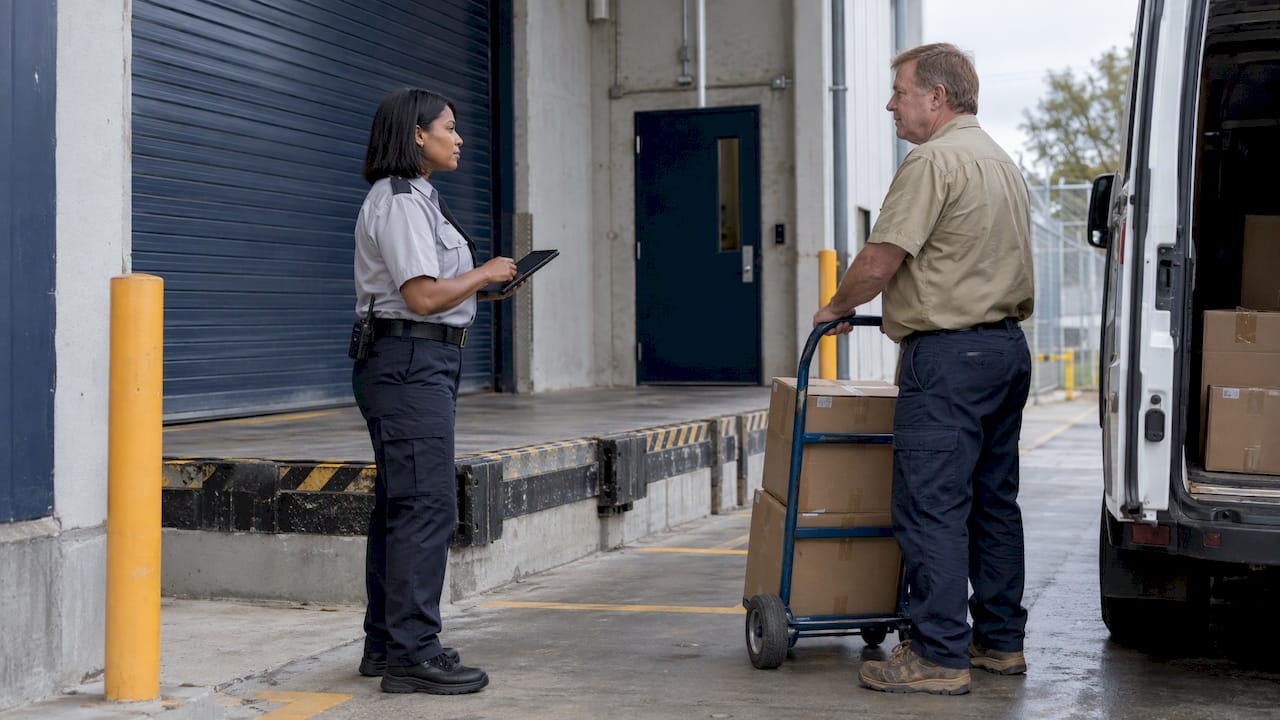
Place cameras where they answer a question. A camera that shows the gate, the loading dock and every external door is more useful than six cameras pointed at the car park. Our guide to CCTV placement under AS 4806 explains how to choose positions and what footage needs to show to be usable.
Server room access control: who, when, and how it is recorded
The door to the server room is where policy meets reality. Good access control has four parts: approval, credential, record and review. We cover the hardware side in more detail in our guide to server room access control.
Approval: minimum access, justified need
The Australian National University’s Data Centre Operations Standards are a good public example of a working policy. Physical access is minimised and granted on a justifiable needs basis. Ongoing access needs a supervisor’s endorsement of a legitimate need, a completed request form approved by a delegated authority, and an induction before anyone enters unaccompanied. Users who do not comply can have access revoked.
You can copy that structure in a page of text. A server room access policy should state:
- Who may approve access, by role rather than by name.
- What a request must contain: person, reason, areas, duration.
- What induction is required before unescorted entry.
- How visitors and contractors are handled (see below).
- How lost or stolen credentials are reported and cancelled.
- How often access is audited, and what happens on a breach.
Credential: more than one factor
The same ANU standards require biometric fingerprint readers together with proximity card readers on data centre entrance doors, with auditing. The principle is that a card alone can be lent, lost or copied, so pairing it with something about the person raises the bar. For smaller rooms a card plus PIN, or a card plus camera verification at a monitored door, achieves a similar effect.
Record: every entry logged
A door that does not record who used it cannot answer the question you will ask after an incident. Logs should show the person, the door, the time and the result (granted or denied). Denied attempts matter as much as granted ones.
Review: audits that remove old access
The ANU standards call for access audits every three months, with revalidation of need for people who have not used their access for a long time. Cards for departed staff and finished contractors are the commonest unnoticed gap. Put the audit in the calendar and give it an owner.
Stop tailgating
The ANU standards prohibit tailgating and say no access is granted to someone claiming a lost card. Both rules are simple to write and hard to hold without people. A polite staff member will hold a door for a stranger carrying a box. A trained guard or reception officer will not, and that is why attended entry points work so well in hospitals and corporate lobbies. Our team provides security guarding with licensed guards who can enforce these rules at the door.
Visitors and contractors
Contractors are named in almost every list of data centre insider risk, because they are trusted, often unsupervised and frequently turn over. A national telco’s colocation facilities guide shows the level of control a large operator applies, and you can scale it:
- Customers nominate at least two authorised representatives on an access form.
- Access cards are not loanable and must be returned after each visit.
- People log entry and exit times, and any equipment brought in or taken out.
- Visitor requests are made at least three business days ahead, with photo identification.
- Visitors may be escorted, and guards may check bags and materials.
- Visitor access expires at the end of the approved time window.
- External doors are alarmed and guarded while open, and mantraps (two interlocked doors that admit one person at a time) are used when in operation.
For a hospital or office, the practical version is: pre-book the visit, check photo ID, issue a time-limited badge, escort the visitor, record what they bring in and out, and collect the badge. Our risk-based visitor badge checklist and visitor management policy checks cover how to set that up so it stands up to an audit.
Keys, doors and rooms left open
The ASD guidelines are blunt on the basics. Controls ISM-0813 and ISM-1074 require that server rooms, communications rooms and security containers are never left in an unsecured state, and that keys or equivalent access mechanisms are properly controlled. In practice:
- Fit a door closer and a door-held-open alarm so a propped door raises an alert.
- Keep a key register for any mechanical keys and rack keys, with a named holder for each.
- Use solid doors and frames that match the strength of the lock. A good lock on a hollow door only looks secure.
- Check cable ducts, ceiling spaces and raised floors for routes that bypass the door.
- Treat radio-frequency devices with care. The same ASD guidance notes that mobile phones, wireless keyboards and Bluetooth devices can record or transmit audio or data, and in the highest-classified areas a register of authorised devices must be kept.
Monitoring and response
Detection is only half of security. The US regulator’s IT examination handbook states that detection devices should provide continuous coverage to send alarms and support forensic work, and that a combination of fire suppression, smoke alarms, raised flooring and heat and moisture sensors should address environmental threats, with continuous monitoring. It is a US source, but the engineering logic is universal.
For your site, build the monitoring chain in this order:
- Detect: door contacts, motion sensors, cameras at entry points, environmental sensors for heat and water.
- Verify: someone looks at the camera and confirms whether the alarm is real.
- Respond: a guard on site or a mobile patrol attends within a defined time.
- Record: every alarm, verification and response is logged.
- Review: after each incident, the cause and the fix are written down.
Step 2 is the one that most small sites skip. An alarm that rings in an empty building and is ignored is just noise. Our A1 CCTV and alarm monitoring is built around 24/7 monitoring so alarms are watched, and our mobile patrol services provide the attending response. For incident records, see our guide to security incident reporting.
Test it, do not just document it
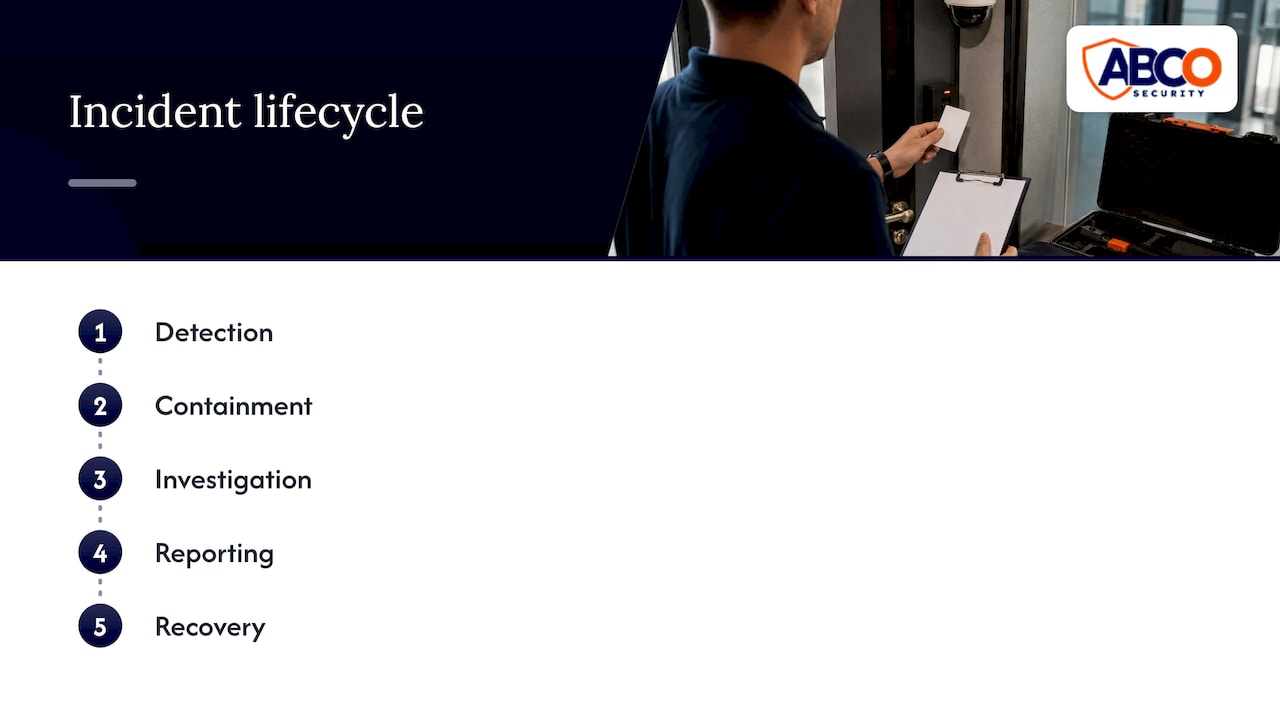
The analysis of the SOCI Act mentioned above argues that a sound program covers the whole incident lifecycle, from detection and containment to investigation, reporting and recovery. It says testing should include scheduled and unannounced reviews, access control exercises and tabletop simulations, so that you show real improvement rather than a folder of paperwork. A quarterly walk-through where someone attempts to follow a staff member into the server room is a cheap, revealing exercise.
Fire, water and heat
Security people tend to think of people. Server rooms are lost just as often to a burst pipe, a failed air conditioner or a fire. The research on Australian data centres lists floods, bushfire and extreme heat as natural hazards to assess, alongside the risks of sharing a facility with other tenants. For a server room inside your building, that means:
- No water pipes running overhead if you can avoid it, and a leak sensor on the floor if you cannot.
- Temperature alarms that notify a person, not just a screen.
- Fire detection and suppression suited to electronics.
- Power and cooling plant protected with the same access rules as the room itself.
When these sensors feed the same monitoring centre as your intruder alarms, one team sees every kind of problem.
Which rules apply in Australia
The answer depends on what you run.
- Operators of critical infrastructure. The Security of Critical Infrastructure Act 2018 covers data storage or processing assets. Under the Critical Infrastructure Risk Management Program rules, a responsible entity must identify and manage material risks across cyber, personnel, supply chain, physical security and natural hazards. The SOCI analysis notes that the program’s testing requirements mirror the five outcomes of deter, detect, delay, respond and recover. If you think you are in scope, take legal advice on your obligations.
- Government agencies and suppliers. State and federal policy, such as PHYSEC1 in South Australia and the federal protective security framework, set zones and certification for sensitive information.
- Everyone else. There is usually no single law that dictates your server room door. Your obligations come from contracts, insurers, privacy duties and your own risk assessment, and the government guidance above is the best free model of good practice.
Whatever applies, the first step is a risk assessment. Our security risk assessment checklist walks through it for Australian facilities, and our data centre security guide and article on physical security layers for Australian operators go deeper on layered controls.
Security as part of continuity
Physical security is one piece of keeping the business running. When a server room fails, the question is how fast operations resume. Planning for that sits with business continuity, and a guide to business continuity planning for owners shows how documented procedures and clear delegation keep a business going when something goes wrong. Your access policy, incident reporting and recovery steps belong in that same plan.
Our perspective
Most server room breaches we would worry about are ordinary: a door left open, a card that should have been cancelled, an alarm nobody checked. Technology helps, but only when people and procedures sit behind it.
That is why we treat guarding, patrols, CCTV, alarm monitoring and access control as one system. A camera tells you what happened. A monitored alarm tells you while it is happening. A guard or patrol officer can do something about it. When one provider designs and runs all three, there is no gap between them for an incident to fall into.
We work to ISO 9001 and ISO 30000 standards, with more than 15 years in the industry and 24/7 operations across Australia. For construction sites, hospitals, corporate offices, retail and events, our approach is proactive: assess the risk first, then build the layers that answer it.
Abco
Getting layered protection in place
If you want the layers above built and run by one team, we provide security guarding, mobile patrols, CCTV and alarm monitoring and electronic security solutions, including access control, for construction sites, healthcare facilities, corporate offices, retail and events across Australia. Start with a risk assessment of the rooms that matter most, and we will build the guarding, monitoring and access control around it. Contact us through our website.
FAQ
How secure is a data centre?
It is as secure as its weakest layer. A well-run facility combines a controlled perimeter, zoned access, monitored cameras and alarms, and trained people, so no single failure gives access to the equipment. Regular audits and unannounced tests show whether the layers hold in practice.
What should a server room access policy include?
It should name who approves access, what a request must contain, what induction is needed, how visitors and contractors are handled and how lost credentials are cancelled. It should also set an audit schedule. A public example, the ANU standards, uses three-monthly access audits.
Is a lock enough for server room door security?
A lock alone is not enough. Pair a credential reader that logs every entry with a solid door and frame, a door-held-open alarm and a camera at the entrance. Mechanical keys, if used, need a register and a named holder.
Who needs to follow Australian critical infrastructure rules?
Owners and operators of assets in the 13 classes covered by the Security of Critical Infrastructure Act 2018, which includes data storage or processing, may have obligations under the risk management program rules. Because scope depends on your circumstances, confirm it with a lawyer or the relevant government department.
Sources
- Guide to protecting critical infrastructure, data centre security
- Guidelines for physical security, Australian Signals Directorate
- PHYSEC1 Physical security, South Australian Protective Security Framework
- Physical Security Lifecycle, PSPF Guidelines
- Practice Guide on Data Centre Security, Hong Kong Digital Policy Office
- Data Centre Operations Standards, Australian National University
- Colocation Facilities and Services Guide
- FFIEC IT Examination Handbook, Physical Security
- Physical Security Under the SOCI Act, Ashurst Perkins Coie
- Business continuity planning for owners
Recommended
about
avada factory
Sempery ultricies nibh at dolor cras urna eleifend nec. Atiam efficitur tempor.