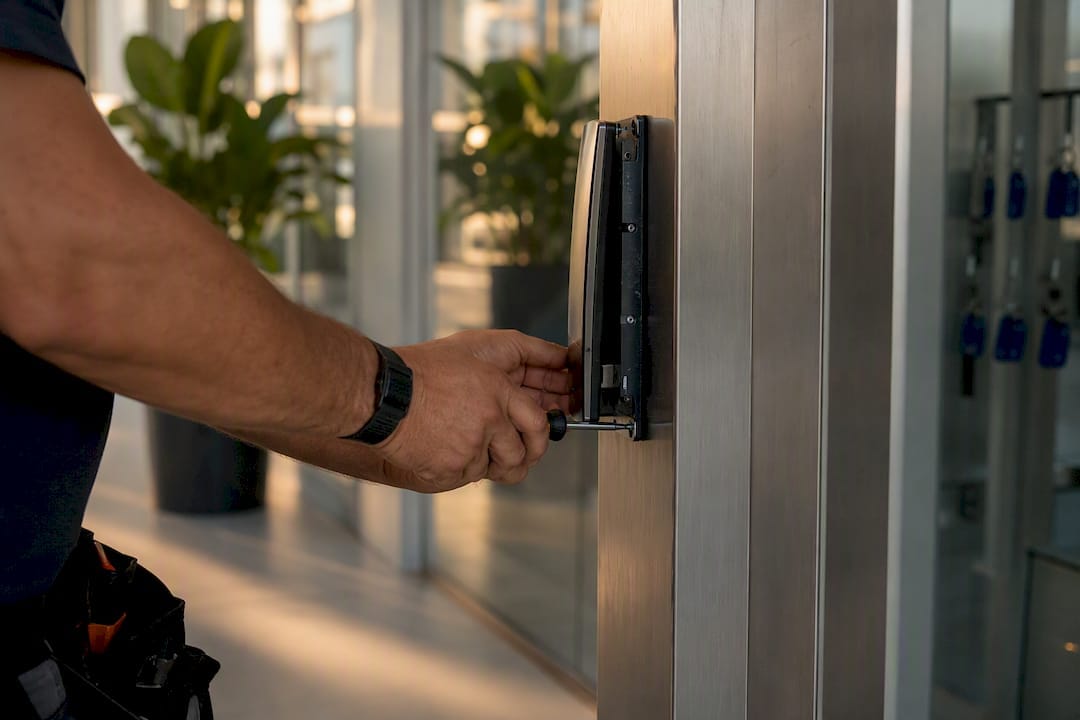
A mobile access credential is a digital key stored on a smartphone or smartwatch that replaces a physical card or fob at the door. It uses NFC, Bluetooth Low Energy or Wi‑Fi to talk to a reader, and the credential itself can be issued or killed remotely in seconds. For most enterprise sites and multi-building portfolios, the technology is mature enough to adopt now, provided you pair it with a clear device policy and a sensible fallback plan for the doors that can’t afford downtime.
Global smartphone ownership has climbed steadily since 2005, and that device penetration is exactly why mobile credentials work as infrastructure rather than novelty. Industry whitepapers also point to strong projected growth in mobile access reader installations over the coming years. Here’s what the technology actually covers:
- How the underlying tech (NFC, BLE, Wi‑Fi) actually works at the door
- What security, cost and operational gains you can genuinely expect
- How to architect for resilience, not just convenience
- A rollout checklist that won’t blow up your helpdesk
Key Takeaways
Mobile access credentials succeed when device-bound cryptography, instant remote revocation, and a phased multi-technology rollout are treated as one connected system, not separate decisions.
| Point | Details |
|---|---|
| Definition | A mobile credential is a digital key on a phone or watch, using NFC, BLE or Wi‑Fi to open a door. |
| Choose tech by use case | NFC suits fast tap-to-enter doors; BLE suits hands-free, high-throughput entries. |
| Architecture matters | Hybrid cloud/on-prem with multi-technology readers preserves resilience and existing card investment. |
| Security needs layering | Secure element storage, short-lived credentials, MFA and device posture checks all reduce risk together. |
| Pilot before scaling | Abcosecurity recommends a staged pilot with KPI tracking before a full site-wide rollout. |
Table of Contents
- How mobile access credentials work: NFC, Bluetooth, Wi‑Fi and apps
- What benefits do mobile credentials actually deliver?
- Should you run mobile access in the cloud or on‑premises?
- How do you manage provisioning, revocation and audit logs?
- What are the security risks and how do you mitigate them?
- How do you pilot and roll out mobile credentials?
- What ABCO Security has learned from real deployments
- Why the “just switch everyone at once” advice is wrong
- Get help planning a mobile credential rollout
- Sources
- FAQ
How mobile access credentials work: NFC, Bluetooth, Wi‑Fi and apps
Three radio technologies do the heavy lifting, and each suits a different door.
- NFC works like a contactless card tap, at a range of a few centimetres. It’s fast, has low latency, and because the phone has to be right at the reader, it’s harder to intercept than longer-range signals.
- Bluetooth Low Energy (BLE) reads from further away, which enables hands-free entry, useful for loading docks, car park boom gates or turnstiles where someone’s hands are full. The trade-off is pairing complexity and the need for careful signal tuning so a phone in someone’s pocket doesn’t accidentally trigger the wrong door.
- Wi‑Fi and cloud-assisted flows matter less for the tap itself and more for what happens around it, pushing credential updates, syncing logs, and validating a device is still authorised.
On the software side, credentials live either in a mobile wallet (Apple Wallet, Google Wallet) or a dedicated access app. Wallet-based credentials are simpler for users but limited by what the platform allows; a standalone app gives facility teams more control over provisioning and multi-factor prompts.
Underneath all of it sits a cryptographic challenge-response exchange between the phone’s secure element and the reader, with the result logged to the cloud for audit purposes. NFC’s tap and BLE’s hands-free range each carry different security and latency trade-offs worth weighing before you standardise on one.
What benefits do mobile credentials actually deliver?
The case for switching isn’t just about looking modern. It shows up in four concrete areas.
- Security: credentials are cryptographically signed and device-bound, which makes cloning far harder than copying a 125kHz prox card. Layering in multi-factor authentication (biometric unlock plus the app) closes off the “found phone” risk almost entirely.
- Operations: provisioning and revocation happen instantly over the air. No more cutting a new card when someone starts, and no more chasing a departing contractor to hand theirs back.
- User experience: tap-to-enter is faster than fumbling for a card, visitors can be issued a time-limited digital pass before they arrive, and lost-phone lockouts resolve with a temporary QR credential rather than a trip to the security desk.
- Cost and sustainability: fewer plastic cards printed, replaced and binned, and less admin time spent on card stock and lost-card processing.
Statistic: With global smartphone penetration having risen steadily since 2005, nearly every employee already carries the hardware a mobile credential system needs. You’re not asking staff to adopt new devices, only a new use for the one already in their pocket.
Mobile credentials are also turning up in office towers, hospitals and residential developments where visitor throughput and tenant turnover used to eat serious admin time, according to industry case studies on mobile credential deployment.
Should you run mobile access in the cloud or on‑premises?
This is the architecture decision that determines how resilient, private and future-proof your system is, and it deserves more thought than “cloud is easier.”
- Cloud-managed platforms give you remote administration across sites, faster software updates, and easier integration with HR systems. The trade-off is a dependency on internet connectivity at each site, which matters if your network reliability is patchy.
- On-premises deployments suit organisations with strict data residency or compliance requirements, government and some healthcare sites in particular, where credential data can’t leave a controlled environment.
- Hybrid designs are increasingly the pragmatic default: cloud management for convenience, with local controllers that keep doors functioning if the connection drops.
- Multi-technology readers that accept both mobile credentials and legacy cards let you migrate a building over months rather than forcing a hard cutover, preserving your existing card investment while the pilot proves itself.
Whatever you choose, critical doors, fire stairs, server rooms, loading docks, need an offline or fallback mode that doesn’t depend on cloud connectivity. A phased hybrid migration using multi-technology readers is the approach most implementation guides converge on, and it’s the one we’d recommend to any facility manager nervous about disruption. For a deeper look at procurement trade-offs, our access control systems guide covers the hardware side in more detail.
How do you manage provisioning, revocation and audit logs?
Day-to-day administration is where mobile credentials either save you hours or create a new headache, depending on how well the lifecycle is automated.
- Provisioning: issue credentials via self-service invite links, QR codes for short-term visitors, or automated over-the-air issuance the moment someone’s onboarding is approved.
- Lifecycle automation: link the access system to your HR or identity platform so a termination in payroll triggers instant credential revocation, no manual step, no gap.
- Audit trails: every tap gets timestamped and logged in the cloud, giving you a searchable record for incident investigations rather than a paper visitor book.
- Device posture checks: enforce a minimum OS version, require device encryption, and block jailbroken or rooted phones from authenticating at all.
Facility teams running this across multiple buildings often connect it into a broader access control integration with CCTV and HR platforms, so a single termination event locks doors, pulls video, and updates the log simultaneously.
What are the security risks and how do you mitigate them?
Mobile credentials shift the threat model rather than eliminating it, and security managers need to plan for the new attack surface as much as the old one.
- Lost or stolen devices are the most common issue. A short-lived, revocable credential and a PIN or biometric lock on the phone closes most of the exposure.
- Relay attacks, where a signal is captured and replayed from a distance, are a genuine BLE risk. Encryption and RSSI-based signal analysis, which 2N’s technical guidance describes as a way to reduce false and wrong-door openings, help limit this.
- Credential extraction from a compromised device is mitigated by storing keys in the phone’s secure element rather than in app storage that malware could reach.
- Insider misuse, sharing a credential or propping a door, is a policy and monitoring problem more than a technology one; audit logs make it visible after the fact.
Controls worth locking in from day one: AES-grade encryption, TLS for all network traffic, signed keys issued per device, mandatory MFA for sensitive areas, and endpoint management so BYOD phones meet a minimum security bar before they’re trusted, a point ESA’s mobile access control guide flags as essential wherever personal devices are in play.
Pro Tip: Run a quarterly log review and a simulated misuse test, someone tries to tailgate or use an expired credential, on at least one site. It surfaces gaps in your revocation workflow long before a real incident does.

How do you pilot and roll out mobile credentials?
A rushed, building-wide switch is how helpdesks get flooded. A staged pilot avoids most of the pain.
- Define scope. Pick two or three priority doors, main entry, a high-traffic internal door, and one after-hours access point, rather than converting an entire building at once.
- Choose your reader and device strategy. Decide whether the pilot allows BYOD or requires company-managed phones, and select multi-technology readers so card users aren’t disrupted.
- Run the pilot and track KPIs. Measure authentication success rate, average unlock latency, helpdesk calls per 1,000 credentials issued, and time taken to revoke a credential, the core metrics that tell you whether the system is actually working.
- Build training, support and a rollback plan before scaling. If the pilot’s fail rate is too high, you want a documented path back to cards, not a scramble.
What ABCO Security has learned from real deployments
Fifteen-plus years of running physical security programs across construction, healthcare and corporate sites has taught us that the technology is rarely the hard part, the rollout discipline is.
- Sites that follow ISO 9001 and ISO 30000-aligned processes for change management see far fewer disruption complaints during credential migration.
- Clients typically report reduced card churn (no more reprinting for lost cards) and faster new-starter onboarding once provisioning is automated.
- The most common pitfall we see is skipping the pilot phase and converting an entire site at once, which floods the helpdesk in week one.
- We support clients through both onboarding and long-term operations, not just the initial reader install.
If you’re weighing up a migration, an implementation assessment from Abcosecurity is a practical starting point before you commit to a platform.
Why the “just switch everyone at once” advice is wrong
Most vendor content sells mobile credentials as a simple swap: rip out the card readers, hand everyone an app, done. The evidence doesn’t support that. Every implementation guide that actually tracks outcomes points to the same thing, sites that skip a measured pilot and go straight to full deployment generate a spike in helpdesk calls and a wave of user frustration that colours the whole project.
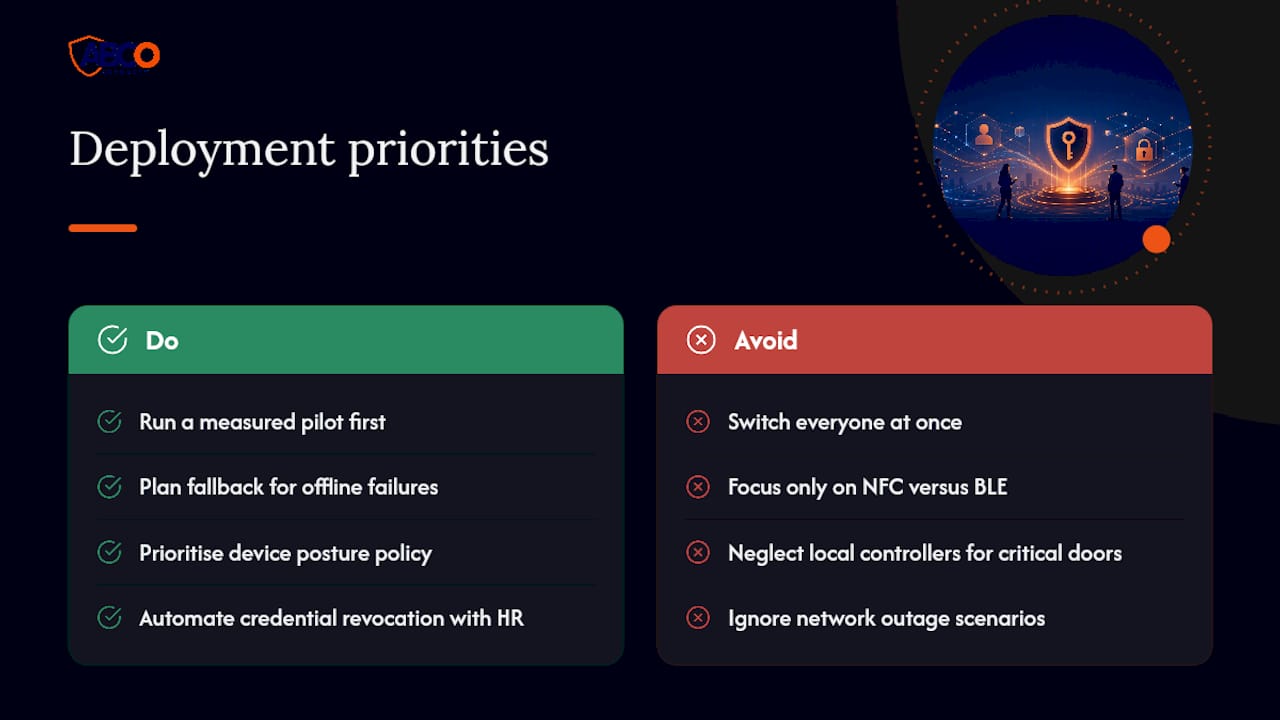
What gets underrated is the fallback plan. Security managers spend most of their planning time on the shiny part, NFC versus BLE, wallet versus app, and not enough on what happens when a door’s connectivity drops or a phone battery dies at 6am. That’s not a hypothetical. It’s the exact scenario that determines whether your critical doors, server rooms, fire exits, need a local controller that doesn’t care if the cloud is reachable.
If you take one thing from this guide, prioritise the boring parts first: device posture policy, revocation automation tied to HR, and a hybrid architecture that survives a network outage. The NFC versus BLE debate matters far less than whether your system fails safely when something goes wrong.
— Abco
Get help planning a mobile credential rollout
There are DIY paths to mobile credentials, buy a reader kit, configure the app, hope the pilot goes smoothly. For a single-door office that might be fine. For a multi-site facility with compliance obligations, staff turnover and after-hours access needs, that approach usually surfaces its gaps during a real incident, not during testing.
Abcosecurity brings licensed security professionals and 15-plus years of integrated deployment experience to the table, alongside ISO 9001 and ISO 30000-aligned processes, so your rollout gets the same discipline we apply to guarding, monitoring and CCTV projects. That means a proper risk assessment before hardware gets chosen, a pilot design that catches problems before they scale, and 24/7 support once the system is live. If your site combines access control with wider physical security needs, our risk assessment process is a solid next step, get in touch with Abcosecurity to book an implementation assessment and scope your pilot doors.
Sources
- Global smartphone penetration per capita since 2005
- A guide to mobile access control systems – ESA Risk Insights
- The ultimate guide to mobile access control | 2N
- Is it time to invest in mobile access? — ASSA ABLOY whitepaper
FAQ
What are mobile access credentials?
A mobile access credential is a digital key stored on a smartphone or smartwatch, used with NFC, Bluetooth or Wi‑Fi to unlock doors instead of a physical card or fob.
Are mobile access credentials free to use?
Costs vary by provider. Some platforms bundle credentials into a per-door or per-user licence fee, while others charge per credential issued, so check pricing with your chosen vendor rather than assuming it’s included.
What happens if I remove all credentials from my phone?
You’ll lose access to any door or system tied to that credential until it’s reissued, so notify your facility administrator first, they can usually push a replacement credential remotely within minutes.
How can I see my active credentials?
Most access apps have a dashboard or wallet screen listing every active credential tied to your device, and administrators can also view and manage them from the central management platform.
Do mobile credentials work without an internet connection?
Many systems support offline fallback at the reader level, but this depends on the architecture. Sites with critical doors should confirm offline behaviour is built into the design rather than assumed.
Recommended
about
avada factory
Sempery ultricies nibh at dolor cras urna eleifend nec. Atiam efficitur tempor.