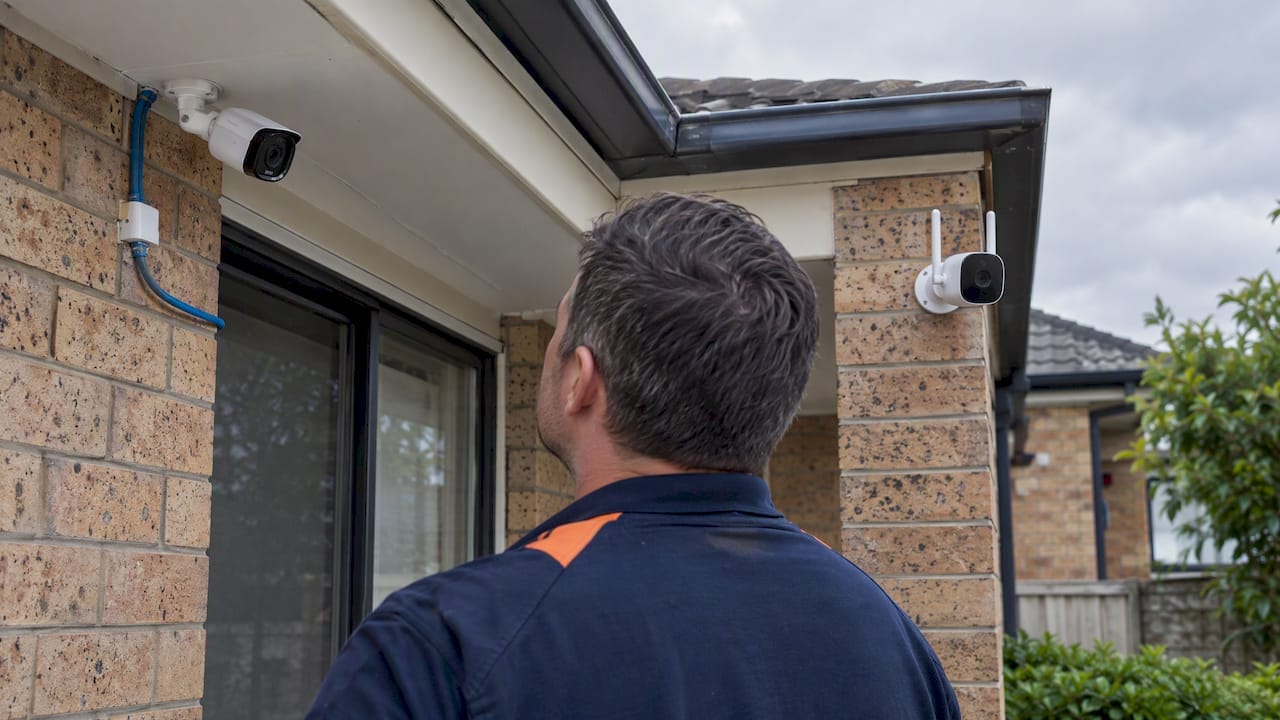
For permanent, evidence-grade surveillance, PoE cameras are usually the better choice; for short-term or highly mobile needs, wireless fits better. The decision mostly comes down to reliability, recording quality and long-term cost, and installers often recommend a hybrid setup that puts PoE on the perimeter and wireless on secondary or temporary spots.
TL;DR:
- PoE cameras provide higher recording quality and more reliable footage because they support higher frame rates and are unaffected by Wi-Fi interference.
- Installing PoE systems typically requires professional cabling within 100 meters and a local NVR, making them more suitable for permanent, long-term surveillance.
- Wireless cameras often involve ongoing subscription fees for cloud storage and suffer from reduced quality due to bandwidth compression, especially with multiple devices.
- Environmental factors like weather and construction materials impact wireless signals more than wired PoE setups, which are largely immune to weather-related disruptions.
- For long-term ownership, PoE systems generally have lower maintenance costs and longer hardware lifespan, while wireless cameras suit renters or temporary setups better.
Table of Contents
- PoE vs wireless cameras: pros and cons compared
- How PoE and wireless cameras actually deliver power and data
- What installation and five-year ownership actually cost
- Keeping your cameras secure from cyber risks
- Which setup fits your situation
- How weather and surroundings affect each system
- How installers actually prioritise placement and standards
- Getting it installed properly with ABCO Security
- Where these figures and guidelines come from
- Sources
- FAQ
PoE vs wireless cameras: pros and cons compared
Reliability is the first thing that separates these two systems. A PoE camera runs on a cable, so it doesn’t compete with the microwave, the neighbour’s router or a brick wall for signal, and it keeps recording even when the internet drops. A wireless camera depends on a stable Wi-Fi connection and typically stops sending footage the moment the network falters, though many models buffer briefly to local storage first.
Recording quality is where the gap becomes obvious to anyone who has tried to hand footage to police. Installer guidance comparing frame rate and bitrate notes that PoE systems commonly support higher frame rates and bitrates, which produces the kind of forensic-quality footage that holds up as evidence. Wireless cameras often compress footage and lower frame rates to conserve bandwidth and battery life, which can leave fast-moving events blurry or missing detail.
Scalability follows a similar pattern. Adding a fifth or sixth PoE camera means running another cable to a switch with enough ports and power budget, which is predictable and rarely clashes with existing devices. Adding more wireless cameras means more devices fighting for the same airwaves, and in a home already running smart TVs, phones and laptops, that congestion shows up as dropped frames or lag.
Ongoing costs tend to favour PoE over the long run, even though the upfront price is higher. Many wireless systems lean on cloud subscriptions for storage and advanced features, and consumer pricing analysis points out that cheap wireless cameras are widely sold at low upfront cost but carry ongoing subscription fees and shorter replacement cycles that add up over time.
Maintenance differs too. PoE cameras are largely set-and-forget once installed, since firmware updates are infrequent and there’s no battery to charge. Wireless cameras, particularly battery-powered ones, need regular charging or battery swaps, and their outdoor housings tend to wear faster in direct weather exposure.
- Reliability: PoE keeps recording through internet outages and Wi-Fi interference; wireless depends on a stable connection.
- Evidence quality: PoE systems commonly run higher frame rates and bitrates for sharper footage.
- Scalability: Adding PoE cameras means more cabling; adding wireless cameras means more network contention.
- Ongoing cost: Wireless systems often carry cloud subscription fees that erode the initial savings.
- Maintenance: PoE is largely maintenance-free; wireless often needs battery changes and firmware patching.
How PoE and wireless cameras actually deliver power and data
A PoE (Power over Ethernet) camera gets both electricity and data through a single Cat5e or Cat6 cable, run from the camera to a PoE switch or injector near the recorder. That single-cable setup is why PoE installs are clean and why cable runs are capped at around 100 metres before signal quality drops, a limit installers work around with mid-span repeaters when a camera sits further from the switch.
Wireless cameras connect over Wi-Fi, usually on the 2.4GHz or 5GHz band. The 2.4GHz band travels further and penetrates walls better but is more crowded, shared by cordless phones, microwaves and neighbouring routers. The 5GHz band carries more data but loses range quickly through solid walls. Every extra wireless camera adds more traffic to that shared airwave, which is why a four-camera wireless kit can start dropping frames once a household’s other devices are also online.
“Forensic-quality” footage, the standard police and insurers actually want, needs enough frame rate and bitrate to resolve faces, number plates and fast movement without pixelation. That takes bandwidth most consumer Wi-Fi cameras deliberately throttle to save data and battery.
Recording architecture is the other split. A PoE system typically writes straight to a local network video recorder (NVR), while many wireless systems are built cloud-first, sending footage off-site by default.
| Factor | PoE | Wireless |
|---|---|---|
| Power and data | Single Cat5e/Cat6 cable to a PoE switch or injector | Mains or battery power, separate Wi-Fi connection |
| Maximum cable run | Around 100 metres before signal degrades | Not applicable; limited by Wi-Fi range instead |
| Typical recording | Local NVR | Often cloud-first |
| Bandwidth behaviour | Dedicated per cable, minimal contention | Shared airwave, contention rises with more devices |
What installation and five-year ownership actually cost
A four-camera PoE kit with an NVR generally costs more upfront than a comparable four-camera consumer Wi-Fi kit, mainly because of the cabling, the switch and the recorder hardware. A wireless kit is often cheaper to buy and can be set up in an afternoon without any cable runs, which is the main reason it appeals to renters and first-time buyers.
The five-year picture tends to even out, and often tips the other way. Cost analysis of consumer cameras points out that the real comparison has to include subscription fees and replacement cycles, since wireless cameras’ initial savings often evaporate once cloud storage fees and battery or unit replacements are added up. A PoE system with local storage avoids ongoing subscription costs entirely, though it does carry the upfront cost of an NVR with enough hard drive capacity.
- DIY is realistic for: a single wireless camera, a small apartment, or anywhere running cable isn’t physically possible.
- Hire a professional for: multi-camera PoE runs, outdoor cabling through walls or ceilings, and any job needing compliance with placement standards.
- Watch for recurring costs: cloud subscription tiers, battery replacements, and router upgrades needed to handle extra wireless devices.
- Factor in resale and replacement: PoE hardware tends to have a longer service life, while battery-powered wireless units often need replacing as batteries degrade.
Homeowners planning to stay in a property for the long term are generally better served starting with a proper cabled install, while anyone renting or testing out a system before committing should lean wireless first. A practical installation guide covers placement and cable-run planning in more detail for readers weighing up a DIY job against hiring an installer.
Keeping your cameras secure from cyber risks
Both camera types carry cybersecurity risk, but wireless and cloud-connected systems carry more exposure simply because they’re always talking to the internet. The risk isn’t theoretical: an investigation into a widely used surveillance camera found an unpatchable vulnerability being actively exploited to install Mirai-style malware, turning the camera into part of a botnet without the owner’s knowledge.
The Australian Cyber Security Centre’s Secure by Design guidance sets out the baseline manufacturers should meet: devices that can actually receive security updates, and communications that are encrypted by default rather than left open. Before buying any camera, checking whether the manufacturer still issues firmware updates is one of the simplest filters available.
Network-level steps make the biggest practical difference for anyone already running a system:
- Put cameras on a separate VLAN rather than the main household or office network.
- Disable UPnP on the router so devices can’t automatically open ports to the internet.
- Apply outbound-only firewall rules that stop cameras from being reached from outside.
- Check the manufacturer’s firmware update history before buying, and again periodically after.
- Change default passwords and usernames immediately on setup.
A guide to isolating camera traffic recommends a dedicated VLAN with inter-VLAN routing restricted to only the services that need it, since consumer setups commonly skip this step entirely. For installers wanting a deeper technical reference, operational hardening steps for secure camera networking cover similar ground from an integrator’s point of view.
Pro Tip: Put cameras on their own VLAN and check the manufacturer’s firmware update policy before you buy, not after.
Which setup fits your situation
Long-term homeowner: go PoE for the perimeter, driveway and gates, where reliability and evidence quality matter most, and run an NVR locally.
Renter or short-term occupant: wireless cameras make more sense, since there’s no cabling to install and the units move with you.
Small business owner: a hybrid setup works well, PoE on entry points and stock areas, wireless on lower-priority interior spots.
Someone testing the water: start with one or two wireless cameras, then add PoE once you’ve confirmed which positions actually matter.
- Prioritise PoE at the front door, driveway, side gates and any blind corner where footage quality counts.
- Keep a minimal checklist: strong unique passwords, firmware checked at purchase, and a dedicated VLAN if you’re running more than two cameras.
- Review the security systems overview before buying if you’re unsure which rooms or entry points to prioritise.
How weather and surroundings affect each system
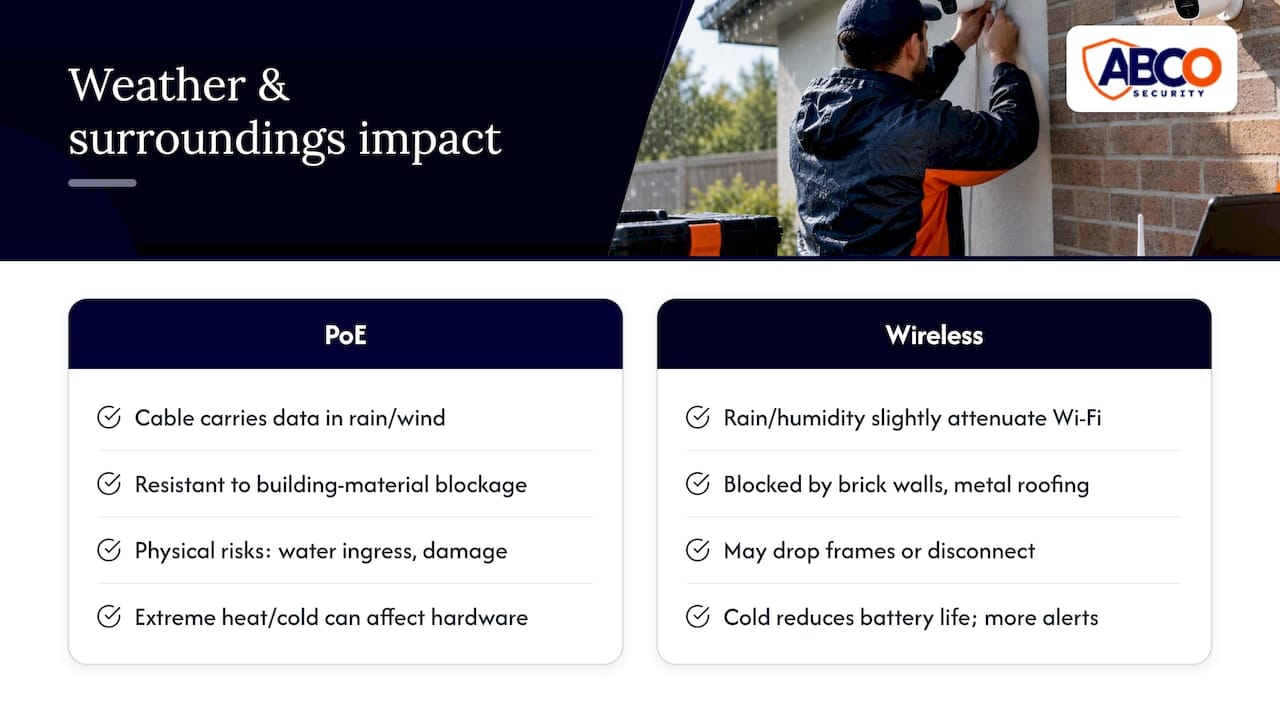
Environmental conditions hit PoE and wireless cameras differently. PoE cameras are largely immune to weather-related signal loss, since the cable carries data regardless of rain, wind or temperature, though extreme heat can still affect camera hardware and extreme cold can stiffen cable jackets over years of outdoor exposure. The main environmental risk for PoE is physical: water ingress at poorly sealed connectors, or cable damage from rodents or landscaping work.
Wireless cameras are far more sensitive to their surroundings. Rain and humidity can attenuate Wi-Fi signals slightly, but the bigger issue is building material. Buying guidance on home security cameras notes that construction features such as brick walls and metal roofing worsen Wi-Fi coverage and favour wired deployments where they’re practical. A camera on the far side of a brick wall from the router may drop frames or disconnect entirely, regardless of how good the camera itself is.
Temperature extremes also affect battery-powered wireless cameras more directly, since cold weather reduces battery life significantly and can trigger more frequent low-battery alerts in winter months. For anyone placing cameras outdoors in a climate with hot summers and cold winters, that’s worth factoring into the choice between a battery unit and a mains-powered wireless camera.
How installers actually prioritise placement and standards
Professional installers generally place perimeter cameras first, covering driveways, gates and entry points, since those positions do the most work in both deterrence and evidence collection. Placement decisions for commercial and facility work often reference AS 4806 guidance, which sets out positioning and coverage principles that go beyond what a DIY install typically considers.
The priority for a permanent site is a cabled, locally recorded system with cameras positioned to avoid blind spots and backlighting. For most households and small sites, that means PoE on the most important two or three positions, with wireless filling in anywhere a cable run genuinely isn’t practical. Anyone unsure which positions matter most, or how to integrate cameras into an existing network safely, is better off getting a professional opinion before buying hardware.
— Abco
Getting it installed properly with ABCO Security

Choosing between PoE and wireless is only half the job. Getting cameras placed, cabled and monitored correctly is where most DIY setups fall short, particularly on commercial or multi-building sites. ABCO Security installs and monitors CCTV systems through Electronic Security Solutions, covering cabling, placement and integration with alarms and access control, and backs them with A1 CCTV & Alarm Monitoring for continuous oversight.
For sites that need overnight coverage without a full monitoring contract, the Night Owl Service is available; current prices are on the pricing page. A professional installer is worth the cost once you’re running more than a couple of cameras, integrating with an alarm system, or need footage that will actually stand up as evidence. Get in touch through Abcosecurity to talk through what your site actually needs.
Where these figures and guidelines come from
The Secure by Design framework and the camera vulnerability report below cover the security side of this comparison in more technical depth than this article allows.
- ACSC’s Secure by Design IoT guidance: the manufacturer-facing standard behind the security recommendations above.
- Ars Technica’s investigation into a surveillance camera exploit: a real-world case of an unpatched camera being used for botnet malware.
- ARC IP Networks on CCTV and internet dependence: explains how local NVR recording continues without an internet connection.
Sources
- IoT secure by design guidance for manufacturers — Australian Cyber Security Centre (ACSC)
- Unpatchable 0-day in surveillance cam is being exploited to install Mirai — Ars Technica
FAQ
Is PoE better than a WiFi camera?
For permanent installations where reliability and footage quality matter, PoE is generally the stronger choice, since it isn’t affected by Wi-Fi interference and typically supports higher frame rates. Wireless remains the better fit for renters, short-term setups, or spots where running a cable isn’t practical.
What is the disadvantage of a PoE camera?
The main drawback is installation: PoE cameras need a cable run to a switch or injector, which usually means hiring a professional for anything beyond a simple DIY job. Cable runs are also capped at around 100 metres before signal quality drops, requiring repeaters for longer distances.
Is it better to have wired or wireless cameras?
It depends on how long you’ll be at the property and how much footage quality matters. Installer guidance frequently recommends PoE as the professional standard for homeowners planning to stay put long-term, with wireless better suited to short-term or rental situations.
Will PoE cameras work without internet?
Yes. A PoE NVR records footage locally and keeps saving video even when the internet is down; an internet connection is only needed for remote viewing and off-site alerts.
Recommended
about
avada factory
Sempery ultricies nibh at dolor cras urna eleifend nec. Atiam efficitur tempor.