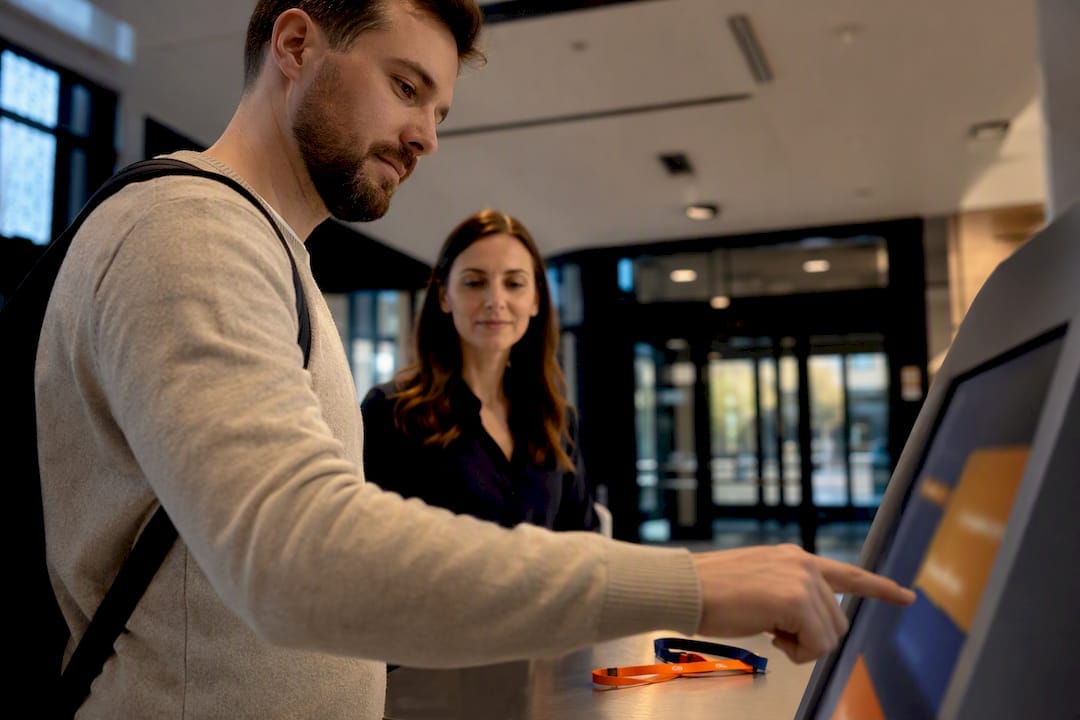
A digital visitor management system is the practical way for schools to get auditable visitor records, faster sign-in and clear accountability during an emergency. It replaces the paper diary at reception with a check-in process that screens, badges and tracks everyone on site in real time. Done properly, it delivers safety, compliance with state record-keeping rules, and less admin load on office staff. The rest of this guide covers the features, policy considerations and implementation steps for such systems.
TL;DR:
- School visitor management systems must enforce mandatory checks, such as Working with Children Checks, for all volunteers and contractors.
- The system should be capable of generating a live evacuation report within seconds during emergencies or drills.
- Visitor records need to include name, purpose, contact, and check-in/out times, with additional contractor details and expiry tracking.
- Cost varies based on subscription type, hardware, integrations, and support, often requiring custom setup for multi-campus schools.
- Proper implementation demands careful planning, staff training, and regular audits to ensure compliance and system effectiveness.
Table of Contents
- What is school visitor management, and where does it fit?
- How school visitor tracking software actually works
- What do education departments require for visitor records?
- How do you choose the right visitor management system?
- Implementing school entry management: a step-by-step rollout
- What does a school visitor management system cost?
- Integrator lessons: what Abcosecurity sees in the field
- How a security integrator supports schools moving beyond paper sign-in
- Sources
- FAQ
What is school visitor management, and where does it fit?
School visitor management is the process, and increasingly the software, that governs who enters a school, why, and how that presence is recorded and monitored while they’re on site. A visitor management system (VMS) is the digital tool schools use to run that process: a kiosk, tablet or cloud-based platform that captures a visitor’s details, prints a badge, and logs the time they arrive and leave.
Most systems now run on one of three setups: a lobby kiosk with a touchscreen, a tablet at reception paired with a badge printer, or a cloud dashboard that office staff and leadership can check from any device. None of these replace your student management system (SMS) or your access control hardware. A VMS sits alongside them, feeding visitor data that complements enrolment records and door access logs rather than duplicating them.
Paper sign-in books still work for very small sites with low foot traffic. But once a school has regular contractors, volunteers, and a steady stream of parents dropping in during the day, illegible handwriting and lost pages become a genuine records-management liability. The tipping point is less about school size and more about visitor volume and the risk profile of who’s coming through the gate. A primary school running weekly excursions and tradespeople on site has outgrown the paper diary well before it feels obvious.
How school visitor tracking software actually works
A visitor check-in system typically runs through four stages: check-in, screening, badging and check-out, with real-time occupancy sitting underneath all four. A visitor arrives, enters their name and reason for visiting (often by scanning a QR code or driver’s licence), and the system captures that against a timestamp. Some platforms cross-check the visitor against a watchlist or ban list before the badge prints.
Contractor workflows work differently to a standard parent visit. A tradesperson or maintenance provider typically needs to upload their Working with Children Check (WWCC) or White Card before arrival, and the system should flag when that credential is close to expiry, not just at the point of entry. This is one area where digital VMS earns its cost: automated expiry reminders mean reception staff aren’t manually chasing paperwork every fortnight.
Practical features worth expecting:
- QR or touchless check-in for repeat visitors and staff, cutting queue time at drop-off and pick-up
- Badge printing with photo capture, visible expiry time and colour-coding by visitor type
- An evacuation report that pulls a live list of everyone on site, visitors included, at the press of a button
- Integration with your SMS for cross-referencing authorised pick-up contacts, and with access control or CCTV for a single incident timeline
Pro Tip: Ask any provider to demonstrate the evacuation report live, on a tablet, not on a slide. If it takes more than a few taps to generate a current headcount, that’s a genuine operational weakness during a drill or a real event.
What do education departments require for visitor records?
Every state has its own detail, but the pattern is consistent: schools must keep a record of who’s on site, why, and for how long. Queensland’s guidance on school security procedures sets minimum fields as visitor name, contact person or purpose, and time of arrival and departure. A related fact sheet on developing security guidelines goes further, recommending separate contractor registers capturing company name, nature of work, and any keys or access cards issued.
Victoria’s approach folds visitor management into its broader child safety framework. The Department of Education’s visitors policy requires schools to have a local policy covering visitor screening, suitability checks and record-keeping, all aligned to the Child Safe Standards. New South Wales has taken this a step further with a government-backed platform: the School Visitor Check-in program gives public schools a standardised digital sign-in tool rather than leaving each school to pick its own.
Configuring a VMS to these rules usually means setting up mandatory fields that can’t be skipped: name, purpose, contact person, and time in/out at a minimum. Beyond record fields, schools need to think about:
- How Working with Children Check status gets verified and stored for volunteers, not just paid contractors
- Data retention periods, since a system holding years of visitor logs is holding a lot of personal information
- Whether the school’s visitor policy is displayed at the point of entry, as most state guidance expects
How do you choose the right visitor management system?
Comparing proposals gets easier once you know what to interrogate rather than what to admire. Focus on these criteria before you look at any glossy brochure:
- Child-safety configuration. Can the system enforce WWCC checks as a mandatory field for volunteers and contractors, not just an optional note?
- Audit trail depth. Can you export a full visitor history for a chosen date range in a format your state’s guidance would recognise as a valid record?
- Contractor management. Does it separate contractor sign-in from general visitor sign-in, with fields for company, nature of work and credential expiry?
- Integration. Will it talk to your existing SMS and access control setup, or does it operate as an island?
- Usability under pressure. Can office staff run it during a chaotic Monday morning drop-off without a queue forming at the door?
At a demo, push past the sales pitch with direct questions: How is data backed up, and where is it stored? What’s the support SLA if the kiosk goes down mid-morning? How long does staff training realistically take, and is it included in the cost? What happens to visitor data when a family leaves the school?
Watch for a few red flags. A vendor who can’t answer a data retention question clearly is one to be wary of. So is a proposal that treats contractor workflows as an afterthought, or one where the badge printer is a separate, uncosted extra. If the demo team can’t produce a live evacuation report on request, assume that feature is weaker in practice than it looks in the pitch deck.
Implementing school entry management: a step-by-step rollout
Getting from decision to live system takes more than plugging in a kiosk. A sensible rollout follows three phases:
- Plan before you buy anything physical. Map who visits your school and why: parents, contractors, volunteers, delivery drivers, each need a slightly different workflow. Confirm hardware placement (power, network, sightlines from reception) and run a privacy check on how long you’ll retain visitor data.
- Pilot with a small group, then train properly. Run the system for two to three weeks with regular contractors and office staff before opening it up to every parent. Training should cover not just how to check someone in, but what to do when the system is down, and how to pull an evacuation list without panicking.
- Maintain it like any other safety system. Set a recurring audit of visitor records against your state’s minimum fields, automate contractor credential expiry reminders, and include the VMS in your next evacuation drill, not just your fire panel.
Pro Tip: Run one evacuation drill deliberately with a visitor still signed in on site. If your reception staff can’t locate that person’s name on the emergency list within thirty seconds, your rollout isn’t finished yet.
A security risk assessment checklist is a useful reference during the planning phase, particularly for schools juggling multiple buildings or gate points.
What does a school visitor management system cost?
Pricing generally follows one of three models: per-site subscription, per-kiosk licensing, or an enterprise agreement covering a whole school network. Hardware sits on top of the subscription, usually a tablet or kiosk plus a badge printer, and Australian marketplace listings on Capterra show a wide spread in cost depending on feature depth and support inclusions.
The main cost drivers beyond the base subscription are:
- Integrations with existing SMS or access control platforms
- Custom compliance modules built to a specific state’s record requirements
- On-site installation, staff training and ongoing support
A single-site pilot typically takes a few weeks from contract signing to live use, assuming hardware is standard and no custom integration work is needed. Multi-campus rollouts, or anything requiring a bespoke link into an existing access control system, extend that timeline considerably, often by months rather than weeks.
Integrator lessons: what Abcosecurity sees in the field
The recurring headache isn’t the software, it’s the gap between what a system can do and what a school actually configures it to do. We regularly see kiosks running on default settings that don’t match the school’s own visitor policy: no mandatory WWCC field, no separation between contractor and parent workflows, no one accountable for reviewing the audit trail. That’s a policy failure wearing a technology disguise.
Two things reduce that risk. First, decide early whether front-desk duties sit with trained administrative staff or an outsourced reception service, because the answer shapes how much configuration and training the rollout needs. Second, automate contractor document uploads before the first delivery driver ever reaches the gate. Reception fatigue from chasing paperwork is real, and it’s avoidable.
If your current setup can’t produce a live evacuation report or a clean contractor audit trail on demand, that’s the point to request a site assessment rather than adding another feature to an already stretched system.
— Abco
How a security integrator supports schools moving beyond paper sign-in
Choosing software is only half the job. The harder part is making sure the system is configured, the hardware is placed correctly, and staff know what to do when a drill or a real incident happens. Security integrators work with schools to close that gap by designing and integrating visitor and access control setups so the record fields, contractor workflows and evacuation reporting match applicable state guidance, not just a generic default.
This service fits schools that already have a VMS but haven’t stress-tested it, as well as schools starting from a paper register that need the system planned properly from the outset. Our integrated security solutions guide covers how we approach system integration for education and other regulated sites. If your evacuation report has never been tested against a live drill, or your contractor sign-in still runs on trust rather than credential checks, consider requesting a site assessment to identify potential gaps.
Sources
For state policy detail, see the Queensland, Victorian and NSW education department pages linked above, alongside School News Australia’s coverage of VMS compliance.
- Queensland Government: School security procedures
- Fact sheet 2 — Developing security guidelines at schools (Qld education)
- Victorian Department of Education — Visitors policy and guidance
FAQ
What is the best visitor management software for schools?
There’s no single best system for every school. The right choice depends on visitor volume, whether you need contractor and WWCC workflows, and how well the software integrates with your existing SMS and access control setup.
What does visitor management mean?
Visitor management is the process of controlling, recording and monitoring who enters a facility, why, and for how long. In schools, it typically covers parents, contractors, volunteers and delivery drivers, each with slightly different check-in requirements.
How much does a school visitor management system cost?
Costs vary by subscription model (per-site, per-kiosk or enterprise), hardware needs, and any custom compliance integrations, with Australian pricing on marketplaces like Capterra showing a wide range depending on features included.
What are the minimum visitor record requirements for schools?
State guidance generally requires capturing visitor name, purpose or contact person, and time of arrival and departure, with contractors needing additional fields like company name and nature of work, as outlined in Queensland’s school security procedures.
Do schools need Working with Children Checks logged in their visitor system?
Yes. Most state guidance expects volunteer and contractor suitability checks to be verified and recorded, and a digital VMS can enforce WWCC upload as a mandatory field before badging someone in.
Recommended
about
avada factory
Sempery ultricies nibh at dolor cras urna eleifend nec. Atiam efficitur tempor.