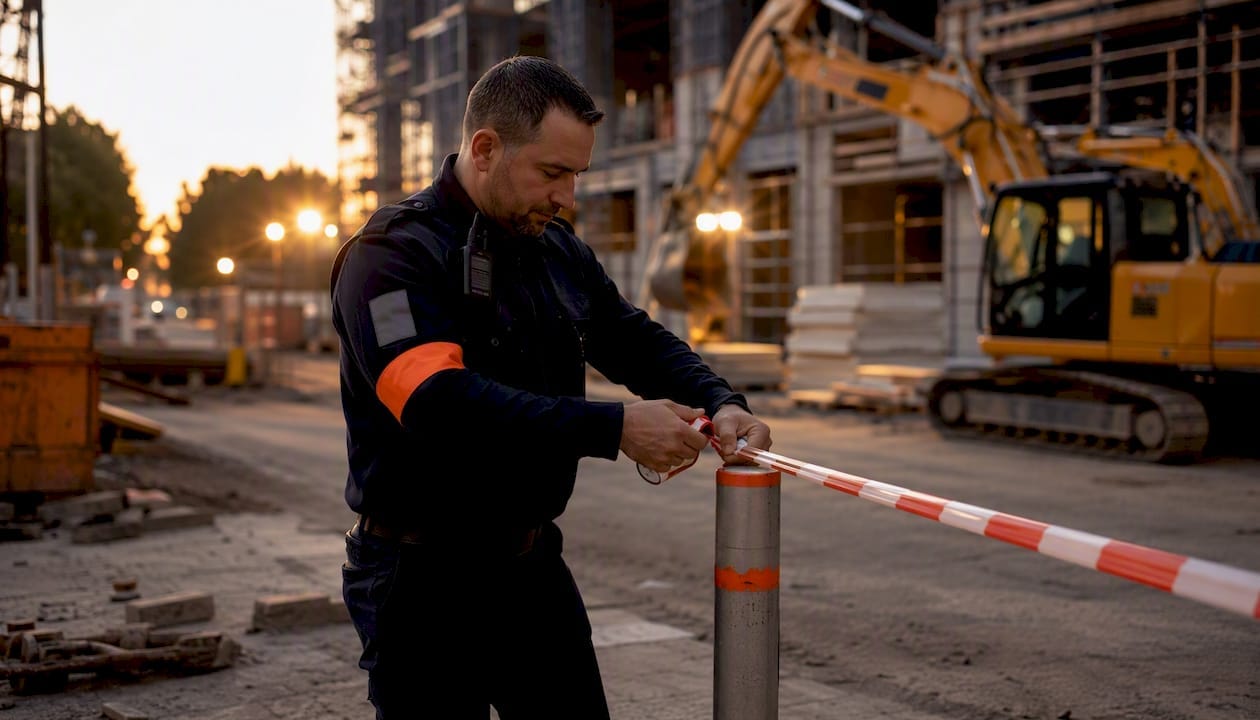
The moment a physical security incident occurs on your site, three things must happen without delay: secure life safety and call for medical assistance if needed, contain the scene to preserve evidence, and notify your on-site security lead or supervisor immediately. A formal record must be started right away, using a digital system where available or a manual form otherwise, and that manual record must be entered into your central incident system within one working day.
The legal anchor: Australia’s Work Health and Safety Act places a duty on persons conducting a business or undertaking to manage risks and report notifiable incidents. Your site risk management plan translates that duty into specific notification and recording obligations. Failing to act promptly is not just a process gap — it can constitute a breach of WHS obligations.
First three priorities at any incident scene:
- Life safety first: check for injuries, call 000 if there is serious harm and do not move injured persons unless there is immediate danger
- Preserve the scene: stop access to the affected area, do not touch or move potential evidence, and post a guard at the perimeter if available
- Notify immediately: contact the on-site security lead, supervisor or site manager, and your contracted security provider’s duty officer
Key takeaways
Effective security incident reporting requires pre-assigned roles, a four-step lifecycle, and a manual fallback — all mapped to WHS obligations before an incident occurs.
| Point | Details |
|---|---|
| Immediate priorities | Secure life safety, contain the scene, notify the on-site security lead without delay. |
| Four-step lifecycle | Response, reporting, investigation, and corrective actions each need a named owner before an incident happens. |
| Manual fallback rule | Manual forms are valid but must be transcribed into the central system promptly. |
| Near misses count | All near misses must be logged; they reveal uncontrolled hazards before a reportable incident occurs. |
| Abcosecurity’s role | Abcosecurity provides 24/7 monitoring, footage export, incident templates, and investigation support aligned to WHS obligations. |
Table of Contents
- What does the security incident reporting lifecycle look like?
- Which incidents must you log, and when do you escalate?
- Who do you notify, and by when?
- What fields does a security incident form need?
- How do you preserve the scene and collect evidence?
- How do you run an effective incident investigation?
- How do you use incident records to reduce future risk?
- What happens when your digital system is unavailable?
- Roles, training and WHS governance
- What most sites get wrong about incident reporting
- How Abcosecurity supports incident reporting on contracted sites
- Sources
- FAQ
What does the security incident reporting lifecycle look like?
Institutional procedures define a four-part process: incident response, reporting, investigation, and corrective actions. Each step has a clear owner.
Step 1 — Initial response (First responder / security officer)
Contain the scene, render first aid, and implement temporary controls to stop further exposure to the risk. Site procedures are explicit: for critical or high-risk incidents, the scene must be secured immediately.
Step 2 — Reporting and notification (Supervisor / WHS lead)
Complete the incident notification form, notify internal contacts, and trigger any external notifications (police, regulator) required by your site risk plan. If the affected person cannot report, the supervisor reports on their behalf.
Step 3 — Investigation (Authorised investigator / WHS officer)
Assign an investigation level, assemble the team, and conduct root-cause analysis within the timeframe your site plan specifies.
Step 4 — Corrective actions and close-out (Site manager / WHS lead)
Record actions in the action register, assign owners and due dates, and close the incident only once all actions are verified complete. Corrective actions must be tracked to completion and significant incidents reviewed by executive governance before closure.
Responsibility summary for contracted sites:
| Step | Site manager | Security provider | Contractor supervisor | WHS officer |
|---|---|---|---|---|
| Initial response | Oversight | Scene containment, first contact | First responder | Advises on controls |
| Reporting | Approves form | Submits provider report | Completes site form | Reviews for WHS triggers |
| Investigation | Authorises level | Provides CCTV, logs | Participates | Leads or co-leads |
| Corrective actions | Signs off | Implements security controls | Implements site controls | Verifies effectiveness |
Pro Tip: Delegate scene preservation and temporary access controls to your contracted security staff the moment an incident is called in. They can hold the perimeter and start the evidence log while you focus on notifications and the formal record.
Which incidents must you log, and when do you escalate?
All incidents and near misses must be reported using the site’s incident notification form. Near misses matter because they can reveal uncontrolled hazards before someone is hurt.
Reportable physical security incidents include:
- Assault or threatened assault on staff, contractors or visitors
- Theft, attempted theft or property damage above a defined threshold
- Unauthorised access to restricted areas
- Alarm activations that cannot be attributed to a false cause
- Vandalism or deliberate damage to security infrastructure (cameras, fencing, locks)
- Suspicious persons or vehicles with documented behaviour
Near misses to log (not just reportable incidents):
- A door found unsecured that should have been locked
- A tailgate attempt that was stopped before entry
- A patrol that discovered an unlocked gate with no sign of entry
Escalation thresholds:
- Call police (000 or local non-emergency) for any assault, theft, or criminal damage
- Escalate to senior leadership for incidents involving serious injury, significant property loss, or evidence of organised criminal activity
- Trigger WHS regulatory notification for any incident that is notifiable under your jurisdiction’s WHS Act (serious injury, dangerous incident)
- Where multiple people are involved, record them as named parties within a single incident record rather than creating duplicate records
Who do you notify, and by when?
Speed matters. Large commercial sites enforce rapid initial notifications within hours and require manual entries to be transcribed into central systems within a defined window.
Internal contacts — notify immediately:
- On-site security lead or supervisor
- Site manager or facility manager
- WHS lead or safety officer
- Contracted security provider’s duty officer
External notifications — trigger and timing:
- Police: call 000 for crimes in progress or serious harm; call the local non-emergency line for completed offences (theft, vandalism) — do this within 24 hours
- WHS regulator: notify immediately by phone for notifiable incidents, then follow up in writing using the regulator’s online notification form
- Building owner or asset manager: within one working day for significant property damage
After-hours checklist:
- Is the 000 threshold met? (Serious injury, crime in progress, immediate threat)
- Does your security provider have a 24/7 duty officer number on the contract?
- Is the manual incident form accessible to all staff on shift, not just supervisors?
- Clarify in your contract who initiates police contact and who retains the police event number — this avoids duplicated calls and keeps the reference number in the right hands for the incident record
What fields does a security incident form need?
A well-structured incident report form produces records that are investigation-ready from day one. These are the minimum required fields:
| Field | Guidance |
|---|---|
| Date and time detected | Use 24-hour format; record when detected, not when reported |
| Location | Building, level, zone or GPS reference |
| Reporter name and role | Person completing the form |
| Incident type | Assault / theft / unauthorised access / alarm activation / vandalism / near miss |
| Persons involved | Names, roles, contact details for all parties |
| Timeline of events | Chronological sequence in plain language |
| Immediate actions taken | First aid, scene containment, notifications made |
| Evidence captured | CCTV clip ID and retention request, photo file names, access log exports |
| Witnesses | Names and contact details |
| Initial harm score | Low / medium / high / critical |
| Assigned investigator | Name and role |
| Follow-up actions | Action, owner, due date |
Record retention: store completed forms and supplementary evidence (photos, CCTV exports) on a secure server with a chain-of-custody log. Investigation material should include a timeline, footage, training records, and permits where relevant, and be retained according to your organisation’s records management policy.
How do you preserve the scene and collect evidence?
Physical evidence degrades fast. The first 30 minutes after an incident are the most critical for preservation.
Evidence preservation checklist:
- Secure the scene with physical barriers or a posted guard; restrict access to authorised personnel only
- Stop any activity that could disturb footprints, fingerprints or displaced objects
- Photograph the scene before anything is moved; label each photo with date, time and location
- Identify relevant CCTV cameras, note the clip time range, and submit a retention request to your monitoring centre immediately
- Export or request export of access control logs covering the incident window
- Preserve any physical items (discarded tools, forced locks) in labelled bags with chain-of-custody notes
Pro Tip: Contact your monitoring centre as soon as the scene is secured and ask them to flag and export the relevant footage to a secure location. Most centres can do this remotely within minutes. If a third-party camera covers the scene (a neighbouring business or council camera), request that footage in writing the same day — retention periods can be as short as 72 hours.
For notifiable incidents under WHS law, do not disturb the scene until authorised by the relevant regulator or police.
How do you run an effective incident investigation?
NSW Health’s manual is clear: investigations must be multidisciplinary, non-judgemental, and focused on root causes rather than blame. That principle applies equally to construction sites, healthcare facilities, and corporate campuses.
Investigation levels:
- Level 1: Simple review by the supervisor for minor incidents with no injury and low harm score
- Levels 2–3: Standard investigation using Five Whys or fishbone diagrams; led by the WHS officer or site manager with security input
- Levels 4–5: Comprehensive investigation by an authorised investigator; multidisciplinary team including security, WHS, operations, and clinical staff where relevant
Investigation checklist:
- Assign an investigation level and authorised investigator within 24 hours of the incident
- Collect scene description, timeline, CCTV footage, access logs, witness statements, and relevant permits or maintenance records
- Apply Five Whys: ask “why” repeatedly until you reach the systemic or environmental root cause, not just the immediate trigger
- Use a fishbone diagram for complex incidents with multiple contributing factors
- Document findings in an action register with each action, its owner, due date, and the control level it addresses (elimination, substitution, engineering, administrative, PPE)
How do you use incident records to reduce future risk?
Reporting only has value if someone analyses the data. Treat your incident management system as a risk intelligence tool, not a filing cabinet.
Monthly review process:
- Pull all incidents by type, location, and harm score
- Map hotspots: which zones generate repeated alarm activations or access breaches?
- Score trends: is a particular shift, entry point, or contractor generating disproportionate incidents?
- Review whether previously implemented controls are holding
Audit checklist for control effectiveness:
- Is CCTV coverage still adequate after any building or layout changes?
- Are patrol patterns aligned with current hotspot data?
- Have access control permissions been reviewed since the last incident?
Pro Tip: When near misses cluster around a specific location or time window, treat that pattern as a pre-incident signal. Brief your security provider and adjust patrol frequency before a reportable incident occurs. Effective property protection consistently shows that proactive pattern response reduces repeat incidents.
What happens when your digital system is unavailable?
Digital systems fail. Every site needs a manual fallback that produces the same minimum data.
Manual recording SOP:
- Retrieve the pocket incident form (kept at the security post, reception desk, and supervisor’s office)
- Complete all minimum fields in pen; note “manual record — digital system unavailable” at the top
- Attach photos or physical evidence to the form and label with a temporary incident ID (date + sequential number, e.g. 20260315-001)
- Hand the completed form to the supervisor before end of shift
- The supervisor transcribes the record into the central system within one working day, per the Incident Management Directive
After-hours manual recording:
- Night shift supervisor holds the manual form pack and is responsible for transcription at the start of the next business day
- Attach any physical evidence to the form in a sealed, labelled bag
- Note the police event number on the form if police were called
- Flag the record as “pending digital entry” in the handover log so it is not missed
Roles, training and WHS governance
Good security incident reporting does not happen by accident. It requires defined roles, regular training, and a clear link to your WHS obligations.
Roles and responsibilities:
| Role | Core responsibility |
|---|---|
| Supervisor / site manager | Initiates notification, approves incident form, authorises investigation level |
| Security provider | Scene containment, CCTV export, 24/7 duty officer escalation |
| WHS officer | WHS Act compliance, regulator notification, investigation oversight |
| Authorised investigator | Leads Level 4–5 investigations, signs off on root-cause findings |
Training checklist (minimum, reviewed annually):
- Incident reporting process and form completion
- Scene preservation and evidence handling
- Use of the site’s incident management system (and manual fallback)
- Escalation thresholds and notification contacts
- Guard licence and compliance obligations for contracted security staff
WHS regulatory note: Under Australia’s model WHS Act, persons conducting a business or undertaking must notify the regulator immediately of notifiable incidents (serious injury, dangerous incidents). Your site risk management plan should specify which incidents trigger this obligation and who is authorised to make the notification. For site-specific guidance, refer to your state or territory WHS regulator’s published procedures. This article provides general information, not legal advice — confirm current obligations with your WHS regulator or a qualified adviser.
What most sites get wrong about incident reporting
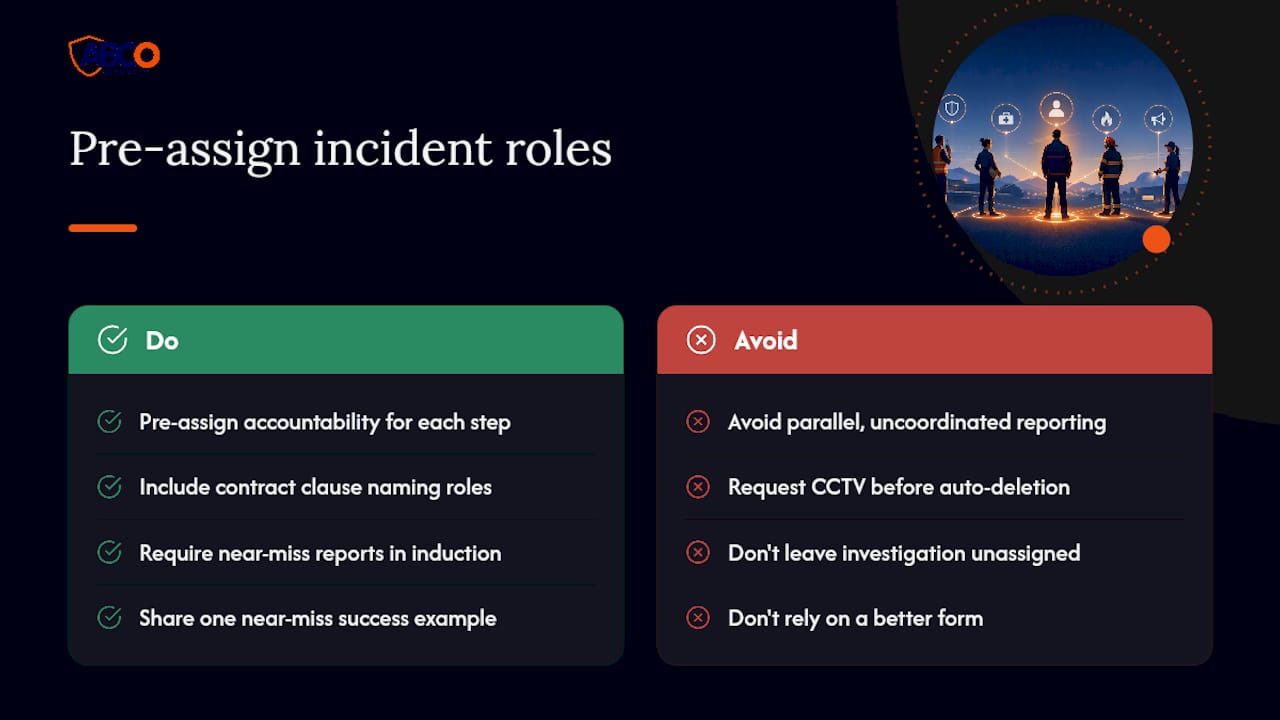
The standard advice is to “build a reporting culture.” That is true but incomplete. The real problem on most contracted sites is not reluctance to report — it is ambiguity about who owns each step of the process once the immediate response is done.
Security providers and site managers often operate in parallel rather than in sequence. The guard contains the scene and files a provider report. The site manager files a WHS form. Neither record references the other, CCTV footage sits unrequested in the monitoring centre until it auto-deletes, and the investigation never happens because no one was formally assigned to lead it.
The fix is not a better form. It is a contract clause and a site induction that names the accountable person for each of the four lifecycle steps before an incident ever occurs. When the ANU procedure designates a supervisor to report on behalf of an incapacitated staff member, or when NSW Health mandates multidisciplinary investigation teams, the underlying logic is the same: pre-assign the role so the process runs under pressure, not just in training.
The other underrated lever is near-miss reporting. Site induction standards require near misses to be logged because they reveal uncontrolled hazards. Most sites log a fraction of near misses because staff do not see the point. Show them one example where a near-miss report triggered a patrol change that prevented a subsequent theft, and reporting rates climb without a policy change.
How Abcosecurity supports incident reporting on contracted sites
Abcosecurity’s integrated security model is built around the reporting lifecycle, not just the response. Where most providers hand you a guard and a phone number, Abcosecurity delivers the full chain: 24/7 camera monitoring and footage export, immediate duty officer escalation, and trained staff who understand chain-of-custody from the first minute on scene.
For construction, healthcare, and corporate sites across Australia, Abcosecurity provides incident form templates, investigation support, and after-action reporting that align with WHS obligations and site risk management plans. ISO 9001 and ISO 30000 certification means the processes behind those templates are auditable, not improvised. Whether you need commercial alarm monitoring with built-in escalation protocols or a full site security review, the starting point is a conversation about your current reporting gaps. Contact Abcosecurity for a site assessment and ask about incident reporting templates tailored to your sector.
Sources
The following Australian procedures and templates support each stage of the reporting lifecycle:
- Incident Management Directive (Origin appendix)
- Incident management procedure (QAL maritime procedure template)
- ANU procedure — Work health and safety incident management
- Protecting people and property (NSW Health manual, January 2026)
- ASX site induction handbook (incident reporting and near misses)
FAQ
What must go into a security incident report?
At minimum: date and time, location, incident type, persons involved, immediate actions taken, evidence captured (CCTV clip ID, photos), witnesses, and an assigned investigator. The ANU incident management procedure also requires a timeline and any relevant footage or permits.
When must a security incident be reported to police?
Report to police for any assault, theft, criminal damage, or crime in progress. Call 000 for emergencies or crimes in progress; use the local non-emergency line for completed offences, ideally within 24 hours.
Are near misses legally required to be reported?
Site induction standards and WHS-aligned facility procedures require all near misses to be logged using the site’s incident notification form, because near misses can indicate uncontrolled hazards that may cause future harm.
What happens if a digital incident system is unavailable?
Complete a manual pocket incident form with all minimum fields, note the system outage, and have the supervisor transcribe the record into the central system within one working day, per the Incident Management Directive.
How does Abcosecurity help with incident reporting?
Abcosecurity provides 24/7 monitoring with footage export, a duty officer escalation line, incident form templates, and trained investigators who can support chain-of-custody handling and after-action reporting on contracted sites.
Recommended
about
avada factory
Sempery ultricies nibh at dolor cras urna eleifend nec. Atiam efficitur tempor.