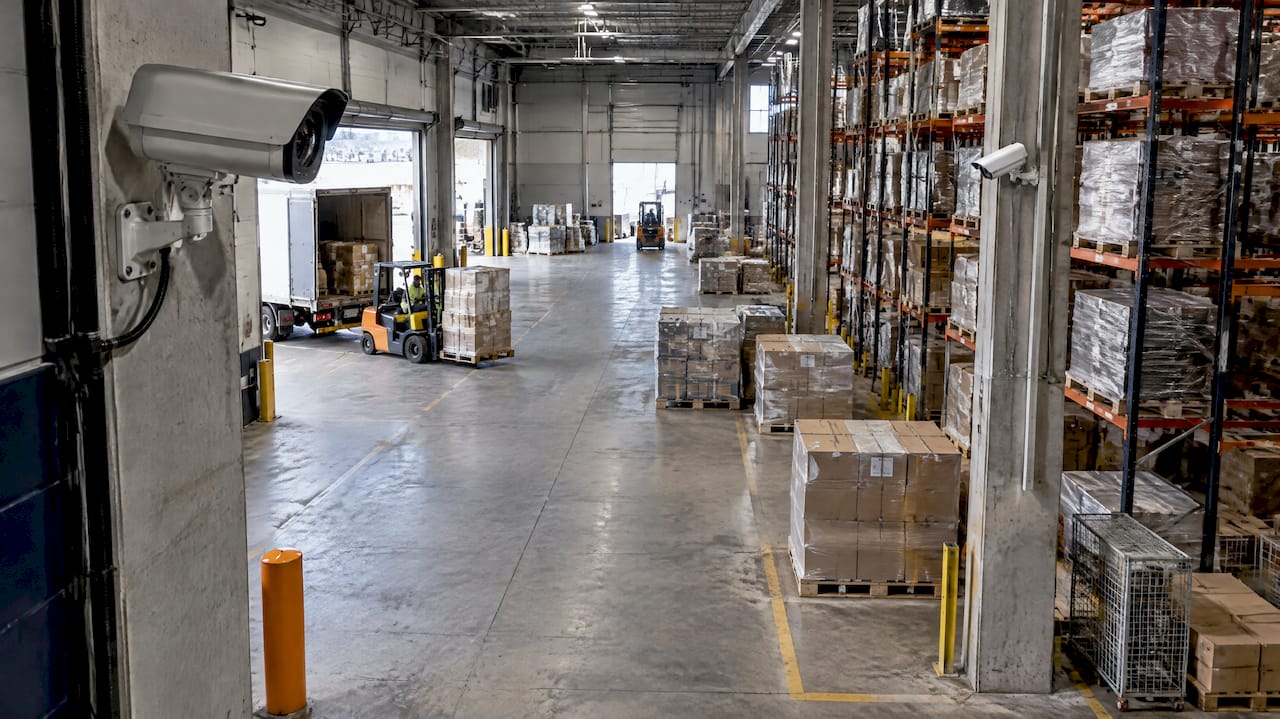
A good warehouse CCTV layout starts with what the footage must show, not with where the cameras can be bolted. Decide the question for each zone first (who came through the dock door, what left the cage, who was in the aisle), then choose the position, height and lens that answer it. Our security risk assessments and CCTV design work at ABCO Security follow that order, because a layout drawn the other way round tends to produce a lot of footage and very little evidence.
TL;DR
- Begin with a needs assessment: the risks, what each camera must prove, how long footage is kept and what the building can support.
- Give every zone a job: detect movement along the perimeter, observe activity in aisles, identify people at doors, docks and gates.
- Wide views show movement. Close, front-on views identify people. Most warehouses need both, from different cameras.
- Tall ceilings, racking and forklifts create blind spots that a flat floor plan hides, so test the layout on site.
- Workers must be told about cameras. NSW and the ACT have specific workplace surveillance laws, and Victoria is considering reform.
Table of Contents
- Start with the risks, not the camera count
- The three jobs a camera can do
- Zone-by-zone layout
- Blind spots: what a floor plan will not show
- Cameras, cabling, power and storage
- Privacy and workplace surveillance rules
- Checking the layout before and after installation
- Why a managed design beats a DIY layout
- Next step
- FAQ
- Sources
Start with the risks, not the camera count
The US Department of Homeland Security’s handbook on video security systems says design should begin with a needs assessment that identifies security risks and mitigation plans. It gathers four sets of requirements: functional, operational, infrastructure and video retention. In plain warehouse terms:
- Functional: what must the footage show? A forklift near-miss, a pallet leaving through a side door, a vehicle registration at the gate.
- Operational: who watches it, and when? Live monitoring overnight is a different brief from reviewing footage after a loss is discovered.
- Infrastructure: where can power and data cables run, and what do the ceiling, racking and walls allow?
- Retention: how many days of footage do you need to keep? Stock discrepancies often surface weeks after the event, so this number drives storage size.
Write these down per zone before anyone talks about camera models. It is also the point where a site manager from construction, healthcare, retail or a corporate facility will see different answers. A construction compound cares about the gate and laydown area. A hospital store cares about controlled medicines and deliveries. A retail distribution centre cares about shrinkage between receiving and dispatch.
The three jobs a camera can do
Police guidance explains the trade-off well. The Queensland Police Service notes that the best images to identify offenders are front-on and close up, that high-angled cameras mostly capture the tops of heads, and that a wide image suits overall movement but makes offenders too small to identify. Its answer is multiple cameras so that both needs are covered.
That gives you a working vocabulary for the whole layout:
| Job | What the footage must show | Typical warehouse locations |
|---|---|---|
| Detect | Something or someone is there | Perimeter fence, roof line, yard, car park edges |
| Observe | What activity is happening | Aisles, packing benches, dock floor, mezzanine |
| Identify | Who it is, or which vehicle | Pedestrian doors, dock doors, gate entry lane, cash or key points |
Australian CCTV design guidance for operators is set out in the AS 4806 series. Our CCTV placement guide for facility and security managers walks through how those operational requirements translate into positions on a site.
Zone-by-zone layout
Perimeter and yard
Perimeter cameras are there to detect, so they sit high and look along the fence line rather than at it. Overlap them: each camera should see the one next to it, so you can confirm the line has no unwatched stretch. Add lighting at the same time. A camera that sees nothing after dark is decoration, and image quality at night is the most common reason footage disappoints.
Trucks and vans in the yard are part of the perimeter picture. Cover the gate approach so that a vehicle is captured as it slows, not once it has already moved off.
Gates and vehicle entry
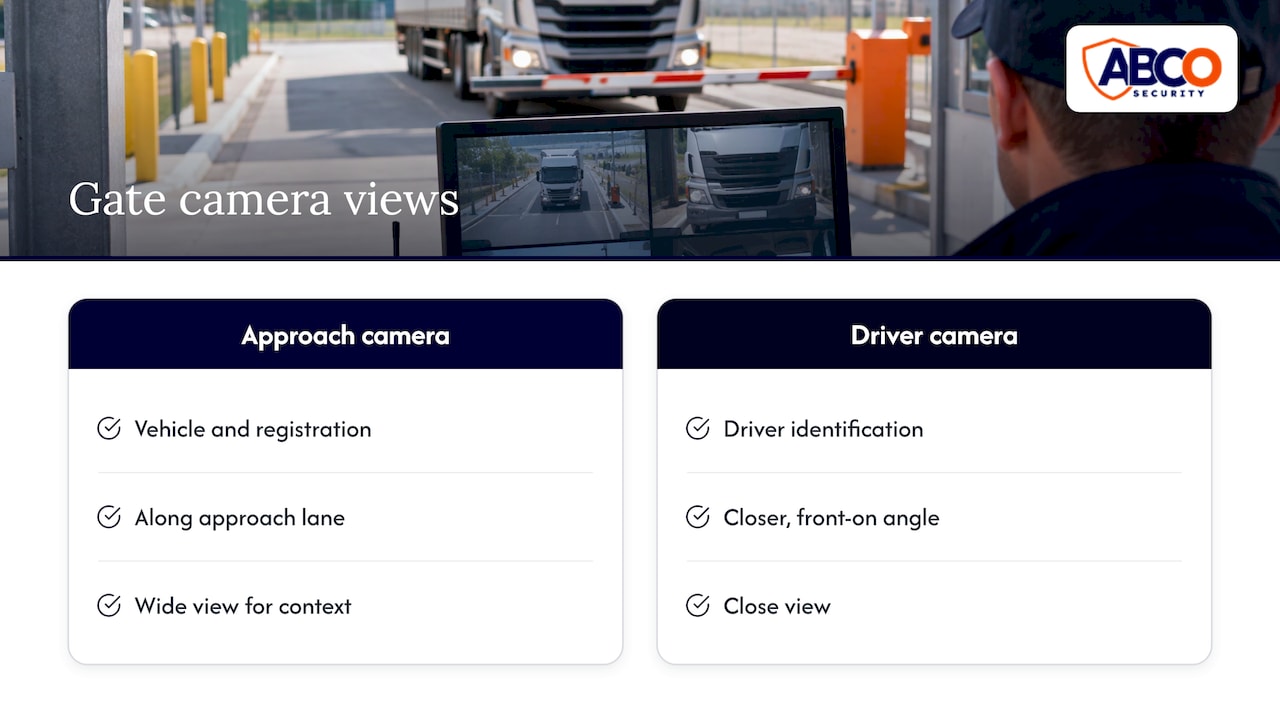
At the gate, the job changes from detect to identify. Position one camera for the vehicle and registration along the approach lane, and a second for the driver at a closer, more front-on angle. This is exactly the two-camera approach police guidance describes: one wide view for context, one close view for identification.
Loading docks
Docks are the highest-risk zone in most warehouses, because goods, people and vehicles meet there, and the lighting is awkward. When a roller door opens, bright daylight meets a dimmer interior, and a single camera can silhouette everyone at the door. Practical points:
- Mount cameras to look along the truck approach and across the door, not straight out of it into the light.
- Choose cameras with good wide dynamic range, which balances very bright and dark parts of one frame.
- Cover both the dock door and the staging area behind it, so you can follow a pallet from truck to rack.
- Add a close, front-on camera where drivers and staff walk through, so faces are usable.
Racking aisles
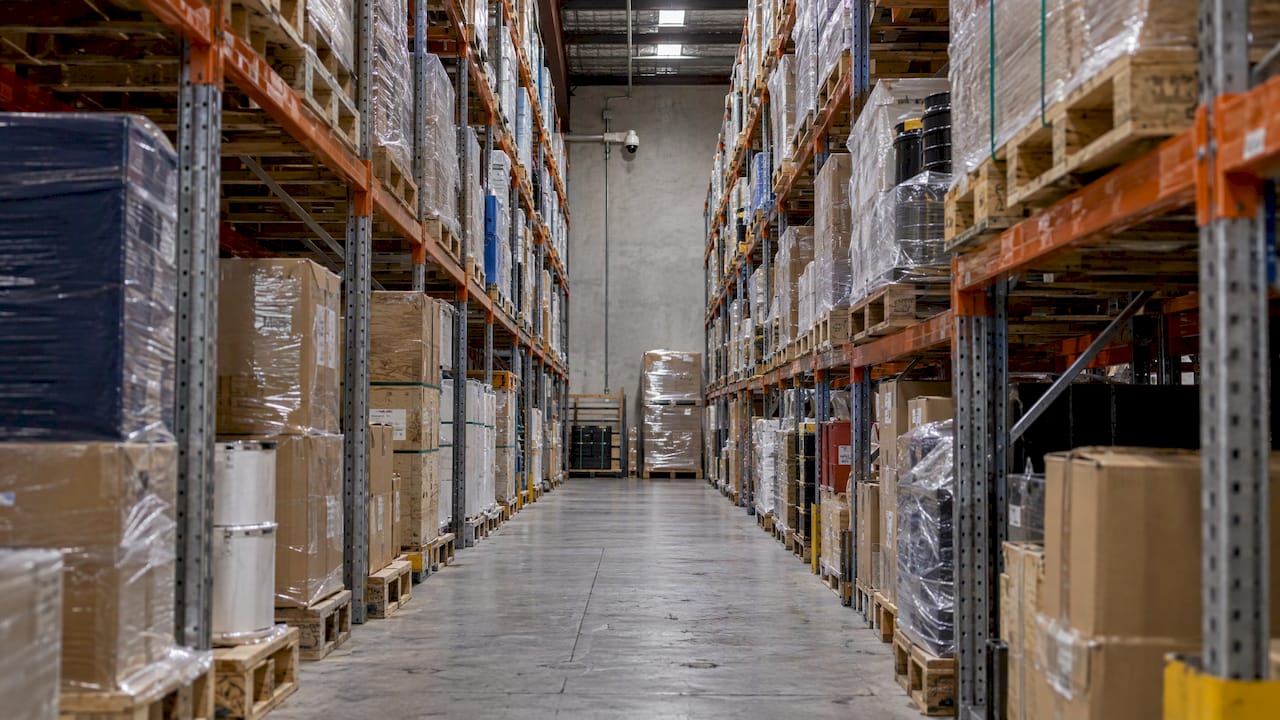
Aisles are where layouts most often fail. A ceiling camera above the racking sees the tops of pallets, not the aisles between them. Long aisles are best covered by a camera at the end of the aisle looking down its length, mounted at a height the racking allows, with extra cameras part way along if the aisle is long. In tall warehouses, ceiling-level cameras can be too far from the floor to give useful detail, so intermediate mounting positions on racking or wall brackets are often more useful.
Treat high-value stock differently from general storage. Cages, tobacco, electronics, pharmaceuticals and controlled items deserve a camera that sees both the door and the inside, so you know who entered and what they handled.
Internal doors, offices and key points
Pedestrian doors, fire exits, the despatch office and the key cabinet are identify zones. Place cameras at or just above face height so that someone entering looks toward the lens. Fire exits that are used to carry goods out are a classic loss route, and a camera there also helps with alarm response.
Packing and despatch benches
A dome camera above a bench will show hands and cartons well but may not show faces. If the concern is dispatch accuracy or theft at the bench, one overhead and one angled camera give you both the product and the person.
Blind spots: what a floor plan will not show
A drawing is flat. A warehouse is not. Racking, stacked pallets, hanging signs, mezzanines and moving forklifts all change what a camera can see, and the stock layout changes weekly. Three habits keep blind spots down:
- Cross-cover high-value zones. A dome camera mounted high has a small area directly beneath it that it cannot see well. Let a second camera cover the first camera’s near field.
- Plan for the stock pattern at its fullest. A clear aisle on the day of survey may be walled with pallets by peak season.
- Walk the site with the live feed. After installation, one person walks every aisle, door and dock while another watches the monitor and marks every spot where the person vanishes or becomes unrecognisable. Fix those before sign-off, not after the first incident.
Cameras, cabling, power and storage
The layout is only as reliable as what sits behind it. Four checks before installation:
- Cameras and lenses: wide lenses for observe zones, narrower lenses for identify zones. A wide lens at a long distance will not identify anyone, whatever the megapixel count.
- Network and power: most modern systems run over network cabling that also powers the camera. Check the switch can carry the total load and leave headroom for future additions. Tidy, labelled cabling also makes later changes easier, and the principles in this guide to cable management components apply to a comms room as much as to an office.
- Recording and storage: work out storage from the number of cameras, resolution, frame rate and the retention period you set in your needs assessment. Add a battery backup so the system keeps recording through a short power loss.
- Access and security of the system: footage and the recorder are sensitive. Limit who can view, export and delete, and keep the recorder somewhere locked.
Privacy and workplace surveillance rules
Cameras in a warehouse are also a workplace surveillance matter, because staff are in the picture. The rules vary by state:
- In NSW, section 10 of the Workplace Surveillance Act 2005 requires written notice to the employee at least 14 days before surveillance starts, unless the employee agrees to a shorter period. Our guide to NSW workplace surveillance notice and practical controls covers what the notice should contain.
- According to law firm Macpherson Kelley, only NSW and the ACT have specific workplace surveillance legislation. It also reports that a May 2025 Victorian inquiry made recommendations for reform that, if legislated, would add requirements such as risk assessments and a workplace surveillance policy. See our summary of what Victorian employers should do now.
- Other states and territories still have rules on listening devices, privacy and signage, and the Privacy Act can apply depending on your business. Our overview of CCTV laws in Australia for businesses is the place to start.
Practical rule: put visible signs at entrances, tell staff in writing before cameras go live, and keep cameras out of toilets, change rooms and similar areas. If you operate across states, get legal advice for your specific situation before you finalise the camera list.
Checking the layout before and after installation
Good installers prove the layout twice.
Before installation: mark the planned cameras on the floor plan, then walk the site with the plan and a ladder or lift. Check each position for obstruction by racking, signage, lighting and sprinkler pipes. Confirm the route for cables.
During commissioning: check each camera for focus, exposure, day and night switching and the field of view the plan promised. Confirm all cameras are recording, that footage can be exported and that the recorder retains the number of days you specified. Test the backup power. Then do the walk test described above.
After go-live: review again at the first stock peak and whenever racking is reconfigured. A layout that was right in March can leave gaps in November.
Why a managed design beats a DIY layout
A warehouse layout draws on several skills at once: risk assessment, lens and lighting choice, network design, privacy compliance and, for many sites, live monitoring. Doing it all in-house means you carry each of those risks yourself. ABCO Security offers security risk assessments, CCTV and alarm system installation and monitoring, and 24/7 monitoring operations across Australia, so the design, installation and ongoing watch come from one provider. We have more than 15 years in the industry and work to ISO 9001 and ISO 30000 quality standards.
Our view
A camera layout is a security plan, not a shopping list. In our experience of integrated security, the cameras that matter most are the ones tied to a decision: someone watching, a patrol responding, an access point controlled. That is why we approach a warehouse as a risk assessment first, then design the cameras, then arrange monitoring and response around them. Cameras plus 24/7 monitoring plus licensed people on the ground is a very different outcome from cameras alone.
For construction sites, hospitals, corporate sites, retail distribution and event venues, the layout principles are the same, but the risks are not. We tailor the system to the sector and the site.
Abco
Next step
If you are planning a new warehouse layout or reworking an old one, our team can assess the site and design the system around your risks. See our electronic security solutions for installation, or our CCTV and alarm monitoring for round-the-clock watching of what the cameras see. Mobile patrols can respond to what the cameras detect, which is covered on our mobile patrol services page.

FAQ
How many cameras does a warehouse need?
There is no fixed number. It depends on the footprint, aisle length, racking height and how many identify points you have. Start with the zones (perimeter, gates, docks, doors, aisles, high-value stock) and count the cameras each needs, including a second camera where you want cross-coverage.
Should cameras go on the ceiling or on the racking?
Both can have a place. Ceiling cameras suit open floor areas, but in tall warehouses they can be too far away to give usable detail at floor level. Mid-height mounts on racking ends or walls often show aisles better, so many layouts mix both.
Do I have to tell warehouse staff about CCTV?
In NSW you must give written notice at least 14 days before surveillance begins, unless the employee agrees to less, and the ACT has its own workplace surveillance law. Elsewhere, you should still use signs and written notice as good practice. Check your state’s rules with a lawyer.
Can the layout be checked once it is installed?
Yes, and it should be. Walk the site with one person watching the live feed, mark every spot where a person disappears or becomes unrecognisable, and adjust the cameras. Repeat after major changes to racking or stock layout.
Sources
- Video Security Systems Technology, US Department of Homeland Security (2025)
- Security video systems – CCTV, Queensland Police Service
- Workplace Surveillance Act 2005 (NSW) section 10, AustLII
- Keeping pace: Technology in the workplace, Macpherson Kelley
- 3 Office Cable Management Components Facilities Teams Should Specify
Recommended
about
avada factory
Sempery ultricies nibh at dolor cras urna eleifend nec. Atiam efficitur tempor.