A cleaner reaches a Melbourne retail stockroom door with a fob that should have expired. A subcontractor waits with a paper sign-in sheet, while the duty manager has a building app but no signal in the basement. Three people, three access needs, one stalled entrance.
The same mismatch can occur at a Sydney construction site office or a Brisbane apartment lobby. The lock may have been chosen years before the current tenants, contractors and operating routines were in place.
Choosing among eight types of access control means matching the system to the people, roster and risks at each entry point. A PIN may suit a plant room but slow a stadium queue. Proximity cards can move a shift change through a lobby quickly, yet they cannot confirm that a second person did not follow the cardholder through. Fingerprint readers can verify identity, but they also create privacy obligations and retain sensitive biometric information.
Each system should be assessed for operating demands, emergency egress and the role of on-site security. Guards can verify visitors, manage entry and record movements; concierge staff can support reception access, while mobile patrols can check doors and perimeters after hours. The right arrangement depends on the site, its users and how entry is managed day to day.
1. Keypad and PIN Access Control
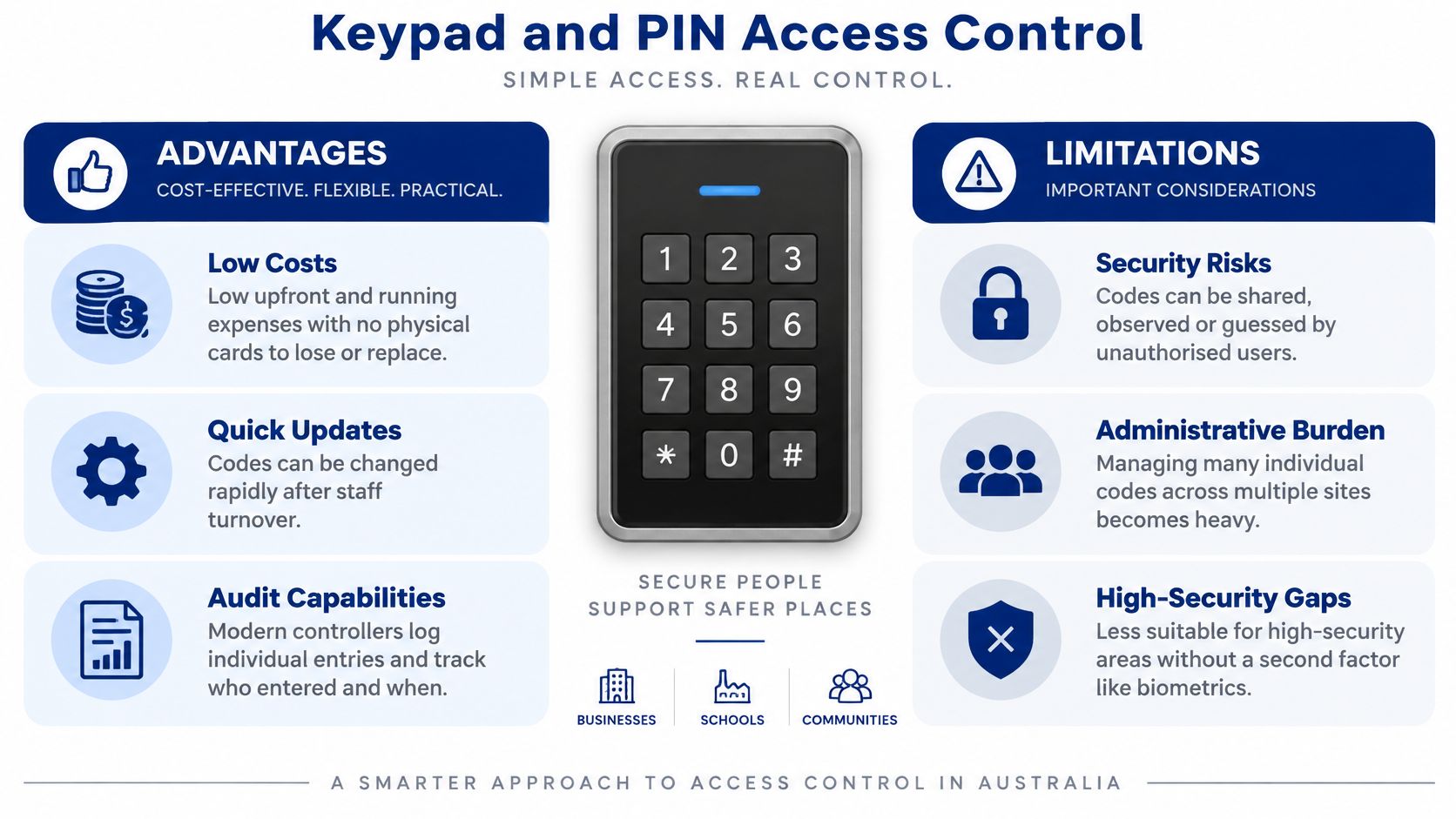
A keypad releases a door when someone enters an authorised numeric code. There is no card or fob to carry, but a shared code can be passed on without leaving a reliable record of who used it. Individual codes make entry logs more useful and can be removed when access is no longer required.
Where PIN Entry Still Earns Its Place
Keypads suit low-traffic doors where issuing a credential to every authorised person would be impractical. Common examples include plant rooms, cleaners' cupboards, roof access and service doors.
- Retail stockrooms: A shared code can be changed when staff access needs change, but regular turnover makes code management important.
- Plant and utility rooms: Strata and facilities teams can issue access to trades without managing a separate fob for occasional visits.
- Cash-handling areas: A keypad may support a duress code that signals an alarm, if the system is configured for that purpose.
The main weakness is code sharing. A code written on a whiteboard or sent to a casual worker is difficult to link to one person. Rotate shared codes when authorised users change, and restrict access to the people who need it.
Practical rule: Review shared codes whenever site access changes. Remove or replace a code as soon as it is no longer appropriate.
CCTV can help review activity at a keypad door, subject to the site's privacy requirements and camera coverage. For a low-traffic storage area, a PIN may be proportionate where access is limited and monitored; the type of space, including climate-controlled and standard storage options, does not remove the need to manage who knows the code.
High-turnover doors need closer supervision. On a construction site or at an event, guards can verify visitors, issue passes and log movements rather than relying on a shared PIN alone. Keep the exit route clear and ensure the access setup does not impede egress.
2. Proximity Card (RFID) Access Control
At a busy office lobby or construction gate, a card tap can keep entry moving without relying on a phone or a spoken code. A proximity reader detects a card or fob held nearby and sends its credential number to a controller. The controller checks the person's permissions for that door and time, then grants or denies access.
Proximity systems use different radio-frequency formats, including 125 kHz and 13.56 MHz. Check the credential and reader specifications before buying cards: the format affects compatibility and the level of protection against copying.
Where Cards Still Win
Cards suit high-throughput doors. They are quick to present, work with gloves and do not rely on a charged phone. At an event entrance, retail back-of-house door or office lobby, those practical advantages can reduce queues.
- Corporate towers: cards can support lift and floor permissions across a building.
- Multi-tenant buildings: access can be assigned by tenancy, including separate floor and car park permissions.
The trade-off is credential management. A lost card must be cancelled promptly, and access records need regular review. Reconcile the cardholder list against the current staff or tenancy register each month, and remove permissions when they are no longer required.
Choose credentials and readers with security appropriate to the site. A card number alone may be copied, so ask the supplier about the credential's protection and compatibility before specifying the system. For busy or sensitive entrances, guards can verify visitors, issue passes and log entries while the system controls card access. Ensure the setup supports safe egress and does not obstruct an exit.
3. Smart Card and Contactless Access Control
A hospital staff member may need one credential for a staff entrance, a medication room and a staff payment system. A smart card can support several uses, with separate permissions for each. The reader checks data stored on the card's chip before granting access.
That differs from a basic proximity card, which presents a number to the reader. Smart cards can use encrypted credentials, but the protection depends on the card and reader technology selected.
One Card, Several Jobs
- Hospital precincts: assign different permissions for staff entrances, medication rooms and payment systems.
- University campuses: use one student card for library, residential college and laboratory access.
- Retail centres: set different access permissions and time periods for centre management staff, cleaners and contractors.
Credential security also depends on sound administration. A lost card should be cancelled promptly, and permissions should be removed when a person's role changes. Review access profiles against current roles as part of the organisation's routine access-control process.
Specify before you sign: ask the supplier which encryption standard the card and reader use. Check that the system supports the credential security your site requires, rather than relying on the “smart card” label alone.
For sites combining electronic access with staffed entry, guards can verify visitors, issue passes and log movements using digital or manual systems. Consider privacy when deciding what access data to retain, and make sure doors continue to support safe egress.
For a comparison of identity-based entry options, read this guide to biometric access control systems.
4. Biometric Access Control
Biometric access control matches a live physical or behavioural trait against an enrolled template and releases the door only on a match. Fingerprint, facial geometry, iris pattern and palm vein are the common forms. Nobody can hand a fingerprint to a colleague, which is why the technology sits on pharmacy dispensing rooms, data halls and secure records stores.

The hard trade-off is legal, not technical. Under the Privacy Act 1988, biometric information, including facial images and templates used for automated identification, is sensitive information. An organisation covered by the Act generally needs consent before collecting it, as the Office of the Australian Information Commissioner sets out.
That means biometric entry can't be treated as an easy substitute for a swipe card. You need a lawful collection basis and heightened protections before the first person enrols.
Every Face In Front Of The Scanner
The scope is wider than most operators assume. OAIC guidance is explicit that a facial-recognition system collects sensitive information about every person whose face it scans, not only the people who generate a match, even where that information is held for only a moment, per its facial recognition factsheet. Visitors, delivery drivers and people incorrectly flagged are all captured.
A non-biometric alternative isn't a courtesy. It's the difference between a system people accept and one they quietly resent.
- Document consent in writing: before enrolment, with a plain-English privacy notice at the door.
- Keep templates encrypted: ideally on the device rather than in one central database.
- Set a retention period: then delete or de-identify biometric records on schedule.
5. Mobile Credential Access Control
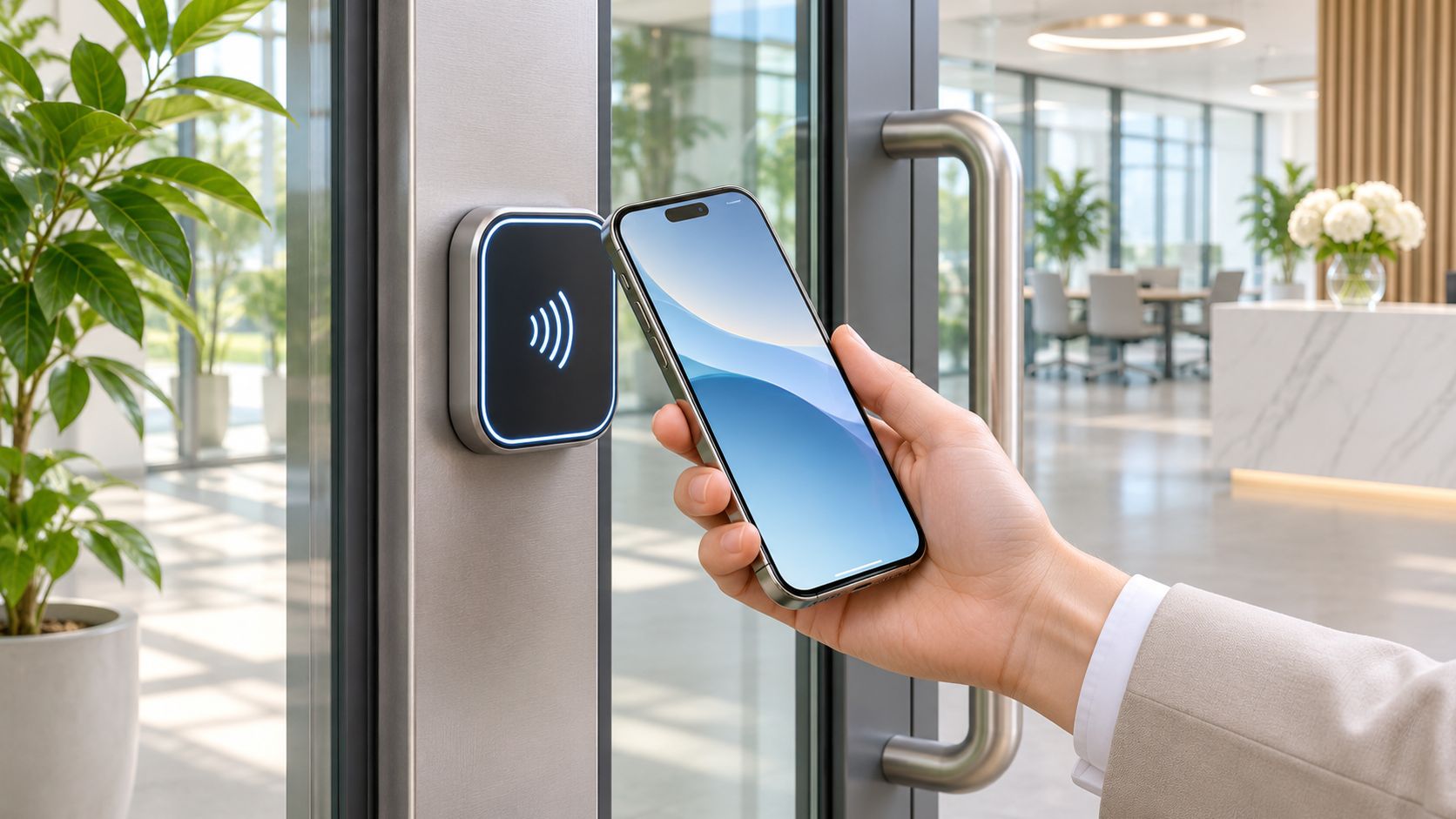
A contractor arrives at a construction gate before the site team has issued a plastic pass. With a mobile credential, access can be granted to a phone and later revoked. The phone communicates with a reader by Bluetooth Low Energy or NFC, or the door is released remotely through a cloud platform. Administrators manage permissions through a browser, subject to the system's reader compatibility and network availability.
An Australian facilities-management publication reports that 39% of surveyed organisations actively use mobile identities, 48% have adopted touchless or contactless solutions and 44% have adopted mobile access, citing HID's 2024 State of Physical Access Control Report (FM Media).
Measure the Credential, Not Just the Rollout
A credential is useful only if it works at the door and can be managed promptly. Track performance by reader and user group:
- Activation rate: credentials used in the past 30 days, compared with those issued.
- Failed-entry rate: first-attempt failures at each reader.
- Revocation time: time between an access change being requested and the credential being disabled.
- Fallback usage: how often staff use a physical card or fob instead.
Before deployment, check that the readers support the chosen phone technology, credentials are exchanged securely, and lost or replaced devices can be handled through the organisation's access procedures. Confirm how doors behave if the network is unavailable. For construction sites, retail centres and strata buildings, plan for visitors and contractors who need temporary access, and make sure permissions match the area and duration they are authorised to enter.
Contractor rule: set an expiry date for every temporary credential. Review extensions rather than leaving access active indefinitely.
Keep a card or fob available for people without a compatible device. Set permissions with privacy and egress in mind: collect only the access records needed for site operations, restrict who can view them, and ensure people can exit safely if the credential or network fails. A guard or gatehouse officer can verify visitors, issue passes and log entry when a mobile credential is unavailable.
For more on issuing and managing phone-based entry, see mobile access credentials. Organisations comparing physical access with passwordless network access solutions should assess them as separate systems, with different readers, permissions and operational requirements.
6. Video Intercom and Visitor Access Control
A delivery driver arrives at a strata entrance after the office has closed. A video intercom lets the resident or an authorised contact check who is at the door and release it remotely. In a staffed building, the call can go to a concierge instead.
The system combines a call panel, camera, two-way audio and a door or gate release. Visitor management adds steps such as pre-registration, sign-in and badge issue. Set the process to suit the site: a corporate lobby may need reception approval, while a construction site needs visitor identity checks and a log of entry and exit.
Inclusion Belongs In The Design
Visitors need a clear way to call for access and communicate with the person who can approve entry. Building access should account for people who cannot reach a high panel, hear the speaker or hold a heavy door open. The Department of Finance accessibility guide explains how accessibility, security and privacy fit into building design.
- Strata apartment buildings in Brisbane and Perth: residents answer from an app and release the lobby or car park door.
- Corporate lobbies: calls can route to a concierge desk or monitoring contact after hours.
- Gated sites and loading docks: a driver speaks with the gatehouse officer, who can check the visitor or delivery before allowing entry.
Design check: position the camera to show a visitor clearly at the panel. A wide view of the surrounding area may not show who is requesting access.
Plan what happens if nobody answers, the network fails or the door release does not work. Keep the exit route usable in an emergency, and make sure any access control does not prevent safe egress. Recorded video and visitor logs should be managed under the privacy and surveillance rules that apply to the site. If the system includes CCTV recording, assess that component against the relevant CCTV requirements.
A visitor management system can support pre-registration, on-site sign-in and badge issue. Guards can monitor visitor movements, issue passes, log entries and exits, and operate digital or manual access systems.
7. Gatehouse and Vehicle Access Control
Vehicle access control covers car parks, industrial estates, loading docks and depot yards. Boom gates and barriers hold the vehicle, automatic number plate recognition (ANPR) cameras read the plate, and the system checks it against a permit or pre-approved list. A manned gatehouse adds a person to that loop.
ANPR handles volume. A gatehouse handles exceptions, and exceptions are most of what happens at a busy site between 6am and 9am.
Where Each One Fits
- Industrial estates in Sydney and Melbourne: contractor vehicles pre-registered before arrival, so the barrier lifts without a conversation.
- Shopping centre car parks: ANPR enforcing time-limited and permit-based parking, with overstay reports feeding centre management.
- Construction and mining sites: a gatehouse officer verifying work permits, delivery dockets and inductions before the vehicle passes.
Write it into the brief: emergency override and fire brigade access belong in the design, not the commissioning checklist. A barrier that traps a fire appliance is a liability with a motor.
Pre-registration is the biggest single lever on gate delay. Vehicles that arrive unannounced cause the queue, the argument and the tailgating that follows it.
High-risk periods, shutdowns and loading peaks usually justify a manned gatehouse rather than another camera. A person resolves a disputed delivery in seconds. A camera produces a record of the argument.
For the camera side of the design, see our automatic number plate recognition page.
8. Turnstile and Mantrap Access Control
Turnstiles and mantraps are physical barriers that admit one person per valid credential. A turnstile is a rotating arm, gate or glass paddle. A mantrap is an enclosed chamber with two interlocking doors, where the first must close before the second opens. Both defeat the follow-through that undermines every other system on this list.
The concept isn't new in Australia. A parliamentary review of protective-security arrangements recorded that by 2002 the Australian Security Intelligence Organisation used electronic access control at its Central Office and largest state offices to positively identify staff entering and leaving, and examined turnstiles and biometric recognition as ways to reduce piggybacking, per the Parliament of Australia review.
Get The Life Safety Sign-Off First
Egress and accessibility decide whether the installation is compliant long before throughput matters.
- Accessible lane: compliant with the Disability Discrimination Act 1992 (Cth) and the relevant building standards, and staffed during peak periods.
- Fire release: confirmed with the building certifier, so lanes fail safe on alarm and on power loss.
- Supervision at peaks: someone to resolve a rejected credential without stopping the queue behind it.
Where a lane is paired with facial recognition at a venue or secure site, complete a privacy impact assessment at the outset, as OAIC guidance recommends, and define what happens after a false match before the first event.
Test it once: send two people through on a single credential and watch what the lane does. If it admits both, you've bought a speed gate, not a barrier.
Our tailgating prevention guidance covers the hardware and the staff procedures that work alongside it.
How the eight access control types compare
| Item | Credential | Best suited to | Main weakness | Typical setting |
|---|---|---|---|---|
| Keypad and PIN Access Control | Numeric PIN | Known users and low-cost access | Codes can be shared, observed or guessed | Stockrooms, plant rooms and utility areas |
| Proximity Card (RFID) Access Control | RFID card or fob | Fast access in high-traffic areas | Basic cards may be cloned or shared | Offices, schools and multi-tenant buildings |
| Smart Card and Contactless Access Control | Encrypted smart card or mobile wallet | Secure access with multiple card functions | Higher costs and demanding key management | Hospitals and university campuses |
| Biometric Access Control | Fingerprint, face, iris or palm-vein scan | High-security areas requiring identity verification | Privacy obligations and variable scan accuracy | Data centres, pharmacies and secure records rooms |
| Mobile Credential Access Control | Smartphone app using Bluetooth or NFC | Multi-site access and changing workforces | Depends on device availability and battery | Commercial property portfolios and construction sites |
| Video Intercom and Visitor Access Control | Visitor call with video and audio verification | Remote visitor screening and entry | Delays if the monitoring point is unattended | Apartment buildings and corporate lobbies |
| Gatehouse and Vehicle Access Control (Boom Gates and ANPR) | Vehicle permit or number plate | Managing vehicle entry and traffic flow | ANPR can misread plates; gate failures may restrict emergency access | Car parks, industrial estates and loading areas |
| Turnstile and Mantrap Access Control | Valid card, PIN or biometric credential | Preventing tailgating and controlling throughput | Cost, space and egress requirements | Secure facilities, venues and stadiums |
Match the System to the Site, Then Test It
A plant room, pharmacy dispensing area, event entrance and vehicle gate each need a different access procedure. Start with the highest-risk entry point, then define how staff will verify identity, manage visitors and maintain safe egress. Extending one credential system to every door can create avoidable delays and gaps.
Test the system under failure conditions before relying on it. A demonstration does not show how permissions, doors and staff procedures will hold up during a disrupted shift.
The Four Tests Worth Running
- Power failure: Isolate mains power and confirm which doors release, which remain locked and who can access the mechanical key.
- Network failure: Disconnect the controller and check whether stored permissions still allow authorised staff to enter.
- Lost credential: Measure the time from reporting a lost credential to disabling it, including the after-hours process.
- Tailgating: Observe a shift change. A credential log records the person who badged in, but cannot confirm who followed them through.
Guards and concierge staff can manage visitors who arrive without credentials, check contractor access and respond to doors left open. Gatehouse officers can manage vehicle and personnel entry, while mobile patrols can inspect perimeters and report issues after hours. These procedures support the system; they do not replace a clear access policy or timely log review.
Privacy Is Part Of The Specification
Access systems can create personal information, including entry logs and, for some systems, biometric data. Australian Privacy Principle 11 requires reasonable steps to protect personal information from misuse, interference, loss and unauthorised access, modification or disclosure. It also requires information to be destroyed or de-identified when it is no longer needed, as explained in OAIC privacy guidance on facial recognition. Set administrator permissions, protect stored data, review access logs and document retention rules.
Budget for the operating procedure as well as the hardware. Define who reviews alerts, who can change permissions and how staff respond when an alarm sounds. Privacy, egress and the availability of guards or patrols should shape the design from the start.
Feature lists, including the comparison in Fitness GM's roundup of entry systems, tend to rank hardware. Assess the system against the site's actual conditions, such as a queue at a gate in wet weather.
ABCO Security Services Australia integrates access control with security guarding, gatehouse services, concierge security and mobile patrols. It offers a free on-site risk assessment and operates across Australia, with offices in Melbourne, Sydney, Adelaide, Perth and Brisbane.
ABCO also provides end-to-end electronic security, including surveillance, access control, video analytics and remote viewing. A site assessment can help align the technology, access procedures and staffing with the property's risks. See the full service range at ABCO Security Services Australia.
about
avada factory
Sempery ultricies nibh at dolor cras urna eleifend nec. Atiam efficitur tempor.